VFX nodes
Plate prep, masks, inpaint, depth, optics, motion, multipass, and scene cuts.
31 nodes. All sections
- Aberration
- Anamorphic Streaks
- Bit-Depth Degrade
- Blend Composite
- Camera Sync
- Compression Artifacts
- Defocus
- Depth
- Grain
- HDR Grain Matcher
- HDR Inpaint Crop
- HDR Inpaint Stitch
- LensDistortion
- Matte
- MotionBlur
- MotionVectors
- Multipass AOV Reader
- Multipass Composite
- Multipass Estimate
- Multipass Relight
- Read Mask
- Relight Engine
- Rolling Shutter
- SAM Multi-Mask Picker
- Scene Cut Detect
- Scene Cut Split
- Shot Grade Router
- Stabilize
- Temporal Stitch Stabilizer
- Vignette
- Write EXR Passes
Aberration
RadianceChromaticAberration
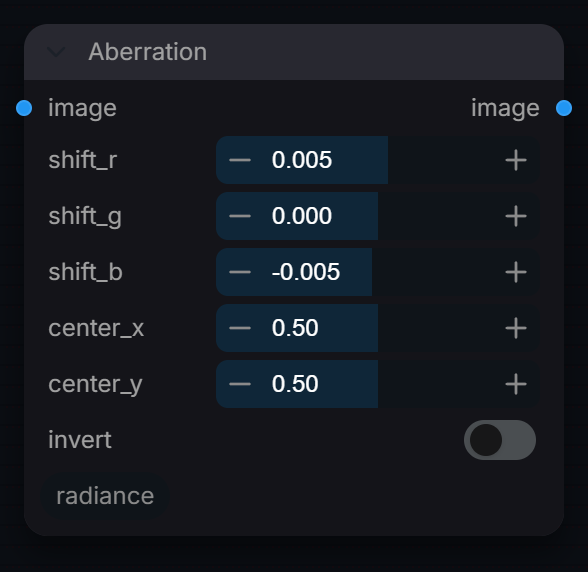
Simulate lateral chromatic aberration (fringe) as a lens artefact.
Inputs
| Input | Type | Default | Range or choices | What it does |
|---|---|---|---|---|
image |
IMAGE | Image whose red, green and blue channels are scaled radially by separate amounts. Alpha is not shifted. | ||
shift_r |
float | 0.005 | -0.1 to 0.1, step 0.001 | Radial scale for Red channel. Positive = pushed outward. |
shift_g |
float | 0 | -0.1 to 0.1, step 0.001 | Radial scale for Green channel. Typically 0 (reference channel). |
shift_b |
float | -0.005 | -0.1 to 0.1, step 0.001 | Radial scale for Blue channel. Negative = pulled inward. |
center_x |
float | 0.5 | 0 to 1, step 0.01 | Horizontal center of the distortion/effect (0.0 = left, 1.0 = right). |
center_y |
float | 0.5 | 0 to 1, step 0.01 | Vertical center of the effect (0.0 = top, 1.0 = bottom). |
invert |
boolean | off | Invert shift for CA removal / undistortion pass. |
Outputs
| Output | Type |
|---|---|
image |
IMAGE |
Anamorphic Streaks
RadianceAnamorphicStreaks
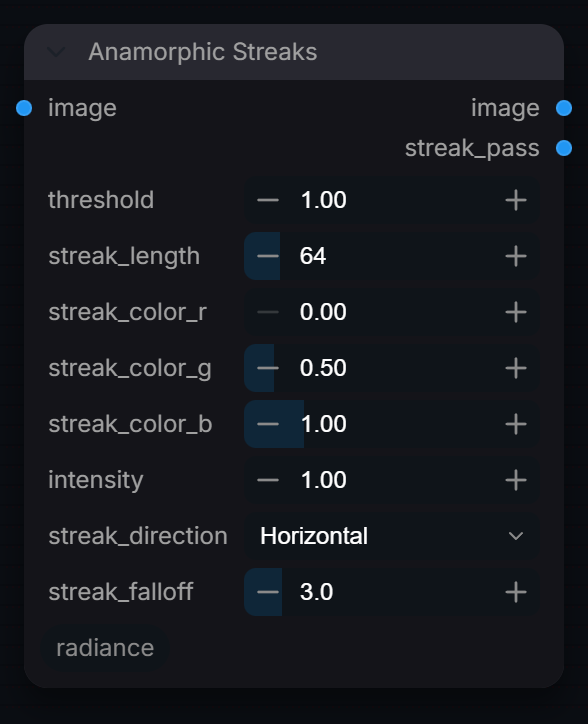
Add anamorphic lens streak flares to bright highlights.
Inputs
| Input | Type | Default | Range or choices | What it does |
|---|---|---|---|---|
image |
IMAGE | Image to add streaks to, ideally scene-linear so that highlights above 1.0 drive the flare. | ||
threshold |
float | 1 | 0 to 10, step 0.01 | Per-channel value above which highlights generate streaks; only the excess over it is streaked. 1.0 = SDR white. |
streak_length |
int | 64 | 1 to 512, step 1 | Maximum streak tail length in pixels. |
streak_color_r |
float | 0 | 0 to 5, step 0.01 | Red component of the anamorphic streak colour. Values > 1.0 produce HDR-energy streaks. |
streak_color_g |
float | 0.5 | 0 to 5, step 0.01 | Green component of the anamorphic streak colour. |
streak_color_b |
float | 1 | 0 to 5, step 0.01 | Streak color tint. Default is the cool blue-cyan typical of anamorphic lenses. |
intensity |
float | 1 | 0 to 10, step 0.01 | Vignette or streak intensity. Values > 1.0 add HDR energy. |
streak_direction |
choice | Horizontal |
Horizontal, Vertical, Diagonal +45, Diagonal -45 |
Direction of streak propagation. |
streak_falloff |
float | 3 | 0.5 to 20, step 0.1 | Exponential decay rate of the streak kernel. Higher = tighter falloff (shorter effective tail). Lower = longer, softer streak. |
Outputs
| Output | Type | What it is |
|---|---|---|
image |
IMAGE | Original image with streaks composited (add blend). |
streak_pass |
IMAGE | Isolated streak pass for manual compositing (pre-add). |
Bit-Depth Degrade
RadianceBitDepthDegrade
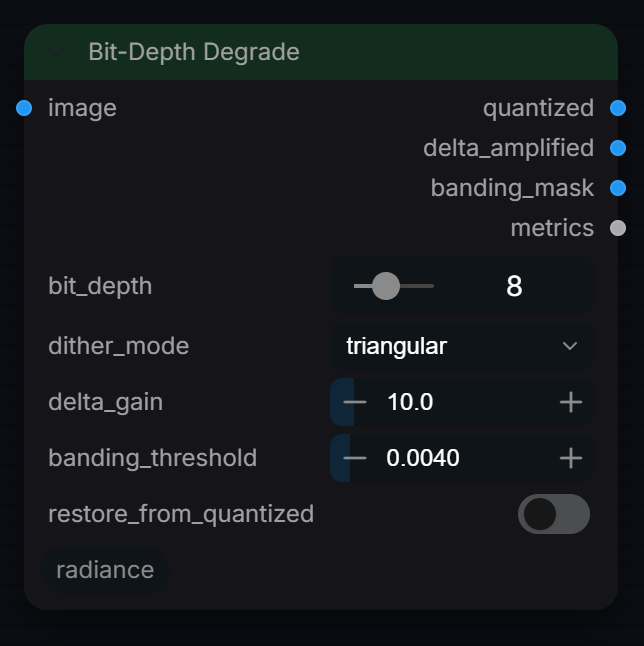
Quantise an image to a lower bit depth, with optional dither, and output the error and a threshold mask. Use it to preview banding in 8/10-bit deliveries; feed the display-encoded image as it will be delivered.
Inputs
| Input | Type | Default | Range or choices | What it does |
|---|---|---|---|---|
image |
IMAGE | Display-encoded 0..1 image, quantised as is (no transfer conversion); values outside 0..1 are clipped. Alpha passes through unchanged. | ||
bit_depth |
int | 8 | 4 to 16, step 1 | Target bits per channel; the 0..1 range is split into 2^bits - 1 steps. |
dither_mode |
choice | triangular |
none, triangular, floyd-steinberg |
none: plain rounding. triangular: random TPDF noise of +/-1 step before rounding. floyd-steinberg: error diffusion (the classic scan-line result, computed a diagonal at a time). |
delta_gain (optional) |
float | 10 | 1 to 100, step 0.5 | Multiplier on the absolute error |original - quantised| for the delta_amplified output, clipped to 1. |
banding_threshold (optional) |
float | 0.004 | 0.0005 to 0.05, step 0.0005 | Per-pixel error (0..1 units, largest channel) above which banding_mask is white. 0.004 is about one 8-bit code value. This flags quantisation error, not detected bands. |
restore_from_quantized (optional) |
boolean | off | Currently has no effect: the node ignores this setting. |
Outputs
| Output | Type |
|---|---|
quantized |
IMAGE |
delta_amplified |
IMAGE |
banding_mask |
IMAGE |
metrics |
STRING |
Blend Composite
RadianceBlendComposite
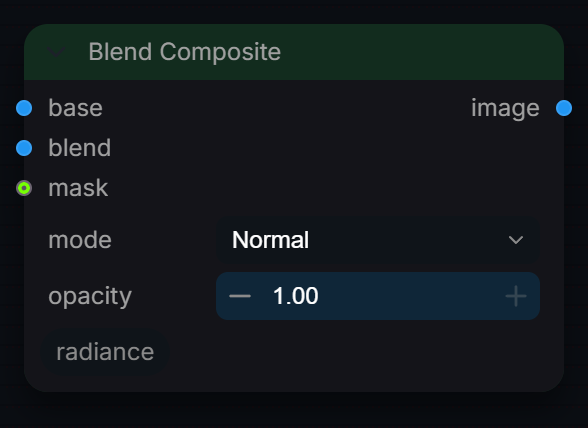
Composite two images using Normal, Add, Screen, Multiply, Overlay, Soft Light, Difference, or Divide blend modes.
Inputs
| Input | Type | Default | Range or choices | What it does |
|---|---|---|---|---|
base |
IMAGE | Bottom layer (background). | ||
blend |
IMAGE | Top layer (foreground). | ||
mode |
choice | Normal |
Normal, Add, Screen, Multiply, Overlay, Soft Light, Difference, Divide |
Blend operation of blend over base, in fp32. Add, Multiply and Divide keep HDR values above 1.0; Screen clamps both layers to 0-1 first; Overlay and Soft Light assume 0-1 display-range values. |
opacity |
float | 1 | 0 to 1, step 0.01 | Overall strength of the blend layer. |
mask (optional) |
MASK | Optional per-pixel mask (grayscale). White = full blend, Black = base only. |
Outputs
| Output | Type |
|---|---|
image |
IMAGE |
Camera Sync
RadianceCameraSync
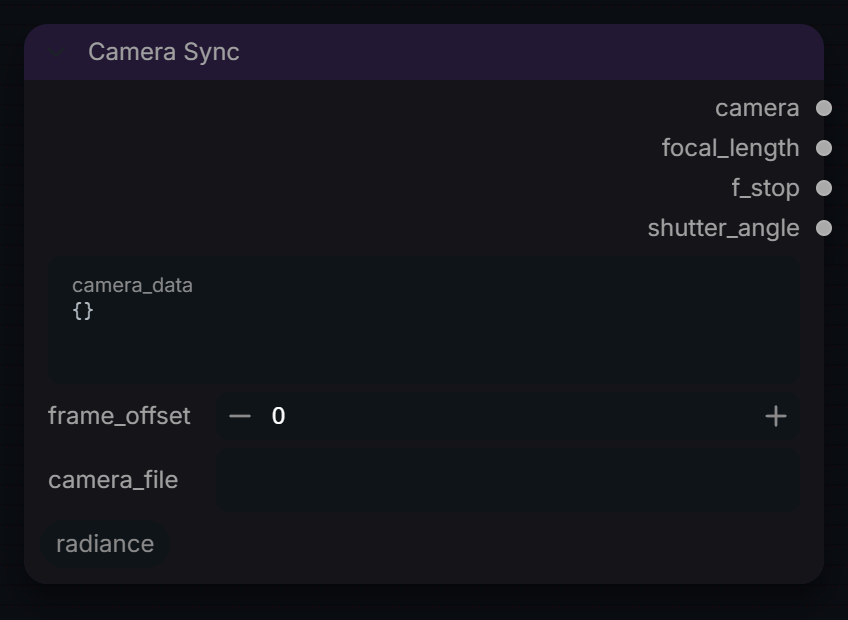
Read a JSON camera (focal length, f-stop, shutter, transform) for the optical nodes.
Inputs
| Input | Type | Default | Range or choices | What it does |
|---|---|---|---|---|
camera_data |
string | {} |
multi-line text | JSON camera data: {"focal_length": 35.0, "f_stop": 2.8, "shutter_angle": 180.0, "transform": [...]} or {"frames": [ ... ]} |
frame_offset |
int | 0 | -10000 to 10000, step 1 | Index into a "frames" list (animated camera). Ignored for a single camera. |
camera_file (optional) |
string | Path to a .json camera file. Takes precedence over camera_data. |
Outputs
| Output | Type |
|---|---|
camera |
RADIANCE_CAMERA |
focal_length |
FLOAT |
f_stop |
FLOAT |
shutter_angle |
INT |
Compression Artifacts
RadianceCompressionArtifacts
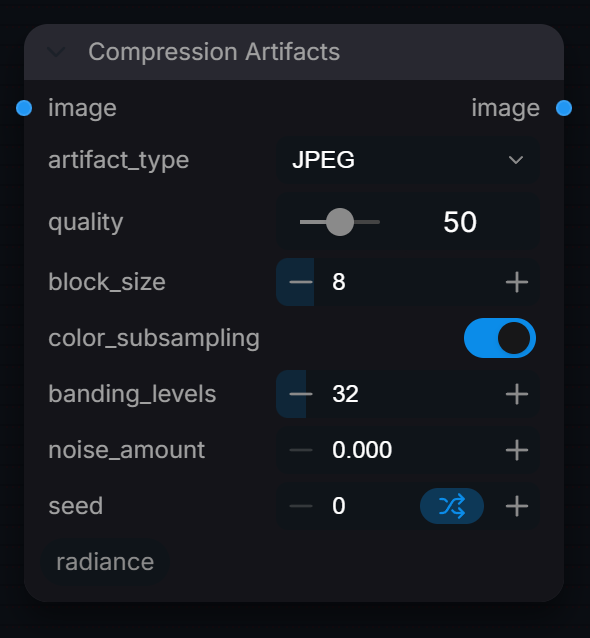
Add compression artifacts (JPEG blocking, color banding).
Inputs
| Input | Type | Default | Range or choices | What it does |
|---|---|---|---|---|
image |
IMAGE | Display-encoded image. It is quantised to 8 bits and clipped to 0-1 in every mode, so HDR values are lost; alpha is kept. | ||
artifact_type |
choice | JPEG |
JPEG, Banding, Both |
JPEG: real JPEG round trip plus block averaging (block_size). Banding: posterise to banding_levels. Both: JPEG then banding. |
quality |
int | 50 | 1 to 100, step 1 | JPEG encoder quality, 1 = worst, 100 = best. Ignored in Banding mode. |
block_size (optional) |
int | 8 | 4 to 32, step 4 | Size in pixels of the square blocks each averaged to one flat colour after the JPEG pass (a mosaic, not a DCT setting). Applies in JPEG and Both. Blocks cut off at the right or bottom edge are averaged over the pixels they have. |
color_subsampling (optional) |
boolean | on | Apply chroma subsampling (4:2:0) to simulate video codec color compression. | |
banding_levels (optional) |
int | 32 | 4 to 256, step 4 | Quantisation steps per channel in Banding and Both modes (rounded down, so it darkens by up to one step). Fewer = stronger banding. |
noise_amount (optional) |
float | 0 | 0 to 0.1, step 0.005 | Standard deviation of Gaussian noise added at the end, in 0-1 code values (0.01 = about 2.5 of 255). 0 = off. |
seed (optional) |
int | 0 | 0 to 18446744073709551615 | Random seed for reproducible noise patterns. |
Outputs
| Output | Type |
|---|---|
image |
IMAGE |
Defocus
RadianceDepthOfField
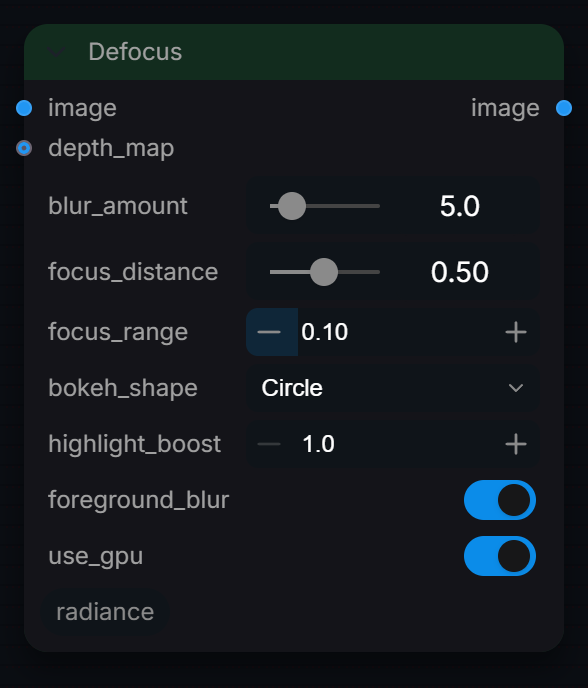
Apply cinematic depth of field blur with optional depth map input.
Inputs
| Input | Type | Default | Range or choices | What it does |
|---|---|---|---|---|
image |
IMAGE | Image or frame batch to defocus. Works on linear or display-encoded values; super-whites are kept. | ||
blur_amount |
float | 5 | 0 to 50, step 0.5 | Maximum defocus in pixels: Gaussian sigma for Circle (kernel capped at 31 px), kernel radius for the other shapes. Below 0.1 the image is returned unchanged. |
depth_map (optional) |
IMAGE | Depth in 0-1 from the first channel, 0 = near, 1 = far; resized to the image. Without it, a radial map is used (sharp centre, blurred corners). | ||
focus_distance (optional) |
float | 0.5 | 0 to 1, step 0.01 | Depth value that is in focus, on the depth_map scale (0 = near, 1 = far). With no depth map, 0 is the frame centre. |
focus_range (optional) |
float | 0.1 | 0.01 to 0.5, step 0.01 | Depth distance either side of focus_distance that stays sharp; blur then ramps up to full over the rest of the depth range. |
bokeh_shape (optional) |
choice | Circle |
Circle, Hexagon, Octagon, Anamorphic Oval |
Aperture shape. Non-circular shapes use a convolution kernel for physically accurate bokeh. |
highlight_boost (optional) |
float | 1 | 1 to 3, step 0.1 | Brightens defocused highlights (luma above 0.8) by up to this factor, scaled by the amount of blur. 1.0 = off. |
foreground_blur (optional) |
boolean | on | Blur areas nearer than focus_distance (depth below it). Off keeps the foreground sharp and blurs only the background. | |
use_gpu (optional) |
boolean | on | Run the effect on GPU via CUDA/MPS. Falls back to CPU if unavailable. |
Outputs
| Output | Type |
|---|---|
image |
IMAGE |
Depth
RadianceDepthMapGenerator
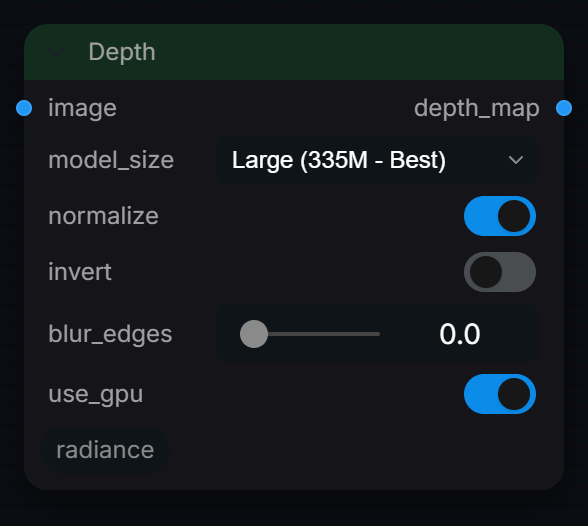
Depth Anything V2 monocular depth estimation. Video-safe — standardizes each frame with spatial-temporal alignment preventing flickering. Outputs 3-channel grayscale depth map. Connect to Depth of Field node for realistic defocus blur.
Inputs
| Input | Type | Default | Range or choices | What it does |
|---|---|---|---|---|
image |
IMAGE | Display-encoded image or frame batch. Frames with values above 1.05 are Reinhard tone-mapped to 0..1 first; alpha is ignored. | ||
model_size |
choice | Large (335M - Best) |
Small (25M - Fast), Base (98M - Balanced), Large (335M - Best) |
Depth Anything V2 model size. Small = fast previews, Large = best quality. |
normalize (optional) |
boolean | on | Normalize depth to 0-1 range. For video, frames are standardized for temporal consistency. | |
invert (optional) |
boolean | off | Invert depth (white=far, black=near). | |
blur_edges (optional) |
float | 0 | 0 to 5, step 0.5 | Gaussian blur to smooth depth discontinuities. |
use_gpu (optional) |
boolean | on | Run depth estimation on GPU. Requires a CUDA-capable device. Falls back to CPU if unavailable. |
Outputs
| Output | Type |
|---|---|
depth_map |
IMAGE |
Grain
RadianceFilmGrain
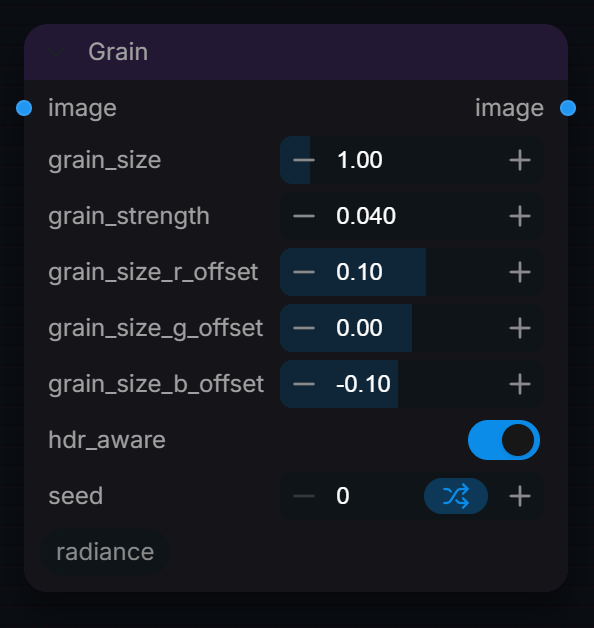
Add simulated film grain: Gaussian noise blurred to a per-channel grain size and added to the image, optionally reduced in highlights (hdr_aware) so it stays usable on HDR plates.
Inputs
| Input | Type | Default | Range or choices | What it does |
|---|---|---|---|---|
image |
IMAGE | Image to grain. Grain is added in the image's own encoding; alpha is left untouched. | ||
grain_size |
float | 1 | 0.1 to 8, step 0.05 | Base grain size in pixels (Gaussian sigma). 1.0 ≈ ISO 400 medium format. |
grain_strength |
float | 0.04 | 0 to 1, step 0.001 | Grain amplitude. 0.015=fine, 0.04=medium, 0.12=heavy. |
grain_size_r_offset |
float | 0.1 | -1 to 1, step 0.05 | R channel grain size offset from base (pixels). Red grain is typically coarser. |
grain_size_g_offset |
float | 0 | -1 to 1, step 0.05 | G channel grain size offset. Green has finest grain (most photo-sites). |
grain_size_b_offset |
float | -0.1 | -1 to 1, step 0.05 | B channel grain size offset. Blue grain is typically finest. |
hdr_aware |
boolean | on | Scale grain amplitude by 1/sqrt(luma + 1): full strength at black, about 0.7x at 1.0 and 0.45x at 4.0. Grain size is unchanged. Disable for uniform grain. | |
seed |
int | 0 | 0 to 2147483647, step 1 | Random seed for a repeatable grain pattern. 0 = no reseed, so the pattern depends on the global random state when the node runs. |
Outputs
| Output | Type |
|---|---|
image |
IMAGE |
HDR Grain Matcher
RadianceHDRGrainMatcher
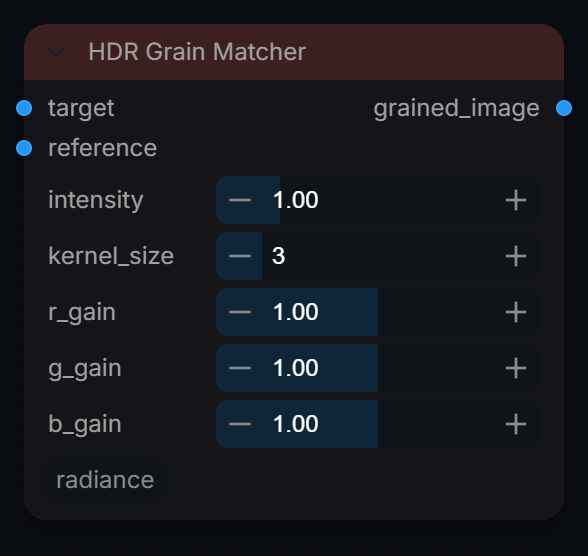
Transfer grain from a reference plate onto a clean image: the reference's fine detail is high-pass filtered in log2 space and added to the target in log2, so it scales with exposure and does not burn out highlights.
Inputs
| Input | Type | Default | Range or choices | What it does |
|---|---|---|---|---|
target |
IMAGE | Clean RGB image or sequence to receive grain, ideally scene-linear. Negative values are clamped to 0. | ||
reference |
IMAGE | Grainy plate to take grain from. Must match the target's width and height; frames are reused in a cycle if it is shorter than the target. All high-frequency detail is transferred, so use a flat, defocused area if possible. | ||
intensity |
float | 1 | 0 to 5, step 0.05 | Multiplier on the extracted grain. 0 = no grain, 1 = matched to the reference. |
kernel_size |
int | 3 | 1 to 15, step 2 | Box-blur size in pixels used to split grain from the image. Larger values capture coarser grain (and more image detail); 1 extracts nothing. |
r_gain |
float | 1 | 0 to 2, step 0.05 | Extra grain multiplier for the red channel. 1.0 = unchanged. |
g_gain |
float | 1 | 0 to 2, step 0.05 | Extra grain multiplier for the green channel. 1.0 = unchanged. |
b_gain |
float | 1 | 0 to 2, step 0.05 | Extra grain multiplier for the blue channel. 1.0 = unchanged. |
Outputs
| Output | Type |
|---|---|
grained_image |
IMAGE |
HDR Inpaint Crop
RadianceHDRCrop
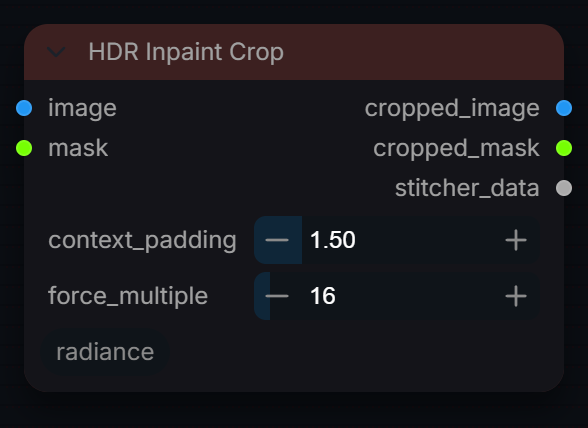
Crop an image batch to the region around a mask, with extra context, for inpainting at full resolution. Pair with Radiance HDR Stitch to put the result back.
Inputs
| Input | Type | Default | Range or choices | What it does |
|---|---|---|---|---|
image |
IMAGE | Plate or frame batch to crop. Values pass through unchanged, so HDR and scene-linear data are kept. | ||
mask |
MASK | Region to inpaint. Pixels above 0.05 on any frame define one union box used for every frame, so the crop does not move over time. An empty mask crops the full frame. | ||
context_padding |
float | 1.5 | 1 to 4, step 0.05 | Crop size as a multiple of the mask's bounding box, centred on it. 1.0 = tight to the mask, 1.5 = 50% larger for surrounding context. |
force_multiple |
int | 16 | 1 to 256, step 1 | Round the crop width and height up to a multiple of this (16 suits Wan and LTX latents). 1 = no rounding. A crop that reaches the frame edge is limited to the frame size and may not be a multiple. |
Outputs
| Output | Type |
|---|---|
cropped_image |
IMAGE |
cropped_mask |
MASK |
stitcher_data |
STITCHER_DATA |
HDR Inpaint Stitch
RadianceHDRStitch
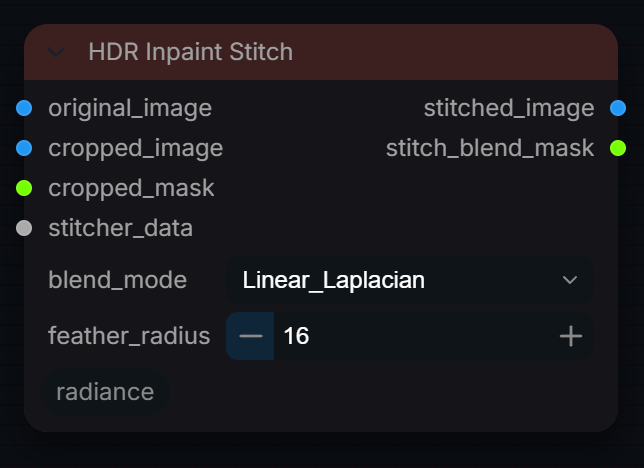
Composite an inpainted crop from Radiance HDR Crop back into the original plate through its mask, with a feathered or multi-band blend. Output is not clamped above 1.0.
Inputs
| Input | Type | Default | Range or choices | What it does |
|---|---|---|---|---|
original_image |
IMAGE | The full-size plate that was passed to HDR Crop. | ||
cropped_image |
IMAGE | The processed crop. It must keep the crop's exact width and height, as it is pasted back at the stored coordinates. | ||
cropped_mask |
MASK | Mask for the crop (normally cropped_mask from HDR Crop). Only this area of the crop replaces the plate. | ||
stitcher_data |
STITCHER_DATA | Crop coordinates from HDR Crop. | ||
blend_mode |
choice | Linear_Laplacian |
Linear_Laplacian, Linear_Gaussian, Standard |
Linear_Laplacian: 3-level multi-band blend with the feathered mask, negatives clamped to 0. Linear_Gaussian and Standard: plain mix through the feathered mask. No transfer conversion is applied. |
feather_radius |
int | 16 | 0 to 128, step 1 | Mask softening radius in pixels (a box blur of 2 x radius + 1), used by every blend mode. 0 preserves the input mask without softening. |
Outputs
| Output | Type |
|---|---|
stitched_image |
IMAGE |
stitch_blend_mask |
MASK |
LensDistortion
RadianceLensDistortion
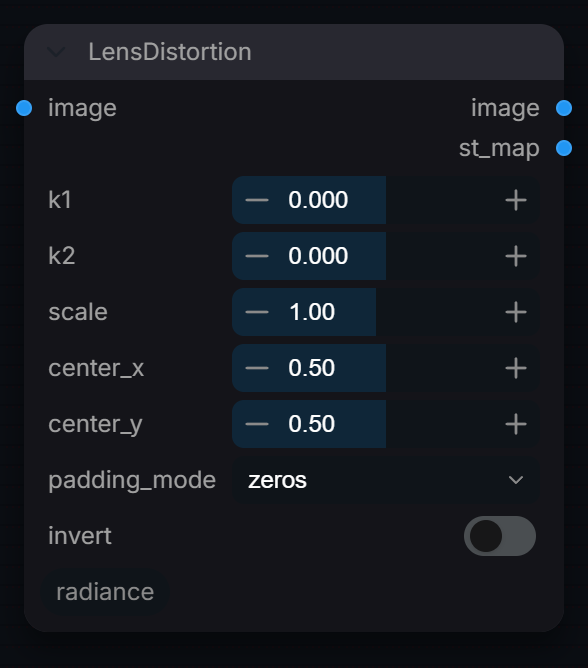
Apply or remove lens distortion using Brown-Conrady coefficients.
Inputs
| Input | Type | Default | Range or choices | What it does |
|---|---|---|---|---|
image |
IMAGE | Image or sequence to distort or undistort. Pixels are only resampled (no colour change), so any encoding works. | ||
k1 |
float | 0 | -1 to 1, step 0.005 | Primary radial distortion. k1<0 = barrel, k1>0 = pincushion. |
k2 |
float | 0 | -1 to 1, step 0.005 | Secondary radial distortion. Affects extreme corners. Use sparingly. |
scale |
float | 1 | 0.1 to 2, step 0.01 | Uniform scale applied after distortion. Use to crop black borders. |
center_x |
float | 0.5 | 0 to 1, step 0.01 | Optical center X (0.5 = image center). |
center_y |
float | 0.5 | 0 to 1, step 0.01 | Optical center Y (0.5 = image center). |
padding_mode |
choice | zeros |
zeros, reflection, border |
Edge fill: zeros=black, reflection=mirrored, border=edge-clamped. |
invert |
boolean | off | Invert warp for plate undistortion. Uses exact closed-form inverse — valid for all k1/k2 combinations except the degenerate singularity at 1+k1·r²+k2·r⁴=0 (clamped automatically). |
Outputs
| Output | Type | What it is |
|---|---|---|
image |
IMAGE | Distorted image. |
st_map |
IMAGE | ST-Map: R=U, G=V normalized [0,1] sample coordinates. Wire to Nuke STMap / Fusion DisplaceImage for downstream use. |
Matte
RadianceLinearMatting
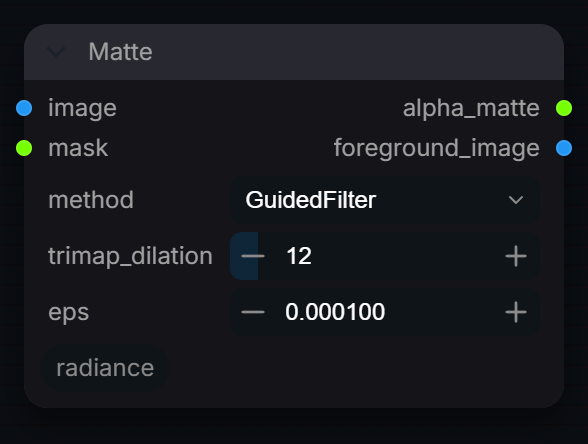
Refine a rough mask into a soft alpha matte with a guided filter that follows the image's edges (no learned matting model). Also outputs the image premultiplied by the matte.
Inputs
| Input | Type | Default | Range or choices | What it does |
|---|---|---|---|---|
image |
IMAGE | Guide image whose edges the matte will follow. Used as given (scene-linear or display-encoded); eps behaves differently for each. | ||
mask |
MASK | Rough matte to refine, 0 to 1. | ||
method |
choice | GuidedFilter |
GuidedFilter |
Guided filter on the scene-linear image. The only method implemented. |
trimap_dilation |
int | 12 | 0 to 128, step 1 | Radius of the unknown trimap band and guided-filter window. Regions whose entire neighbourhood is at least 0.99 stay foreground; those at most 0.01 stay background. Only the unknown band is refined. 0 preserves the mask. |
eps |
float | 0.0001 | 1e-06 to 0.1, step 1e-06 | Guided filter regularisation. Small values make the matte follow fine image edges closely; large values give a smoother matte closer to a blurred mask. |
Outputs
| Output | Type |
|---|---|
alpha_matte |
MASK |
foreground_image |
IMAGE |
MotionBlur
RadianceMotionBlur
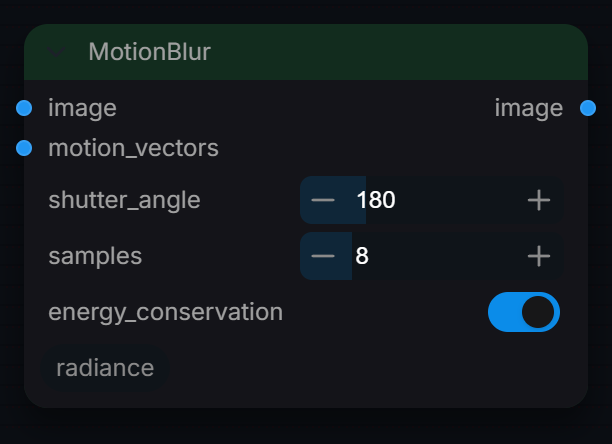
Apply physically-based motion blur using optical flow vectors.
Inputs
| Input | Type | Default | Range or choices | What it does |
|---|---|---|---|---|
image |
IMAGE | Frames to blur, same size and batch as motion_vectors. Averaged as given, so scene-linear input gives physically correct highlight streaks. | ||
motion_vectors |
IMAGE | 32-bit UV vectors from Radiance Optical Flow. | ||
shutter_angle |
float | 180 | 0 to 720, step 1 | Standard cinema is 180°. Higher = more blur. 360° = full frame motion blur. |
samples |
int | 8 | 2 to 32, step 1 | Number of sub-frame integration samples. Higher = smoother streaks. |
energy_conservation |
boolean | on | On: plain average, total light conserved. Off: legacy look, the whole frame is scaled so its brightest value matches the source peak (brightens everything, not only streaks). |
Outputs
| Output | Type |
|---|---|
image |
IMAGE |
MotionVectors
RadianceOpticalFlow
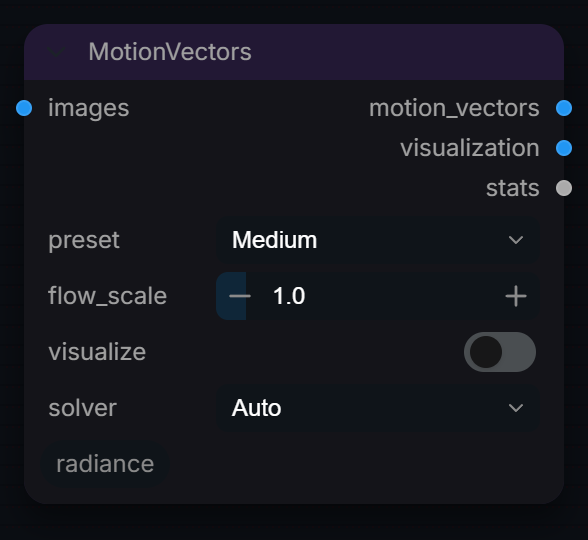
Estimate dense optical flow between adjacent frames.
Inputs
| Input | Type | Default | Range or choices | What it does |
|---|---|---|---|---|
images |
IMAGE | Batch of frames to analyze. | ||
preset |
choice | Medium |
Fast, Medium, Ultra |
Solver effort. DIS: ultrafast, fast or medium preset (mostly a speed trade, similar accuracy). Lucas-Kanade: window radius 3, 5 or 9 px. |
flow_scale |
float | 1 | 0.1 to 10, step 0.1 | Scale factor for output vectors. 1.0 = pixel units. |
visualize |
boolean | off | Outputs a color-coded visualization of the motion field. | |
solver (optional) |
choice | Auto |
Auto, DIS, Lucas-Kanade |
Auto uses DIS, and falls back to Lucas-Kanade only if OpenCV is missing. DIS holds a dense field out to about 20 px of motion and is roughly 11x faster. Lucas-Kanade is the previous solver: accurate to about 8 px, after which the field thins out even though the median stays close. |
Outputs
| Output | Type |
|---|---|
motion_vectors |
IMAGE |
visualization |
IMAGE |
stats |
STRING |
Multipass AOV Reader
RadianceMultipassAOVReader
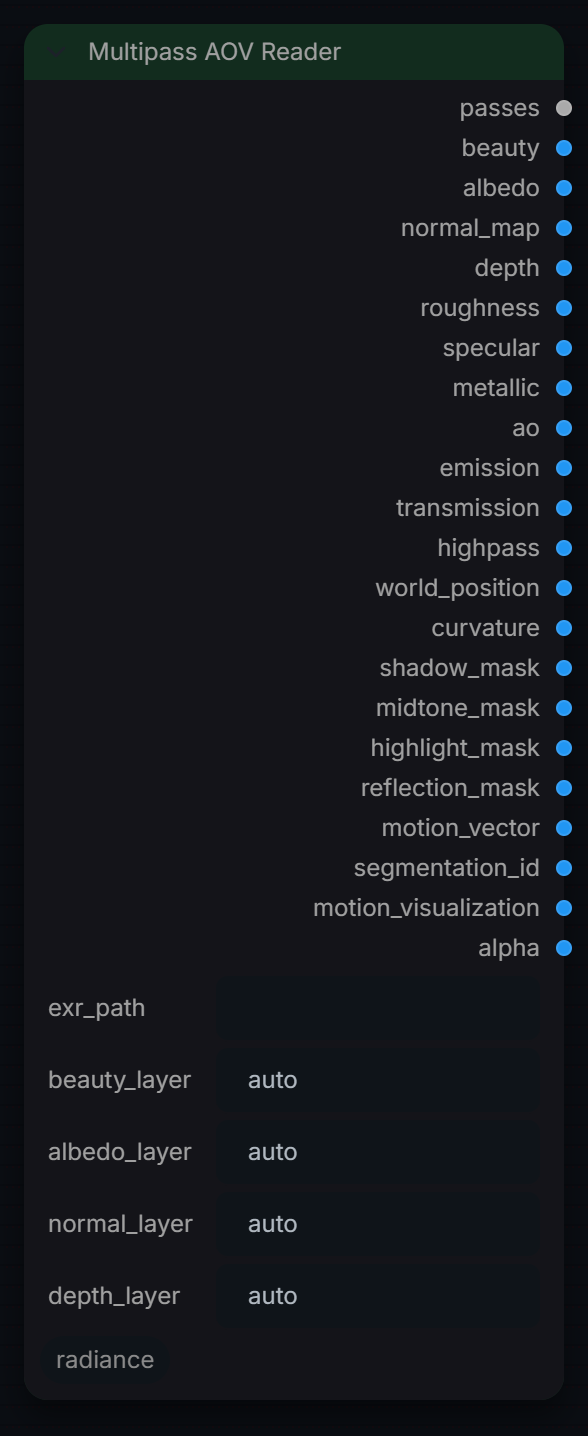
Read a real multilayer/AOV OpenEXR and split its named layers into the same passes as the Master extractor. Ground-truth renderer passes — not estimates. Missing layers come through black.
Inputs
| Input | Type | Default | Range or choices | What it does |
|---|---|---|---|---|
exr_path |
string | Path to a multilayer/AOV EXR (Arnold/Redshift/Karma/Cycles/V-Ray). | ||
beauty_layer (optional) |
string | auto |
Override the beauty layer name, or 'auto' to detect (RGBA / 'beauty'). | |
albedo_layer (optional) |
string | auto |
Override the albedo/diffuse layer name, or 'auto'. | |
normal_layer (optional) |
string | auto |
Override the normal layer name, or 'auto'. | |
depth_layer (optional) |
string | auto |
Override the depth (Z) layer name, or 'auto'. |
Outputs
| Output | Type |
|---|---|
passes |
RADIANCE_PASSES |
beauty |
IMAGE |
albedo |
IMAGE |
normal_map |
IMAGE |
depth |
IMAGE |
roughness |
IMAGE |
specular |
IMAGE |
metallic |
IMAGE |
ao |
IMAGE |
emission |
IMAGE |
transmission |
IMAGE |
highpass |
IMAGE |
world_position |
IMAGE |
curvature |
IMAGE |
shadow_mask |
IMAGE |
midtone_mask |
IMAGE |
highlight_mask |
IMAGE |
reflection_mask |
IMAGE |
motion_vector |
IMAGE |
segmentation_id |
IMAGE |
motion_visualization |
IMAGE |
alpha |
IMAGE |
Multipass Composite
RadianceMultipassComposite
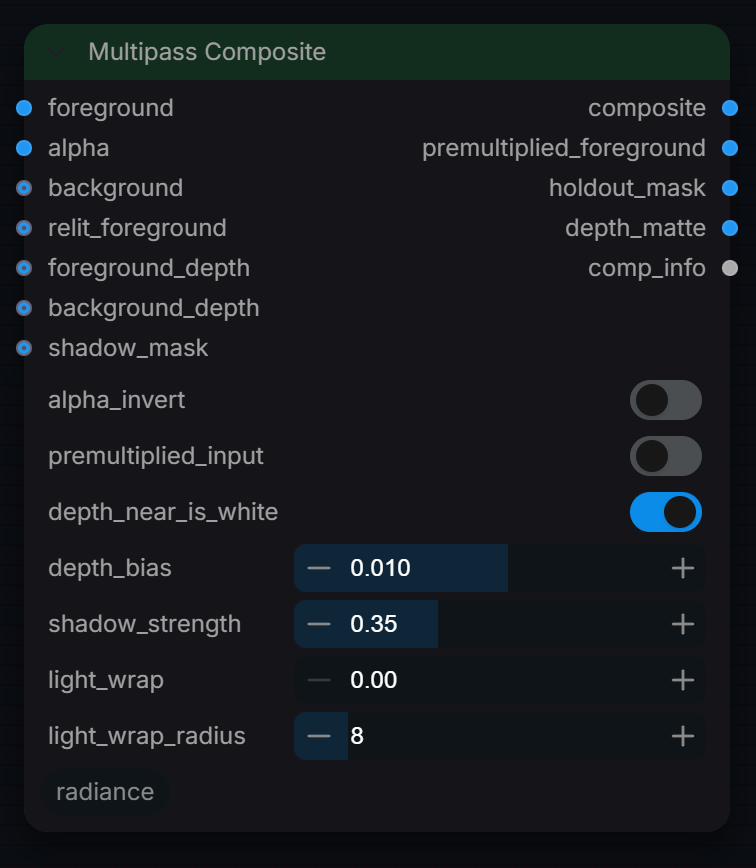
Alpha-over composite of a foreground onto a background with optional depth holdout, background shadow and light wrap. Use it to put a (relit) CG element into a plate; feed scene-linear images for correct edges.
Inputs
| Input | Type | Default | Range or choices | What it does |
|---|---|---|---|---|
foreground |
IMAGE | Foreground colour. Sets the output size and batch; its pixels are ignored when relit_foreground is connected. | ||
alpha |
IMAGE | Foreground matte, first channel, 0..1 (1 = foreground fully covers the background). | ||
background (optional) |
IMAGE | Background plate, resized to the foreground. Black when not connected. | ||
relit_foreground (optional) |
IMAGE | Replaces the foreground pixels (for example the relit output of Multipass Relight). Same premultiplication as set by premultiplied_input. | ||
foreground_depth (optional) |
IMAGE | Foreground depth pass, first channel. Used for the depth holdout only when background_depth is also connected. | ||
background_depth (optional) |
IMAGE | Background depth pass in the same units and polarity as foreground_depth. Background pixels nearer than the foreground hold it out. | ||
shadow_mask (optional) |
IMAGE | Shadow cast onto the background, first channel, 1 = full shadow. Darkens the background by shadow_strength before the over. | ||
alpha_invert (optional) |
boolean | off | Use 1 - alpha as the matte. Applied after unpremultiplying, which still uses the original alpha. | |
premultiplied_input (optional) |
boolean | off | Set on when the foreground is already multiplied by alpha; it is divided by alpha first to avoid a double premultiply. | |
depth_near_is_white (optional) |
boolean | on | Depth polarity of both depth passes. On: larger values are nearer. Off: smaller values are nearer (distance style Z). | |
depth_bias (optional) |
float | 0.01 | -0.25 to 0.25, step 0.001 | Depth tolerance in depth-pass units. Positive values keep the foreground in front when depths are nearly equal, negative favours the background. |
shadow_strength (optional) |
float | 0.35 | 0 to 1, step 0.01 | How much shadow_mask darkens the background: 0 = none, 1 = black where the mask is 1. |
light_wrap (optional) |
float | 0 | 0 to 1, step 0.01 | Amount of blurred background added to the foreground's soft edges. 0 = off; needs background connected. |
light_wrap_radius (optional) |
int | 8 | 0 to 64, step 1 | Box blur radius in pixels for the wrapped background. The edge band uses half this radius. |
Outputs
| Output | Type |
|---|---|
composite |
IMAGE |
premultiplied_foreground |
IMAGE |
holdout_mask |
IMAGE |
depth_matte |
IMAGE |
comp_info |
STRING |
Multipass Estimate
RadianceMultipassEstimate
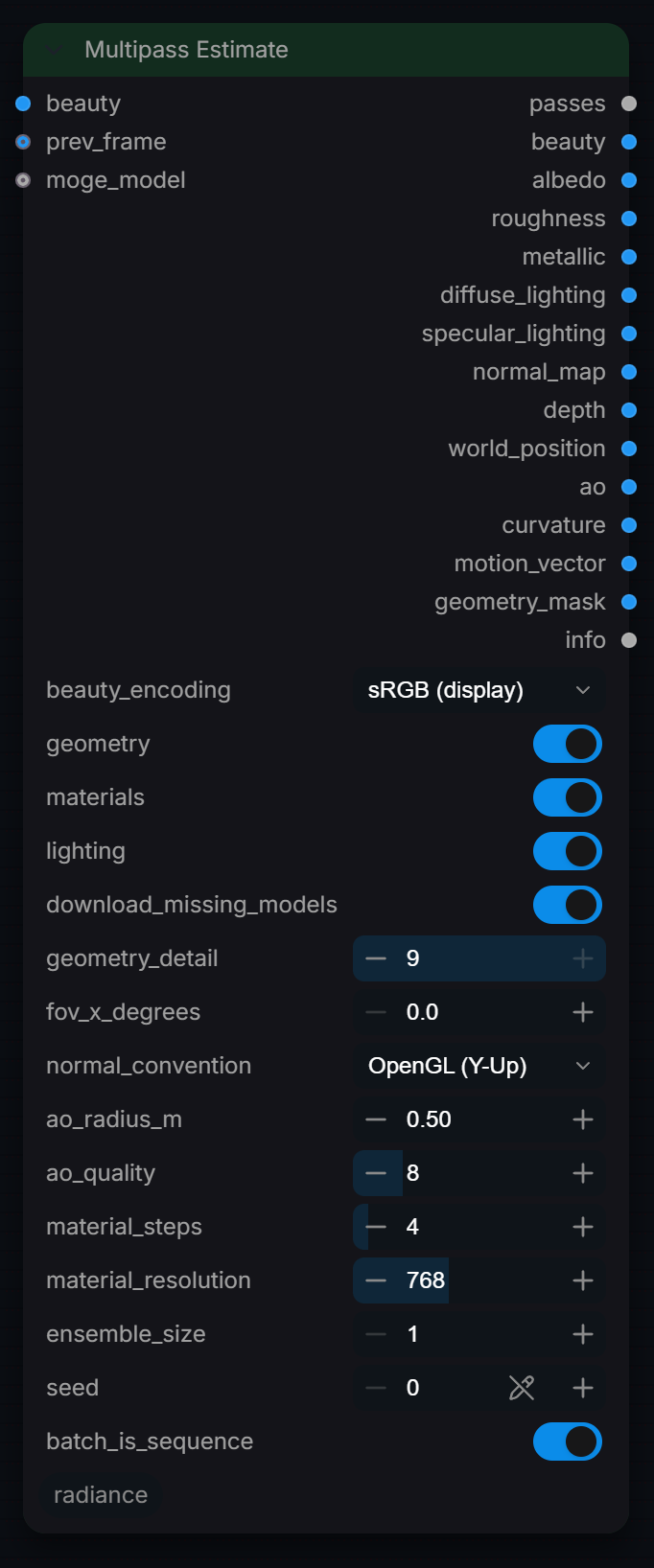
Estimate render passes from a plate with trained models: MoGe-2 for metric geometry (depth, position, normals, AO, curvature) and Marigold IID for materials (albedo, roughness, metallic) and lighting (diffuse and specular light). No image-filter guesses.
Inputs
| Input | Type | Default | Range or choices | What it does |
|---|---|---|---|---|
beauty |
IMAGE | The plate. One image or a batch of frames. | ||
beauty_encoding |
choice | sRGB (display) |
sRGB (display), Linear (scene) |
How the plate is encoded. Ordinary images and video frames are sRGB. Choose Linear for scene-linear EXR plates; values above 1.0 are clipped for the models and left out of the lighting fit. |
geometry |
boolean | on | Depth, position, normals, AO and curvature (MoGe-2, 662 MB). | |
materials |
boolean | on | Albedo, roughness, metallic (Marigold IID Appearance, 2.5 GB). | |
lighting |
boolean | on | Diffuse and specular lighting (Marigold IID Lighting, 1.7 GB; shares files with Appearance). | |
download_missing_models |
boolean | on | Fetch missing weights from Hugging Face on first run (pinned versions). RADIANCE_ALLOW_DOWNLOADS=0 or HF_HUB_OFFLINE=1 always blocks this. | |
prev_frame (optional) |
IMAGE | Previous frame for motion vectors of a single image. | ||
moge_model (optional) |
MOGE_MODEL | Optional: a model from ComfyUI's Load MoGe Model. Must be MoGe-2 for normals. | ||
geometry_detail (optional) |
int | 9 | 0 to 9 | MoGe resolution level: 0 fastest, 9 most detail. |
fov_x_degrees (optional) |
float | 0 | 0 to 170, step 0.1 | Known horizontal field of view. 0 = estimate it. |
normal_convention (optional) |
choice | OpenGL (Y-Up) |
OpenGL (Y-Up), DirectX (Y-Down) |
Encoding of the camera-space normal pass (0..1, +Z toward the camera). DirectX (Y-Down) flips the green channel; match the renderer or tool reading it. |
ao_radius_m (optional) |
float | 0.5 | 0.01 to 50, step 0.01 | Occlusion search radius in metres of scene space. |
ao_quality (optional) |
int | 8 | 2 to 32 | AO slices and steps per slice. |
material_steps (optional) |
int | 4 | 1 to 50 | Marigold denoising steps. 4 is the trained default. |
material_resolution (optional) |
int | 768 | 0 to 2048, step 64 | Marigold processing size (long edge). 768 is the trained size; 0 = native. |
ensemble_size (optional) |
int | 1 | 1 to 10 | Average several Marigold predictions. Slower, steadier. |
seed (optional) |
int | 0 | 0 to 4294967295 | Marigold noise seed, reused on every frame to limit flicker. |
batch_is_sequence (optional) |
boolean | on | Treat the batch as consecutive frames for motion vectors. |
Outputs
| Output | Type | What it is |
|---|---|---|
passes |
RADIANCE_PASSES | Every estimated pass plus the linear beauty, for Write EXR Passes and Relight. |
beauty |
IMAGE | The plate, scene-linear. |
albedo |
IMAGE | Base colour, scene-linear (Marigold IID Appearance). |
roughness |
IMAGE | Roughness 0..1 (Marigold IID Appearance). |
metallic |
IMAGE | Metallic 0..1 (Marigold IID Appearance). |
diffuse_lighting |
IMAGE | Diffuse light contribution, scene-linear, scaled to the plate (Marigold IID Lighting). |
specular_lighting |
IMAGE | Non-diffuse light (reflections, highlights), scene-linear, scaled to the plate. |
normal_map |
IMAGE | Camera-space normals, 0..1 encoded (MoGe-2). |
depth |
IMAGE | Metric z depth in metres; 0 where there is no surface (MoGe-2). |
world_position |
IMAGE | Camera-space position in metres, OpenGL axes (MoGe-2). |
ao |
IMAGE | Ambient occlusion from the metric geometry, 1 = open. |
curvature |
IMAGE | Mean curvature in 1/metre, convex positive. |
motion_vector |
IMAGE | Backward optical flow to the previous frame in pixels, +y up. |
geometry_mask |
IMAGE | 1 where MoGe found a surface, 0 for sky and invalid pixels. |
info |
STRING | JSON: models, estimated field of view, lighting scale factors and fit error. |
Multipass Relight
RadianceMultipassRelight
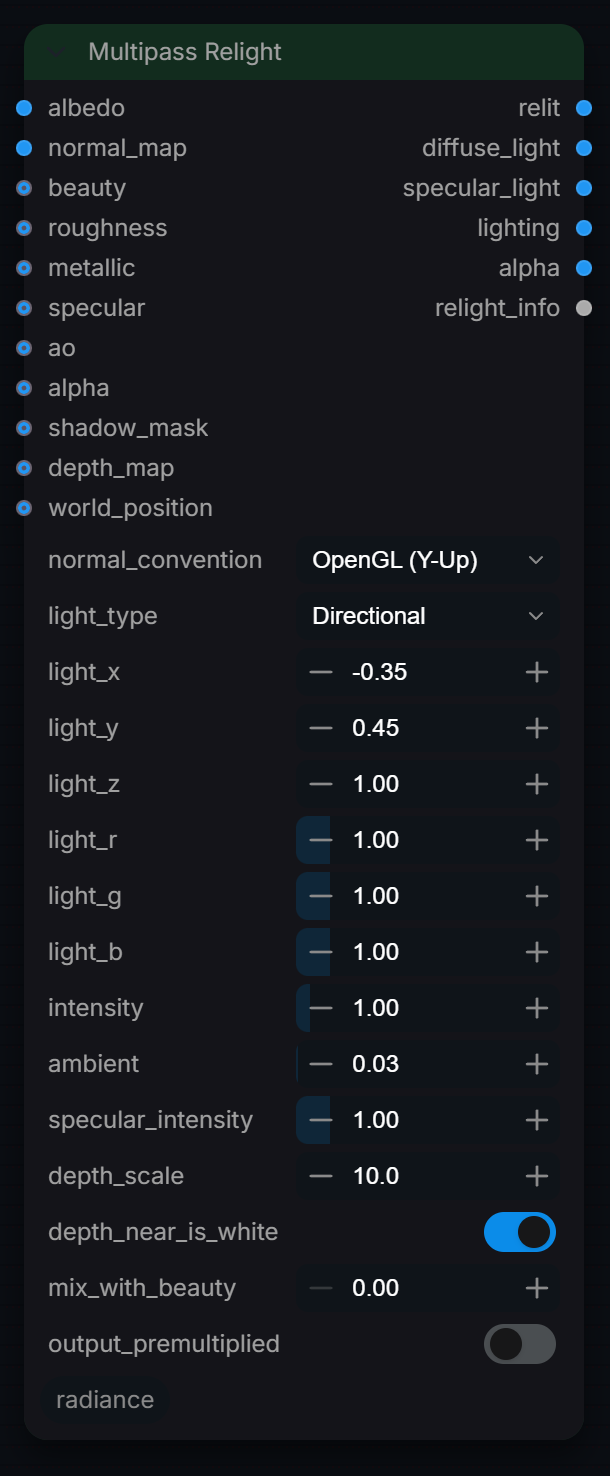
Relights a CG or estimated plate from its albedo and normal passes with one directional or point light (GGX specular, Lambert diffuse), using roughness, metallic, AO and shadow passes when supplied. Use it to change key light direction or colour in comp without re-rendering; outputs are scene-linear.
Inputs
| Input | Type | Default | Range or choices | What it does |
|---|---|---|---|---|
albedo |
IMAGE | Diffuse albedo (base colour) pass, scene-linear with no lighting baked in. Also used as the specular colour where metallic is 1. | ||
normal_map |
IMAGE | Normal pass: 0..1 encoded values are decoded to -1..1 automatically, signed passes are used as is. View direction is +Z toward the camera. | ||
beauty (optional) |
IMAGE | Original beauty render, scene-linear. Only used when mix_with_beauty is above 0. | ||
roughness (optional) |
IMAGE | Roughness pass, first channel, 0 = mirror, 1 = fully rough (clamped to 0.045 minimum). Defaults to 0.5 when not connected. | ||
metallic (optional) |
IMAGE | Metalness pass, first channel, 0 = dielectric, 1 = metal (no diffuse, albedo tints the reflection). Defaults to 0 when not connected. | ||
specular (optional) |
IMAGE | Dielectric specular level pass, 0..1, scaling the default 4% reflectance at normal incidence (1 = 4%). Defaults to 1 when not connected. | ||
ao (optional) |
IMAGE | Ambient occlusion as renderers write it: 1 = open, 0 = fully occluded. | ||
alpha (optional) |
IMAGE | Coverage matte, first channel, 0..1. Passed through to the alpha output and used for output_premultiplied; defaults to 1. | ||
shadow_mask (optional) |
IMAGE | Shadow pass, first channel: 1 = fully shadowed, 0 = lit. Blocks direct diffuse and specular light but not ambient. | ||
depth_map (optional) |
IMAGE | Normalised 0..1 depth pass. Only used by a Point light when world_position is not connected, to give pixels a synthetic Z. | ||
world_position (optional) |
IMAGE | Position pass in camera space metres (OpenGL axes: X right, Y up, +Z toward the camera). Only used by a Point light, and overrides depth_map. | ||
normal_convention (optional) |
choice | OpenGL (Y-Up) |
OpenGL (Y-Up), DirectX (Y-Down) |
Green channel convention of the normal pass. DirectX (Y-Down) flips the Y component before lighting. |
light_type (optional) |
choice | Directional |
Directional, Point |
Directional: light_x/y/z is a direction, no falloff. Point: light_x/y/z is a position, with soft distance falloff 1 / (1 + 0.08 d^2). |
light_x (optional) |
float | -0.35 | -10 to 10, step 0.01 | Light X (+ = screen right). Directional: component of the direction toward the light. Point: position in world_position units, or in screen units (X spans +/- aspect ratio) without it. |
light_y (optional) |
float | 0.45 | -10 to 10, step 0.01 | Light Y (+ = up). Directional: component of the direction toward the light. Point: position in world_position units, or in screen units (Y spans -1..1) without it. |
light_z (optional) |
float | 1 | -10 to 10, step 0.01 | Light Z (+ = toward the camera). Directional: component of the direction toward the light, so positive values light the front. Point: position along the camera axis. |
light_r (optional) |
float | 1 | 0 to 8, step 0.01 | Linear red multiplier of the light colour. Also tints the ambient term. |
light_g (optional) |
float | 1 | 0 to 8, step 0.01 | Linear green multiplier of the light colour. Also tints the ambient term. |
light_b (optional) |
float | 1 | 0 to 8, step 0.01 | Linear blue multiplier of the light colour. Also tints the ambient term. |
intensity (optional) |
float | 1 | 0 to 20, step 0.05 | Linear multiplier on the direct light (diffuse and specular). Does not affect ambient. |
ambient (optional) |
float | 0.03 | 0 to 4, step 0.01 | Flat fill light level, tinted by the light colour and multiplied by the AO pass. Applied to diffuse only. |
specular_intensity (optional) |
float | 1 | 0 to 8, step 0.05 | Linear multiplier on the specular term only. 0 gives a purely diffuse relight. |
depth_scale (optional) |
float | 10 | 0.01 to 1000, step 0.1 | Z range, in screen units (image height = 2), that the 0..1 depth pass spans around mid grey. Only used for a Point light with depth_map and no world_position. |
depth_near_is_white (optional) |
boolean | on | Set on when near pixels are white in depth_map. Only used for a Point light with depth_map and no world_position. | |
mix_with_beauty (optional) |
float | 0 | 0 to 1, step 0.01 | Linear blend of the relit result toward the beauty input: 0 = relight only, 1 = original beauty. Needs beauty connected. |
output_premultiplied (optional) |
boolean | off | Multiply the relit output (and the beauty mix) by alpha. Off leaves it unpremultiplied. |
Outputs
| Output | Type |
|---|---|
relit |
IMAGE |
diffuse_light |
IMAGE |
specular_light |
IMAGE |
lighting |
IMAGE |
alpha |
IMAGE |
relight_info |
STRING |
Read Mask
RadianceLoadImageMask
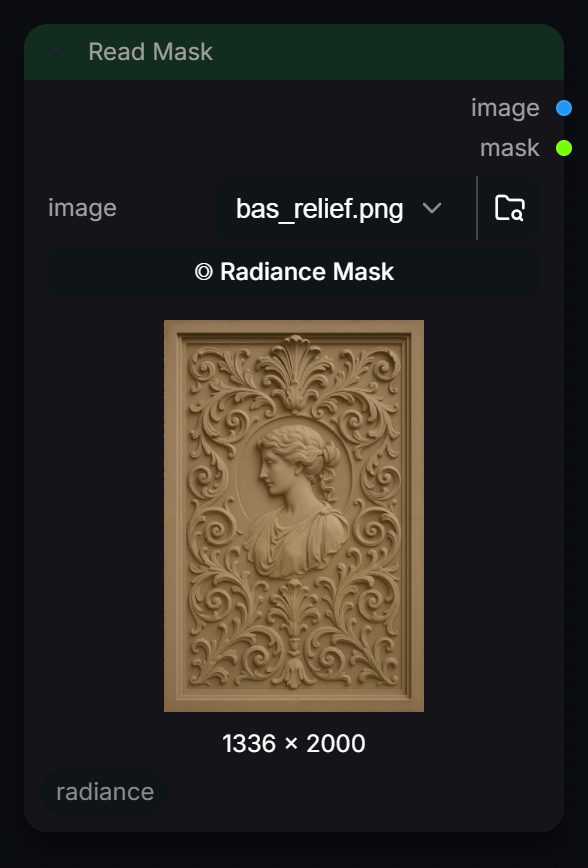
Load an image with optional non-destructive mask override. If a companion '_radmask.png' file exists alongside the source image, its alpha channel is used as the mask instead of the image's own alpha. The Radiance mask editor frontend saves masks in this companion format.
Inputs
| Input | Type | Default | Range or choices | What it does |
|---|---|---|---|---|
image |
choice | files found in the matching models or input folder | Image file from the ComfyUI input folder, loaded as 8-bit sRGB (0-1). If ' |
Outputs
| Output | Type |
|---|---|
image |
IMAGE |
mask |
MASK |
Relight Engine
RadianceRelightEngine
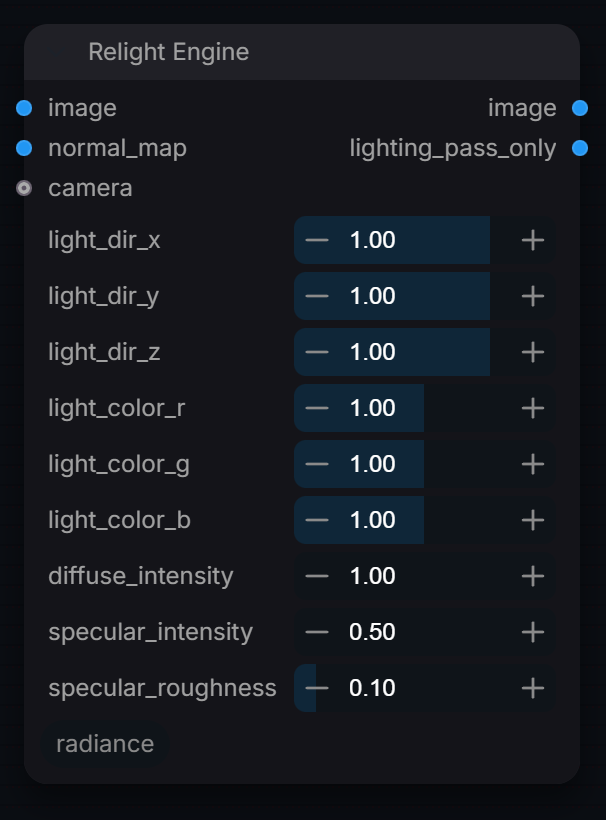
Add a directional light (Lambert + Blinn-Phong) to an image from its normal map.
Inputs
| Input | Type | Default | Range or choices | What it does |
|---|---|---|---|---|
image |
IMAGE | Image to light. The lighting pass is added on top of it, not multiplied by an albedo. | ||
normal_map |
IMAGE | Normal map encoded 0 to 1 (RGB = XYZ x 0.5 + 0.5). Resized to the image if the sizes differ. | ||
light_dir_x |
float | 1 | -2 to 2, step 0.01 | Light direction X component. Normalized internally — sets the horizontal angle of the synthetic light. |
light_dir_y |
float | 1 | -2 to 2, step 0.01 | Light direction Y component. Positive = light from above. |
light_dir_z |
float | 1 | -2 to 2, step 0.01 | Light direction Z component. Positive = light in front of surface. |
light_color_r |
float | 1 | 0 to 2, step 0.01 | Red component of the synthetic light color. Values > 1.0 produce HDR emission. |
light_color_g |
float | 1 | 0 to 2, step 0.01 | Green component of the synthetic light color. |
light_color_b |
float | 1 | 0 to 2, step 0.01 | Blue component of the synthetic light color. |
diffuse_intensity |
float | 1 | 0 to 10, step 0.01 | Lambertian diffuse reflection strength. Controls broad, soft illumination. |
specular_intensity |
float | 0.5 | 0 to 10, step 0.01 | Specular highlight strength. Higher values produce brighter, more visible glints. |
specular_roughness |
float | 0.1 | 0.01 to 1, step 0.01 | Surface roughness for Blinn-Phong specular. Low = sharp glints (metallic), high = soft broad highlights (matte). |
camera (optional) |
RADIANCE_CAMERA | Optional camera. Only the position in its transform is used, as the viewpoint for the specular term relative to a -1 to 1 image plane. Without it a viewer at z = 2 is assumed. |
Outputs
| Output | Type |
|---|---|
image |
IMAGE |
lighting_pass_only |
IMAGE |
Rolling Shutter
RadianceRollingShutter
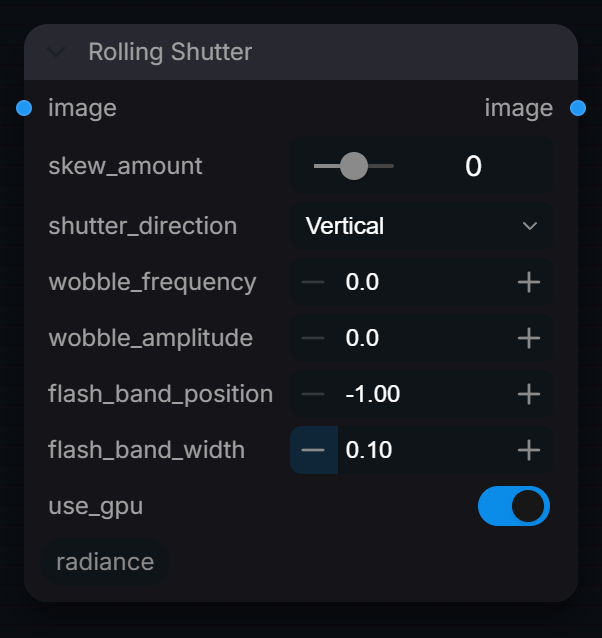
Simulate rolling shutter artifacts (skew, wobble, flash banding).
Inputs
| Input | Type | Default | Range or choices | What it does |
|---|---|---|---|---|
image |
IMAGE | Image or frame batch. Every frame gets the same static distortion. | ||
skew_amount |
float | 0 | -50 to 50, step 1 | Total shear in pixels between the first and last scanline; the sign sets the lean. 0 = no skew. |
shutter_direction (optional) |
choice | Vertical |
Horizontal, Vertical, Both |
Vertical: scan runs top to bottom, rows shift sideways. Horizontal: columns shift up/down. Both: half of each. |
wobble_frequency (optional) |
float | 0 | 0 to 20, step 0.5 | Jello wobble cycles per half frame along the scan axis (2x this over the full frame). Needs wobble_amplitude above 0. |
wobble_amplitude (optional) |
float | 0 | 0 to 20, step 0.5 | Peak-to-peak wobble displacement in pixels (half that in Both mode). 0 = off. |
flash_band_position (optional) |
float | -1 | -1 to 1, step 0.05 | Centre of a partial-exposure flash band along the scan axis, -1 = top/left edge, 1 = bottom/right. Any value below -0.5 turns the band off. |
flash_band_width (optional) |
float | 0.1 | 0.01 to 0.5, step 0.01 | Gaussian width of the flash band as a fraction of half the frame. The band adds a flat +0.3 to all channels. |
use_gpu (optional) |
boolean | on | Run the effect on GPU via CUDA/MPS. Falls back to CPU if unavailable. |
Outputs
| Output | Type |
|---|---|
image |
IMAGE |
SAM Multi-Mask Picker
RadianceMultiMaskVisualPicker
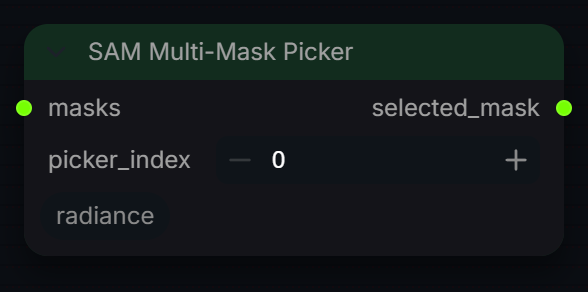
Pick one mask from a stack of candidate masks (for example the several outputs of a segmenter) by index.
Inputs
| Input | Type | Default | Range or choices | What it does |
|---|---|---|---|---|
masks |
MASK | Candidate masks. A standard MASK batch (N, H, W) is treated as N candidates for one frame; a 4-D (B, N, H, W) stack picks the same candidate on every frame. | ||
picker_index |
int | 0 | 0 to 5, step 1 | Zero-based index of the candidate to output. Wraps around if it is past the number of candidates. |
Outputs
| Output | Type |
|---|---|
selected_mask |
MASK |
Scene Cut Detect
RadianceSceneCutDetect
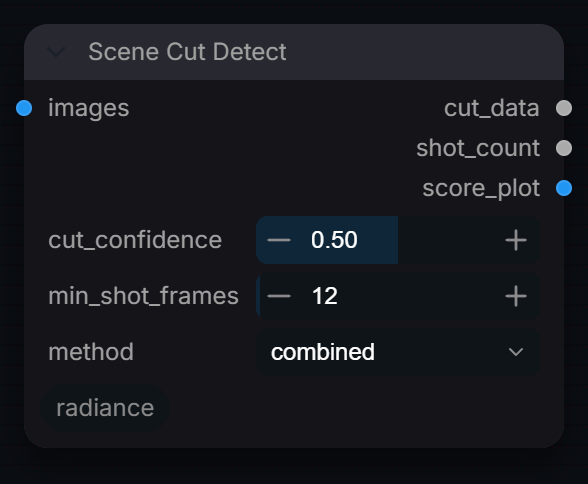
Automatically detect scene cuts in a video using visual change metrics.
Inputs
| Input | Type | Default | Range or choices | What it does |
|---|---|---|---|---|
images |
IMAGE | Full video sequence as IMAGE batch. | ||
cut_confidence |
float | 0.5 | 0.01 to 0.99, step 0.01 | How different two frames must be to count as a cut, on a 0–1 scale that means the same thing for every method. 0.5 is a textbook hard cut; lower is more sensitive. Fixed, not relative to the clip, so cut-free footage reports no cuts. |
min_shot_frames |
int | 12 | 1 to 500 | Minimum frames between detected cuts. |
method |
choice | combined |
histogram, edge, combined |
histogram: colour distribution diff (fast). edge: Sobel edge map diff (catches content cuts). combined: weighted blend of both (recommended). |
Outputs
| Output | Type |
|---|---|
cut_data |
STRING |
shot_count |
INT |
score_plot |
IMAGE |
Scene Cut Split
RadianceSceneCutSplit
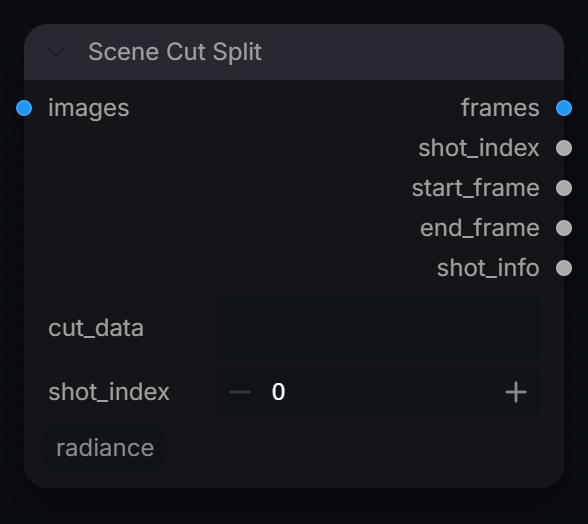
Split a video at detected scene cut points into discrete segments.
Inputs
| Input | Type | Default | Range or choices | What it does |
|---|---|---|---|---|
images |
IMAGE | The same frame batch that was analysed by RadianceSceneCutDetect. Returned whole if cut_data has no shots. | ||
cut_data |
string | JSON from RadianceSceneCutDetect. | ||
shot_index |
int | 0 | 0 to 9999 | Which shot to extract (0-based). Connect shot_count output to know the range. |
Outputs
| Output | Type |
|---|---|
frames |
IMAGE |
shot_index |
INT |
start_frame |
INT |
end_frame |
INT |
shot_info |
STRING |
Shot Grade Router
RadianceShotGradeRouter
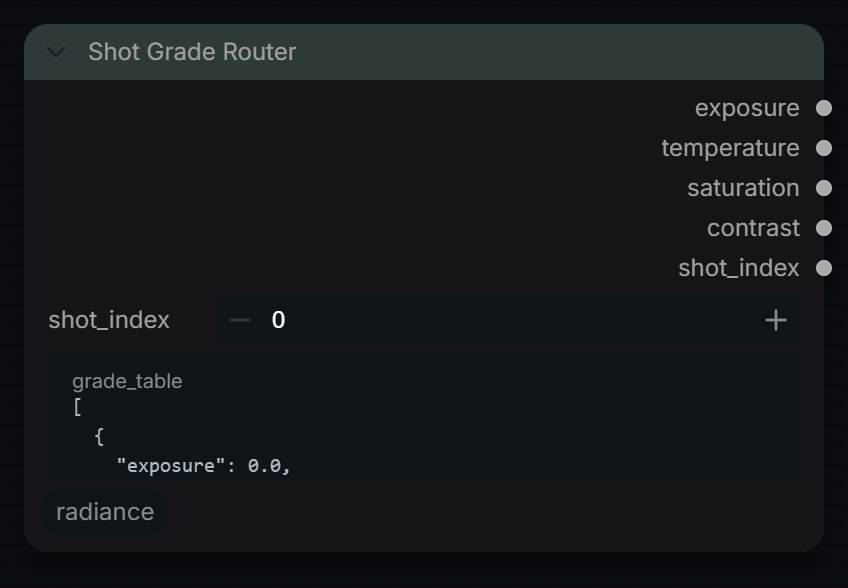
Route frames to per-shot grade nodes based on scene cut metadata.
Inputs
| Input | Type | Default | Range or choices | What it does |
|---|---|---|---|---|
shot_index |
int | 0 | 0 to 9999 | Current shot index from SceneCutSplit. |
grade_table |
string | [ { "exposure": 0.0, "temperature": 0, "saturation": 1.0, "contrast": 1.0 }, { "exposure": 0.3, "temperature": -150, "saturation": 0.9, "contrast": 1.1 } ] |
multi-line text | JSON array of per-shot grade parameters. |
Outputs
| Output | Type |
|---|---|
exposure |
FLOAT |
temperature |
FLOAT |
saturation |
FLOAT |
contrast |
FLOAT |
shot_index |
INT |
Stabilize
RadianceSubpixelStabilizer
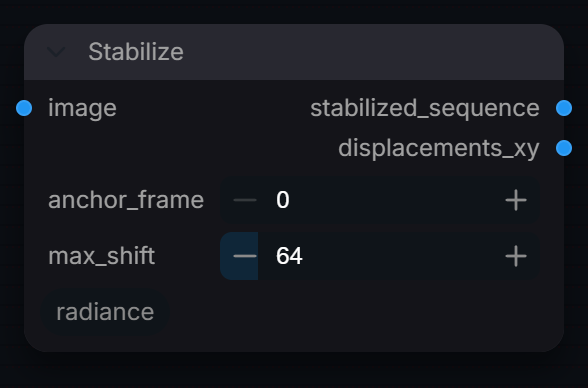
Stabilise an image sequence to one anchor frame using sub-pixel FFT phase correlation. Corrects translation only (no rotation or scale); also outputs the per-frame shift as an image (red = x, green = y, in pixels).
Inputs
| Input | Type | Default | Range or choices | What it does |
|---|---|---|---|---|
image |
IMAGE | Image sequence to stabilise. Shifts are measured on the channel average of each frame. | ||
anchor_frame |
int | 0 | 0 to 1000, step 1 | Zero-based index of the frame every other frame is aligned to. Values past the end use the last frame. |
max_shift |
int | 64 | 4 to 512, step 4 | Largest correction applied, in pixels per axis. A larger measured shift is clamped to this rather than rejected. |
Outputs
| Output | Type |
|---|---|
stabilized_sequence |
IMAGE |
displacements_xy |
IMAGE |
Temporal Stitch Stabilizer
RadianceTemporalStitchStabilizer
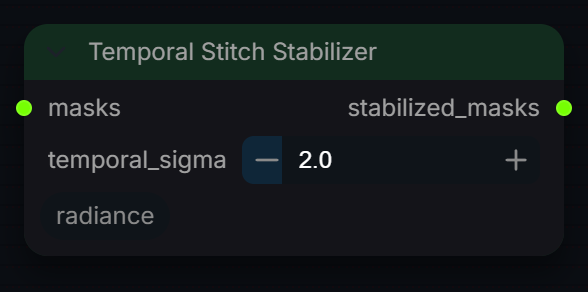
Smooth a mask sequence over time with a per-pixel Gaussian filter across frames, to remove edge jitter and popping before stitching.
Inputs
| Input | Type | Default | Range or choices | What it does |
|---|---|---|---|---|
masks |
MASK | Mask sequence, one mask per frame in timeline order. A single mask is returned unchanged. | ||
temporal_sigma |
float | 2 | 0 to 16, step 0.5 | Gaussian width in frames; the filter reaches 3 x sigma frames each way. Values of 0.1 or less bypass the node. |
Outputs
| Output | Type |
|---|---|
stabilized_masks |
MASK |
Vignette
RadianceVignette
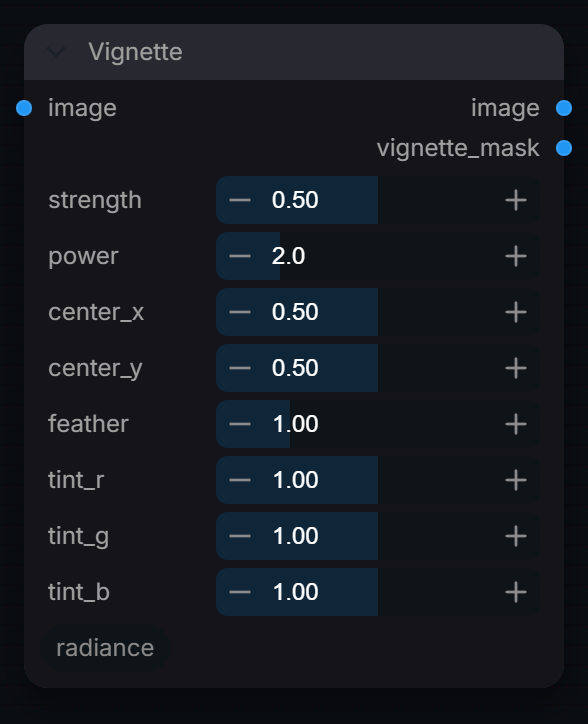
Apply a natural or stylised vignette to the image edges.
Inputs
| Input | Type | Default | Range or choices | What it does |
|---|---|---|---|---|
image |
IMAGE | Image to vignette. RGB is multiplied by the falloff, so linear and display-encoded images both work; alpha is untouched. | ||
strength |
float | 0.5 | 0 to 1, step 0.01 | Vignette intensity at corners. 0=no effect, 1=full black. |
power |
float | 2 | 0.5 to 8, step 0.1 | Falloff exponent. 2.0 = natural cos⁴ approximation. Higher = harder edge. |
center_x |
float | 0.5 | 0 to 1, step 0.01 | Horizontal center of the vignette (0 = left, 1 = right). |
center_y |
float | 0.5 | 0 to 1, step 0.01 | Vertical center of the vignette (0 = top, 1 = bottom). |
feather |
float | 1 | 0.1 to 4, step 0.05 | Radial feather: scales the normalized radius. >1 = pushes falloff inward. |
tint_r (optional) |
float | 1 | 0 to 2, step 0.01 | Red multiplier for vignetted (dark) areas. 1.0=neutral. |
tint_g (optional) |
float | 1 | 0 to 2, step 0.01 | Green channel multiplier for vignette tint. 1.0 = neutral. |
tint_b (optional) |
float | 1 | 0 to 2, step 0.01 | Blue multiplier for vignetted areas. >1 = cool shadow edges. |
Outputs
| Output | Type | What it is |
|---|---|---|
image |
IMAGE | Vignetted image. |
vignette_mask |
IMAGE | Grayscale vignette mask [0,1] — wire to downstream grades or multiply nodes. |
Write EXR Passes
RadianceEXRPassesWriter
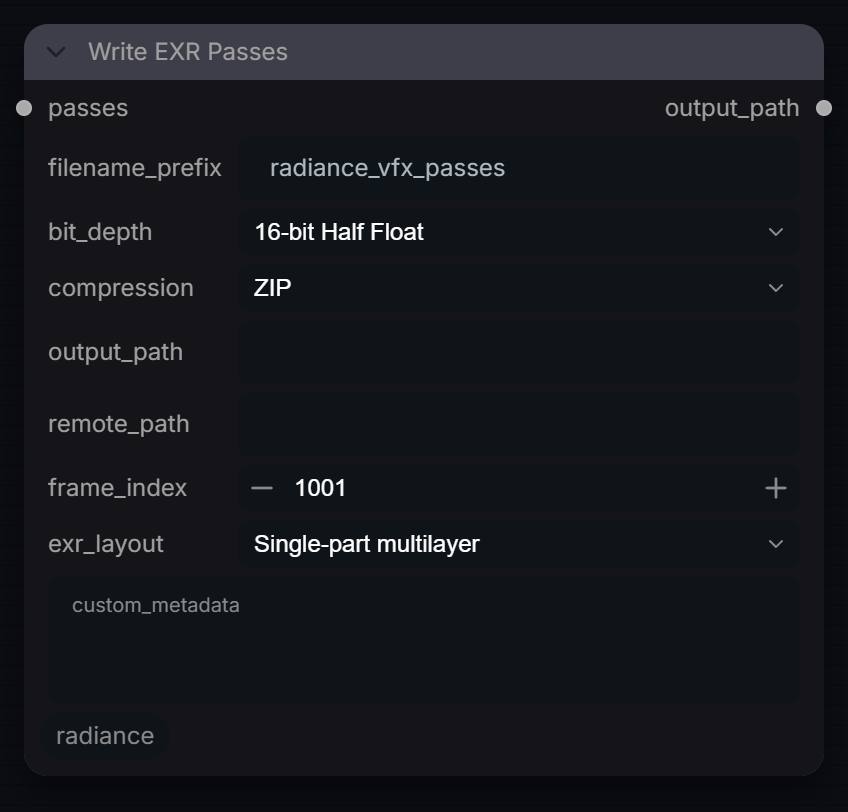
Write all passes inside the RADIANCE_PASSES bundle into a single-part multilayer or true multi-part OpenEXR file.
Inputs
| Input | Type | Default | Range or choices | What it does |
|---|---|---|---|---|
passes |
RADIANCE_PASSES | Pass bundle to write; must contain a beauty pass, and every pass must match its width and height. Pixel values are written as is, with no colour conversion. | ||
filename_prefix |
string | radiance_vfx_passes |
File name stem, not a path. Files are named |
|
bit_depth |
choice | 16-bit Half Float |
16-bit Half Float, 32-bit Float |
EXR pixel type. Files containing depth, world_position, motion_vector or object_id passes are always written as 32-bit float. |
compression |
choice | ZIP |
ZIP, ZIPS, PIZ, RLE, Uncompressed, PXR24, B44, B44A, DWAA, DWAB |
EXR compression. ZIP, ZIPS, PIZ, RLE and Uncompressed are lossless; lossy B44/B44A/DWAA/DWAB raise an error when data passes (depth, position, motion, object ID) are present. |
output_path (optional) |
string | Output folder. Empty = ComfyUI output folder; a relative path is a subfolder of it; an absolute path is used as is. Created if missing. | ||
remote_path (optional) |
string | Optional absolute folder (for example a NAS share) that each written file is also copied to. A failed copy only logs a warning. | ||
frame_index (optional) |
int | 1001 | 0 to 999999 | Frame number of the first image in the batch; later images count up from it. |
exr_layout (optional) |
choice | Single-part multilayer |
Single-part multilayer, Multi-part |
Single-part multilayer: all passes as named channel layers in one part (widest compatibility). Multi-part: one EXR 2.0 part per pass. |
custom_metadata (optional) |
string | multi-line text | Extra EXR header attributes, one key=value per line, stored as strings. Lines without = are ignored. |
Outputs
| Output | Type |
|---|---|
output_path |
STRING |