HDR nodes
HDR uplift, ACES, tone mapping, analysis, encoding, and delivery.
36 nodes. All sections
- ACES 2.0 Gamut Compress
- ACES 2.0 Output Transform
- ACES 2.0 S-2126 Compliance
- ACES 2.0 Tonescale
- ACES Config Manager
- ACES Metadata File (AMF)
- ACES Transform
- Clip Detector
- ColorSpace Info
- Float32 Convert
- GPU Tensor Ops
- HDR 360 Generate
- HDR Analysis
- HDR Auto Log Select
- HDR Blend Validator
- HDR Color Pipeline
- HDR Diagnostics
- HDR Encode
- HDR Expand Dynamic Range
- HDR Exposure Blend
- HDR Highlight Composite
- HDR LoRA Apply
- HDR LoRA Loader
- HDR Per-Channel Denorm
- HDR Per-Channel Norm
- HDR Shadow / Highlight Recovery
- HDR Synthesis Engine
- Highlight Synthesis
- Luminance Guidance
- OCIO List Colorspaces
- OCIO Transform
- SDR to HDR Expand
- SDR to HDR Prepare
- SDR → HDR Recover
- SDR → HDR Universal
- Tonemap
ACES 2.0 Gamut Compress
RadianceACES2ReachGamutCompress
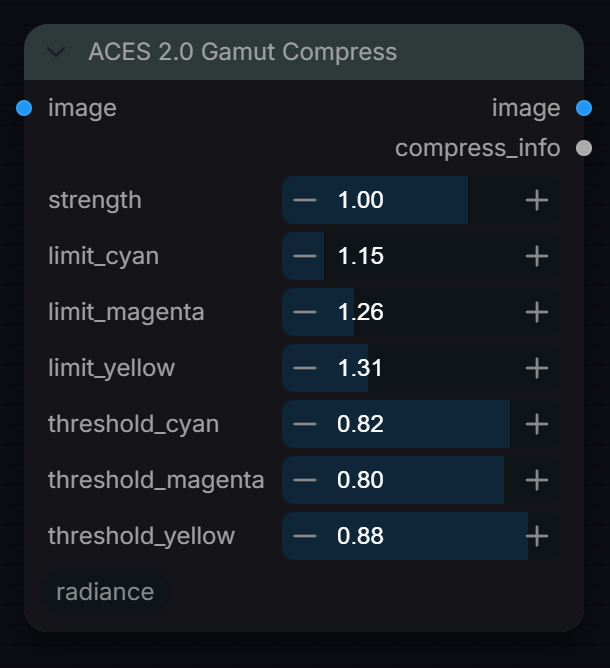
Compress out-of-gamut values using the ACES 2.0 Reach Gamut method.
Inputs
| Input | Type | Default | Range or choices | What it does |
|---|---|---|---|---|
image |
IMAGE | Scene-linear ACEScg (AP1) image batch. | ||
strength |
float | 1 | 0 to 1.5, step 0.05 | Compression strength. 0 = bypass. 1.0 = standard ACES 2.0. >1 = more aggressive squeeze for difficult footage. |
limit_cyan (optional) |
float | 1.147 | 1 to 2, step 0.01 | Reach gamut limit for cyan channel (R). |
limit_magenta (optional) |
float | 1.264 | 1 to 2, step 0.01 | Reach gamut limit for magenta channel (G). |
limit_yellow (optional) |
float | 1.312 | 1 to 2, step 0.01 | Reach gamut limit for yellow channel (B). |
threshold_cyan (optional) |
float | 0.815 | 0 to 1, step 0.01 | Distance from neutral (on R) where cyan compression starts. Lower protects fewer colours; below strength 1 it is also lowered slightly. |
threshold_magenta (optional) |
float | 0.803 | 0 to 1, step 0.01 | Distance from neutral (on G) where magenta compression starts. Lower protects fewer colours; below strength 1 it is also lowered slightly. |
threshold_yellow (optional) |
float | 0.88 | 0 to 1, step 0.01 | Distance from neutral (on B) where yellow compression starts. Lower protects fewer colours; below strength 1 it is also lowered slightly. |
Outputs
| Output | Type |
|---|---|
image |
IMAGE |
compress_info |
STRING |
ACES 2.0 Output Transform
RadianceACES2OutputTransformFull
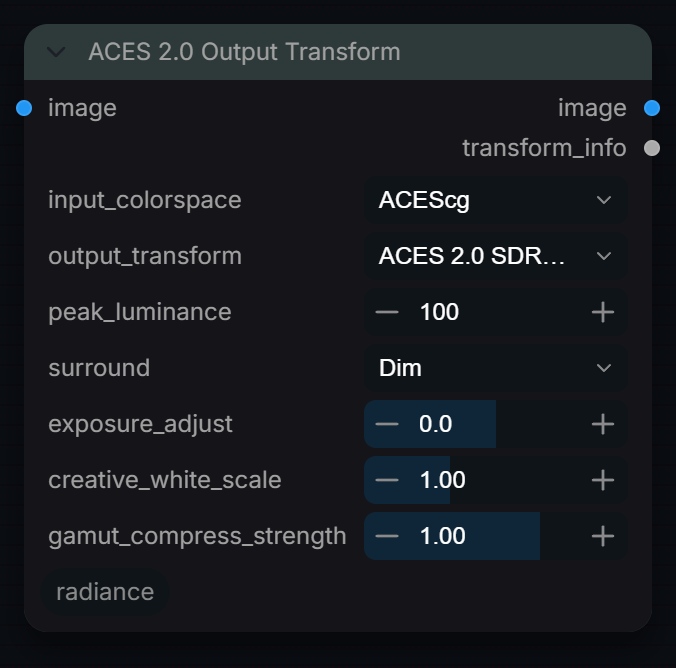
Full ACES 2.0 Output Transform (RRT + ODT) for display rendering.
Inputs
| Input | Type | Default | Range or choices | What it does |
|---|---|---|---|---|
image |
IMAGE | Scene-linear image in the space chosen by input_colorspace (18% grey = 0.18). A display-encoded sRGB image must be linearised first. | ||
input_colorspace |
choice | ACEScg |
ACEScg, ACES2065-1, Linear_sRGB, Linear_Rec2020 |
Primaries of the incoming linear image; it is converted to ACEScg (AP1) before the transform. No transfer curve is removed. |
output_transform |
choice | ACES 2.0 SDR (sRGB/Rec.709) |
ACES 2.0 SDR (sRGB/Rec.709), ACES 2.0 SDR (P3-D65), ACES 2.0 HDR (Rec.2100 PQ 1000 nits), ACES 2.0 HDR (Rec.2100 PQ 2000 nits), ACES 2.0 HDR (Rec.2100 PQ 4000 nits), ACES 2.0 HDR (Rec.2100 HLG), ACES 2.0 Cinema (DCI-P3 D60), ACES 2.0 Cinema (DCI-P3 D65) |
Target display: sets primaries, encoding (sRGB, PQ, HLG or gamma 2.6) and peak. Output is display-encoded 0 to 1. Cinema D60 targets P3 at ACES white; Cinema D65 targets P3 at D65. Match the display calibration. |
peak_luminance (optional) |
float | 100 | 48 to 10000, step 1 | Display peak luminance in nits for the SDR and HLG outputs. Ignored for the PQ outputs (fixed by their name) and Cinema (fixed 48 nits). |
surround (optional) |
choice | Dim |
Dark, Dim, Average |
Viewing environment — affects contrast parameter g. |
exposure_adjust (optional) |
float | 0 | -4 to 4, step 0.1 | Exposure adjustment in stops before transform. |
creative_white_scale (optional) |
float | 1 | 0.5 to 2, step 0.01 | Linear multiplier on all channels after conversion to ACEScg, so it acts as extra exposure (2.0 = +1 stop), not a white point change. 1.0 = no change. |
gamut_compress_strength (optional) |
float | 1 | 0 to 1.5, step 0.05 | ACES 2.0 reach gamut compression strength. |
Outputs
| Output | Type |
|---|---|
image |
IMAGE |
transform_info |
STRING |
ACES 2.0 S-2126 Compliance
RadianceACES2Compliance
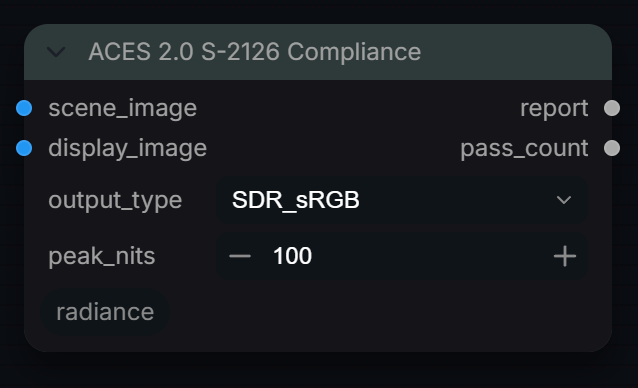
Validate an image against ACES 2.0 specification thresholds.
Inputs
| Input | Type | Default | Range or choices | What it does |
|---|---|---|---|---|
scene_image |
IMAGE | Scene-linear ACEScg image BEFORE the output transform. | ||
display_image |
IMAGE | Display-referred image AFTER the full output transform. | ||
output_type |
choice | SDR_sRGB |
SDR_sRGB, SDR_P3, HDR_PQ_1000, HDR_PQ_2000, HDR_PQ_4000, HDR_HLG |
Output type named in the report header. Currently a label only: the same checks and thresholds run for every choice. |
peak_nits (optional) |
float | 100 | 48 to 10000, step 1 | Display peak in nits shown in the report header. Currently a label only: the checks do not use it. |
Outputs
| Output | Type |
|---|---|
report |
STRING |
pass_count |
INT |
ACES 2.0 Tonescale
RadianceACES2Tonescale
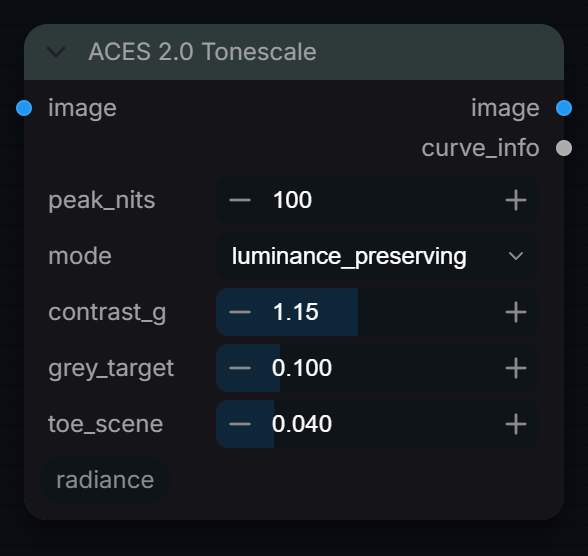
Apply the ACES 2.0 Tonescale operator with configurable parameters.
Inputs
| Input | Type | Default | Range or choices | What it does |
|---|---|---|---|---|
image |
IMAGE | Scene-linear ACEScg (AP1) image batch. | ||
peak_nits |
float | 100 | 48 to 10000, step 1 | Display peak luminance in cd/m². 100 = SDR, 1000/2000/4000 = HDR. |
mode |
choice | luminance_preserving |
luminance_preserving, per_channel |
luminance_preserving: tone-map luma then scale RGB — preserves hue/saturation. per_channel: apply curve independently to R, G, B — may introduce hue shifts but avoids colour casts. |
contrast_g (optional) |
float | 1.15 | 0.8 to 1.6, step 0.01 | Contrast exponent g. ACES 2.0 reference = 1.15. |
grey_target (optional) |
float | 0.1 | 0.05 to 0.3, step 0.005 | Display grey target as fraction of peak. Standard = 0.10 (10 nits of 100 SDR). |
toe_scene (optional) |
float | 0.04 | 0.005 to 0.2, step 0.005 | Scene luminance below which a linear toe is applied. Prevents gamma lift in deep shadows. |
Outputs
| Output | Type |
|---|---|
image |
IMAGE |
curve_info |
STRING |
ACES Config Manager
RadianceACESConfigManager
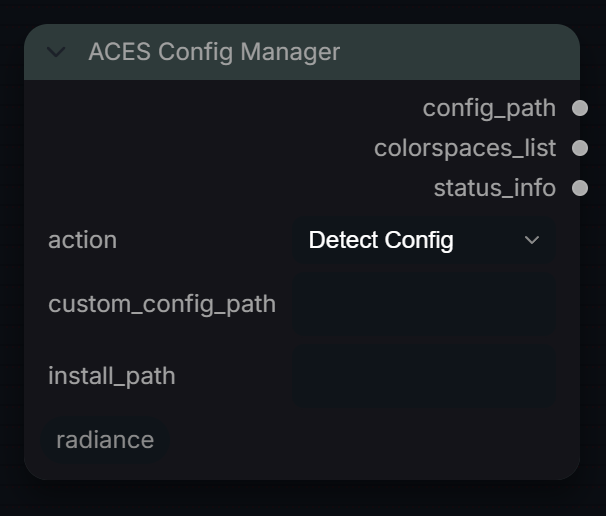
Detect, download, and manage ACES OCIO configurations.
Inputs
| Input | Type | Default | Range or choices | What it does |
|---|---|---|---|---|
action |
choice | Detect Config |
Detect Config, Download ACES 2.0, List Colorspaces, Get Config Info |
Action to perform. |
custom_config_path (optional) |
string | Custom path to .ocio config. Leave empty for auto-detection. | ||
install_path (optional) |
string | Where to install downloaded ACES config. Defaults to |
Outputs
| Output | Type |
|---|---|
config_path |
STRING |
colorspaces_list |
STRING |
status_info |
STRING |
ACES Metadata File (AMF)
RadianceACESMetadataFile
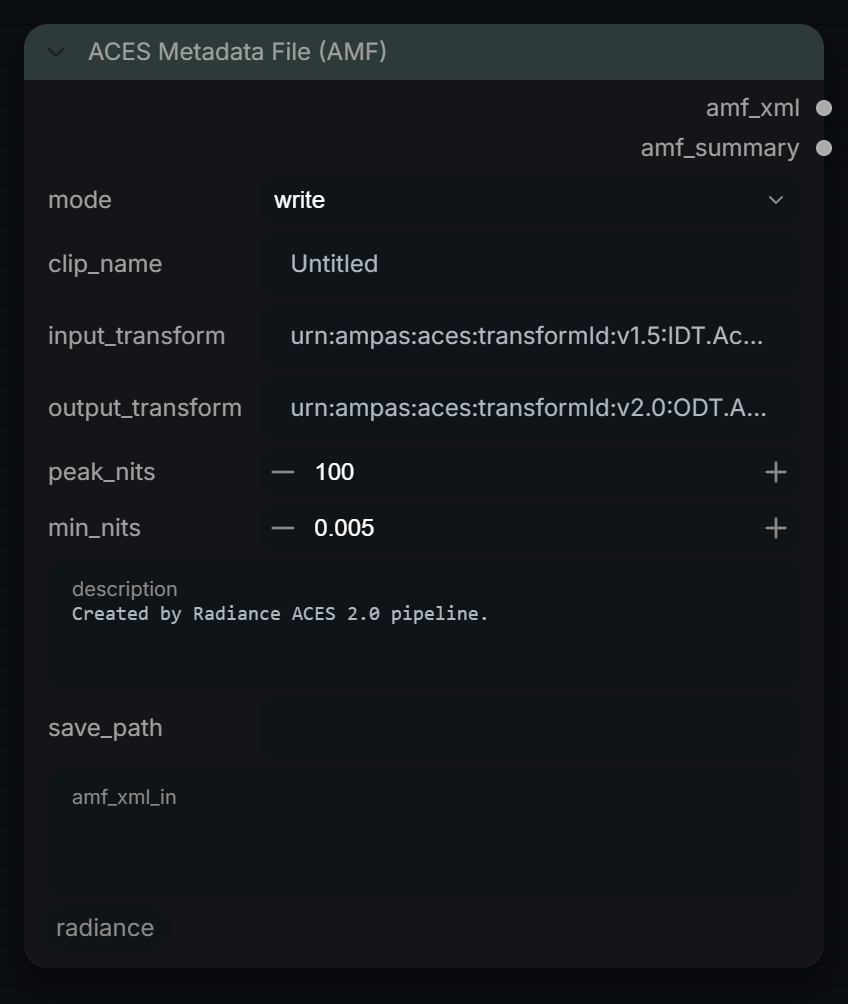
Read or write ACES metadata XML sidecar files for shot archiving.
Inputs
| Input | Type | Default | Range or choices | What it does |
|---|---|---|---|---|
mode |
choice | write |
write, read |
write = create new AMF, read = parse existing. |
clip_name (optional) |
string | Untitled |
(write) Clip identifier written into the AMF. | |
input_transform (optional) |
string | urn:ampas:aces:transformId:v1.5:IDT.Academy.ADX10.a1.0.3 |
(write) ACES URN for the input transform. | |
output_transform (optional) |
string | urn:ampas:aces:transformId:v2.0:ODT.Academy.Rec709-100nits.a2.0.0 |
(write) ACES URN for the output transform. | |
peak_nits (optional) |
float | 100 | 48 to 10000, step 1 | (write) Display peak luminance in nits, stored as the output transform's peakLuminance. |
min_nits (optional) |
float | 0.005 | 0 to 1, step 0.001 | (write) Display black level in nits, stored as the output transform's minLuminance. |
description (optional) |
string | Created by Radiance ACES 2.0 pipeline. |
multi-line text | (write) Free text stored in the AMF's amfInfo description (XML-escaped, so any characters are safe). |
save_path (optional) |
string | (write) Full path to save .amf file. Leave blank to skip. | ||
amf_xml_in (optional) |
string | multi-line text | (read) Paste AMF XML here, or load via save_path. |
Outputs
| Output | Type |
|---|---|
amf_xml |
STRING |
amf_summary |
STRING |
ACES Transform
RadianceACESTransform
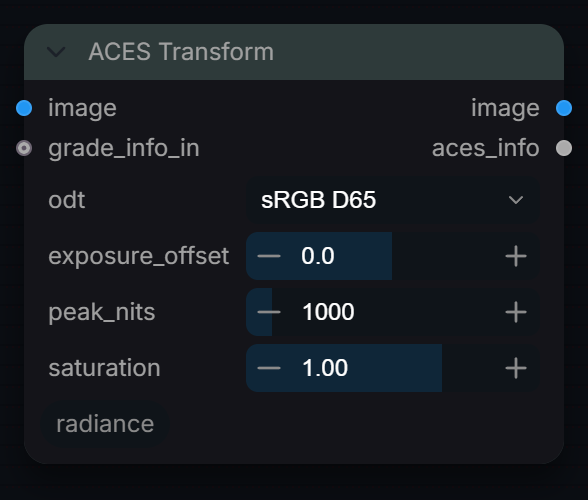
Approximate ACES-style output transform: a fitted filmic tone curve (Narkowicz ACES fit, not the full RRT) on ACEScg, then conversion and encoding for an sRGB, P3, PQ or HLG display. Use for quick previews, not deliverables.
Inputs
| Input | Type | Default | Range or choices | What it does |
|---|---|---|---|---|
image |
IMAGE | Scene-linear ACEScg image. | ||
odt |
choice | sRGB D65 |
sRGB D65, DCI-P3 D65, Rec.2020 PQ (HDR10), Rec.2020 HLG |
Target display. sRGB: sRGB curve. DCI-P3 D65: P3 primaries, 2.6 gamma. Rec.2020 PQ: ST 2084 signal. Rec.2020 HLG: HLG signal, tone-mapped white at signal 1.0. |
exposure_offset |
float | 0 | -4 to 4, step 0.1 | Exposure change in stops applied to the scene-linear input before the tone curve. |
peak_nits |
float | 1000 | 100 to 10000, step 100 | Luminance in nits that tone-mapped white (1.0) is encoded at. Only used by Rec.2020 PQ (HDR10); ignored by the other outputs. |
saturation |
float | 1 | 0 to 1.5, step 0.02 | Saturation after the tone curve, around Rec.709-weighted luma: 0 = greyscale, 1 = unchanged. Result is clamped to 0..1. |
grade_info_in (optional) |
string | Optional grade_info JSON from an upstream node. Only recorded as "upstream" in this node's info output; it does not change the image. |
Outputs
| Output | Type |
|---|---|
image |
IMAGE |
aces_info |
STRING |
Clip Detector
RadianceClipDetector
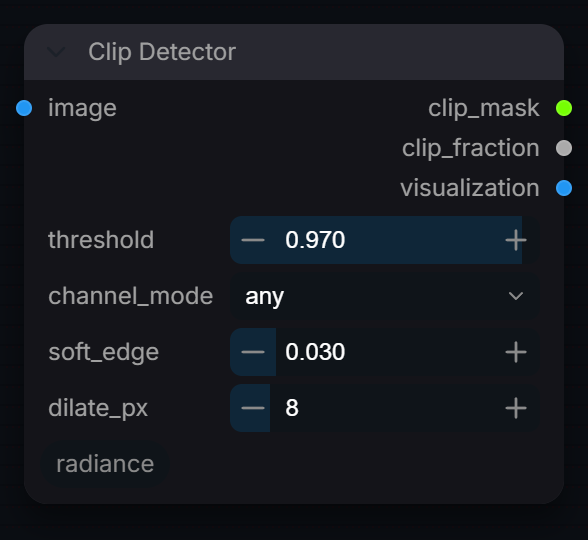
Detect clipped highlights in SDR images. Wire clip_mask → RadianceSDRToHDRPrepare and RadianceHDRHighlightComposite.
Inputs
| Input | Type | Default | Range or choices | What it does |
|---|---|---|---|---|
image |
IMAGE | Display-encoded SDR image (code values 0-1). Tested as is, no decoding. | ||
threshold |
float | 0.97 | 0.5 to 1, step 0.005 | Pixels brighter than this are marked as clipped. |
channel_mode |
choice | any |
any, all, luma |
any: flag a pixel when any RGB channel is over threshold. all: only when all three are. luma: Rec.709 luma. The selected mode also controls the soft edge. |
soft_edge |
float | 0.03 | 0 to 0.2, step 0.005 | Feathering width below the threshold. 0 = hard binary mask. |
dilate_px |
int | 8 | 0 to 64, step 1 | Expand the clip mask outward to cover highlight fringing. |
Outputs
| Output | Type |
|---|---|
clip_mask |
MASK |
clip_fraction |
FLOAT |
visualization |
IMAGE |
ColorSpace Info
RadianceColorSpaceInfo
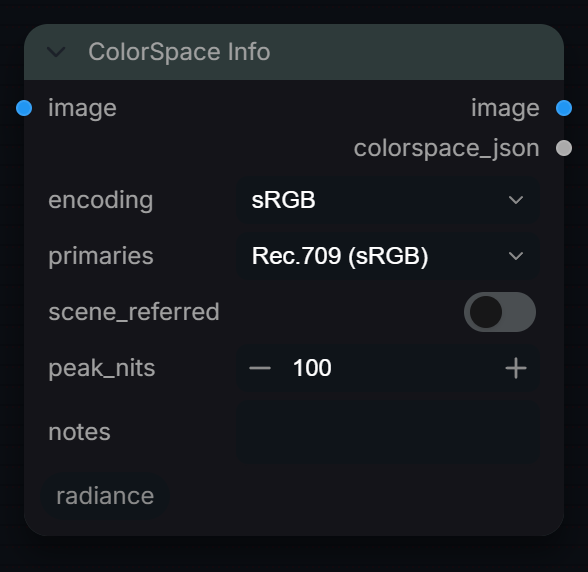
Output colour space metadata as JSON. Image is passed through unchanged.
Inputs
| Input | Type | Default | Range or choices | What it does |
|---|---|---|---|---|
image |
IMAGE | Image passed through unchanged; only its size, channels and batch are read. | ||
encoding |
choice | sRGB |
sRGB, Rec.709 (OETF), BT.1886 (TV γ2.4), Gamma 2.2, Gamma 2.4, PQ (ST.2084), HLG, ARRI LogC4, Sony S-Log3, Linear (none) |
Transfer curve to record in the JSON. Metadata only; the image is not decoded. |
primaries |
choice | Rec.709 (sRGB) |
Rec.709 (sRGB), BT.2020, ACEScg, DCI-P3 (D65), XYZ (D65) |
Primaries to record in the JSON. Metadata only; no conversion is done. |
scene_referred (optional) |
boolean | off | Records in the JSON that the image is scene-referred (values above 1.0 are valid). Metadata only; nothing is clamped either way. | |
peak_nits (optional) |
float | 100 | 80 to 10000, step 10 | Mastering display peak in nits to record in the JSON. Metadata only; pixel values are not scaled. |
notes (optional) |
string | Optional free-text notes stored alongside the colorspace metadata JSON output. |
Outputs
| Output | Type |
|---|---|
image |
IMAGE |
colorspace_json |
STRING |
Float32 Convert
RadianceFloat32Convert
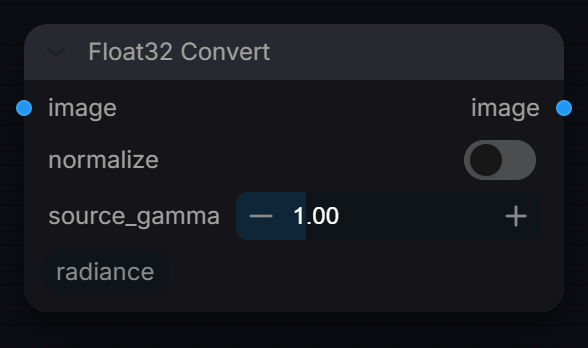
Convert images to 32-bit float precision for HDR processing. Preserves full dynamic range without clamping.
Inputs
| Input | Type | Default | Range or choices | What it does |
|---|---|---|---|---|
image |
IMAGE | Image to convert to float32. Values are not clamped. | ||
normalize (optional) |
boolean | off | Per frame, divide by the frame's maximum when that maximum is above 1.0, so each frame peaks at 1.0. Frames already within 0 to 1 are left as they are. | |
source_gamma (optional) |
float | 1 | 0.1 to 4, step 0.01 | Source gamma to linearize. 1.0 = already linear, 2.2 = sRGB-ish, 2.6 = DCI. |
Outputs
| Output | Type |
|---|---|
image |
IMAGE |
GPU Tensor Ops
RadianceGPUTensorOps
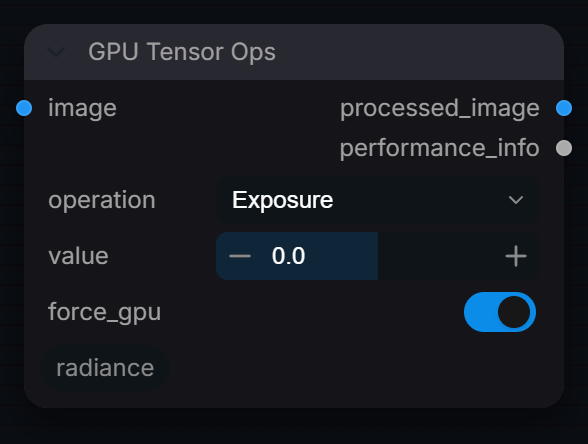
GPU-accelerated HDR operations. Fast exposure, gamma, and normalization.
Inputs
| Input | Type | Default | Range or choices | What it does |
|---|---|---|---|---|
image |
IMAGE | Image to process, usually linear float. The whole batch is processed. | ||
operation |
choice | Exposure |
Exposure, Gamma, Lift/Gain, Normalize, Clamp |
Exposure: x * 2^value. Gamma: sign-preserving x^(1/value). Lift/Gain: adds value (an offset only, no gain). Normalize: per-frame min/max to 0-1. Clamp: to 0-1. |
value (optional) |
float | 0 | -10 to 10, step 0.1 | Exposure: stops. Gamma: gamma (0 means 2.2, anything below 0.1 including negatives is treated as 0.1). Lift/Gain: offset added. Ignored by Normalize and Clamp. |
force_gpu (optional) |
boolean | on | Run on CUDA when available. Off always runs on the CPU. Results are the same either way. |
Outputs
| Output | Type |
|---|---|
processed_image |
IMAGE |
performance_info |
STRING |
HDR 360 Generate
RadianceHDR360Generate
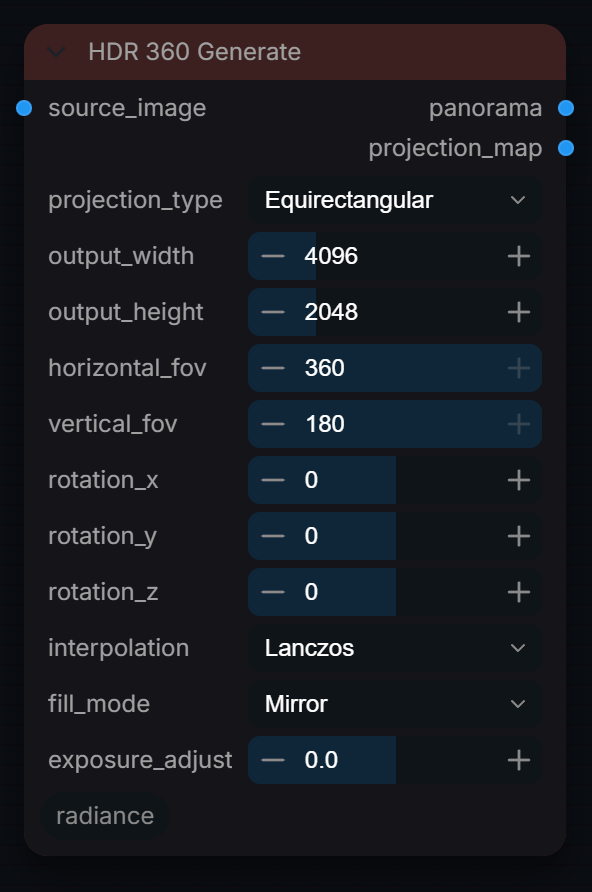
Generate 360° equirectangular panoramas for HDRI environment mapping in 3D applications.
Inputs
| Input | Type | Default | Range or choices | What it does |
|---|---|---|---|---|
source_image |
IMAGE | Input image to project. For best results, use a wide or panoramic image. | ||
projection_type |
choice | Equirectangular |
Equirectangular, Cube_Map, Mirror_Ball, Angular_Map |
Projection type: Equirectangular (standard HDRI), Cube_Map (6-face), Mirror_Ball (chrome ball), Angular_Map (light probe). |
output_width |
int | 4096 | 512 to 16384, step 64 | Output panorama width in pixels. Standard HDRI sizes: 2048 (preview), 4096 (standard), 8192 (high), 16384 (ultra). |
output_height |
int | 2048 | 256 to 8192, step 64 | Output panorama height. For equirectangular, height should be half of width (2:1 ratio). |
horizontal_fov (optional) |
float | 360 | 30 to 360, step 1 | Horizontal field of view in degrees. 360° = full sphere, less = partial panorama. |
vertical_fov (optional) |
float | 180 | 15 to 180, step 1 | Vertical field of view in degrees. 180° = pole to pole, less = band around horizon. |
rotation_x (optional) |
float | 0 | -180 to 180, step 1 | Rotation around X axis (pitch) in degrees. Tilts the panorama up/down. |
rotation_y (optional) |
float | 0 | -180 to 180, step 1 | Rotation around Y axis (yaw) in degrees. Rotates the panorama left/right. |
rotation_z (optional) |
float | 0 | -180 to 180, step 1 | Rotation around Z axis (roll) in degrees. Tilts the horizon. |
interpolation (optional) |
choice | Lanczos |
Bilinear, Bicubic, Lanczos, Nearest |
Sampling interpolation: Lanczos (highest quality), Bicubic (good), Bilinear (fast), Nearest (pixelated). |
fill_mode (optional) |
choice | Mirror |
Mirror, Repeat, Black, Edge |
How to fill areas outside source image: Mirror (reflects), Repeat (tiles), Black (transparent), Edge (extends edge pixels). |
exposure_adjust (optional) |
float | 0 | -5 to 5, step 0.1 | Exposure adjustment in stops. +1 = double brightness, -1 = half brightness. |
Outputs
| Output | Type | What it is |
|---|---|---|
panorama |
IMAGE | Generated 360° panorama. |
projection_map |
IMAGE | UV projection map for debugging. |
HDR Analysis
RadianceHDRAnalysis
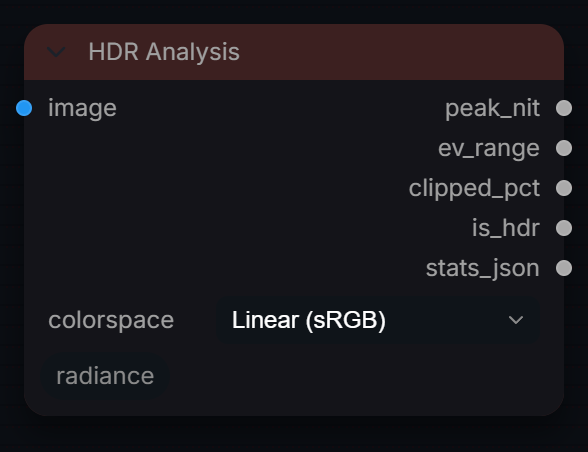
Analyse HDR image statistics: peak luminance, clipping, histogram.
Inputs
| Input | Type | Default | Range or choices | What it does |
|---|---|---|---|---|
image |
IMAGE | Image to measure; set colorspace to match its encoding. Luma above 1.0 counts as above SDR white (203 nits). Images over 500k pixels are measured on a strided subsample. | ||
colorspace (optional) |
choice | Linear (sRGB) |
Linear (sRGB), sRGB (Standard), ARRI LogC3, ARRI LogC4, Sony S-Log3, Panasonic V-Log, DaVinci Intermediate, ACEScg, ACEScct |
Colorspace of the incoming image. 'Linear (sRGB)' is the correct setting for Radiance Decode output. Log spaces are linearised first for accurate nit estimation. |
Outputs
| Output | Type | What it is |
|---|---|---|
peak_nit |
FLOAT | Estimated peak luminance in cd/m² (BT.2408 anchor: 203 nit = linear 1.0). |
ev_range |
FLOAT | Dynamic range in stops (EV) between p01 and p99 luma. |
clipped_pct |
FLOAT | Percentage of pixels above scene-linear 1.0 (clipped for SDR display). |
is_hdr |
BOOLEAN | True when peak_nit > 203 — image contains HDR content above SDR white. |
stats_json |
STRING | Full zone statistics as JSON. |
HDR Auto Log Select
RadianceHDRAutoLogSelect
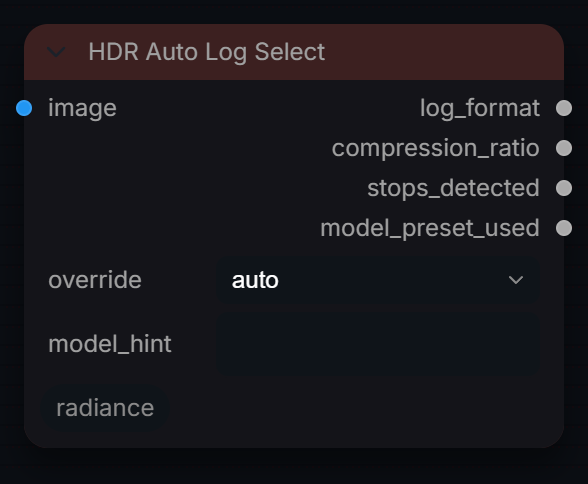
Automatically select the optimal log encoding for an HDR input.
Inputs
| Input | Type | Default | Range or choices | What it does |
|---|---|---|---|---|
image |
IMAGE | Scene-linear HDR image (18% grey = 0.18). Its 95th-percentile luma sets how many stops above grey the log format must hold. The image itself is not changed. | ||
override |
choice | auto |
auto, LogC4, SLog3, VLog, LogC3, ACEScct |
auto = choose the log format with the smallest highlight range that still fits the image. Any other choice forces that format; stops_detected is still measured. |
model_hint (optional) |
string | Optional model name (e.g. 'flux', 'cogvideox', 'wan2.1', 'sdxl'). When set, the compression_ratio output is taken from the RADIANCE_MODEL_PRESETS table instead of the log-format default. |
Outputs
| Output | Type |
|---|---|
log_format |
STRING |
compression_ratio |
FLOAT |
stops_detected |
FLOAT |
model_preset_used |
STRING |
HDR Blend Validator
RadianceHDRBlendValidator
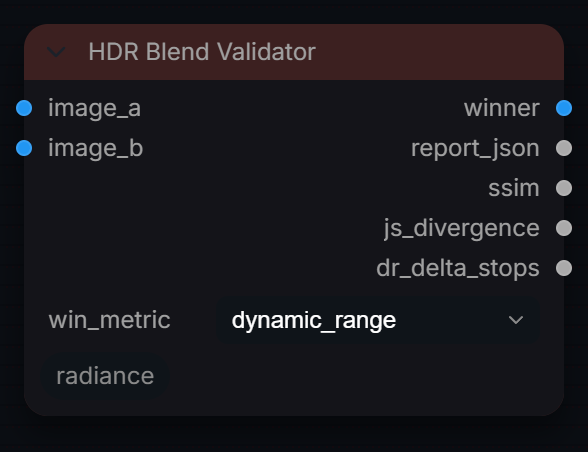
Validate that blended HDR layers maintain energy and gamut constraints.
Inputs
| Input | Type | Default | Range or choices | What it does |
|---|---|---|---|---|
image_a |
IMAGE | Baseline (no HDR blend) | ||
image_b |
IMAGE | HDR-blended output | ||
win_metric |
choice | dynamic_range |
dynamic_range, ssim, js_divergence |
Which metric decides the winner. |
Outputs
| Output | Type |
|---|---|
winner |
IMAGE |
report_json |
STRING |
ssim |
FLOAT |
js_divergence |
FLOAT |
dr_delta_stops |
FLOAT |
HDR Color Pipeline
RadianceHDRColorPipeline
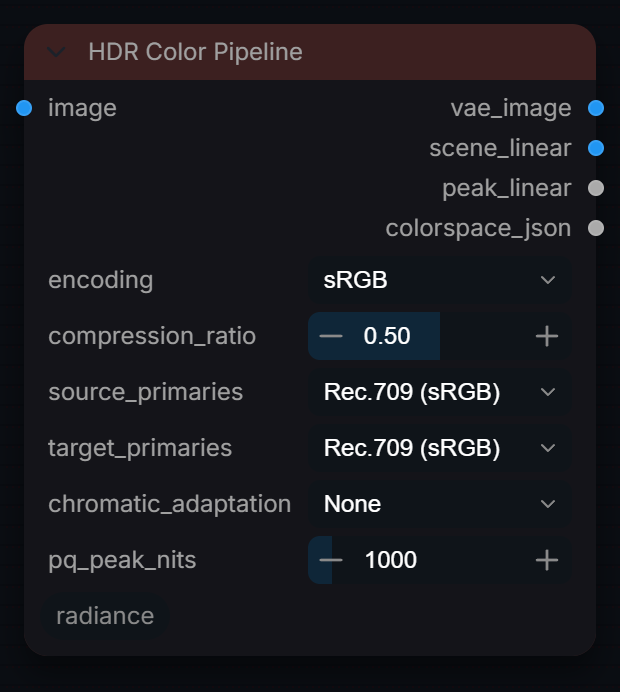
Full colour pipeline: linearise → adapt → primaries → HDR compress. Outputs both VAE-ready and scene-linear images.
Inputs
| Input | Type | Default | Range or choices | What it does |
|---|---|---|---|---|
image |
IMAGE | Encoded input image. Negatives are clamped to 0; alpha is passed through. | ||
encoding |
choice | sRGB |
sRGB, Rec.709 (OETF), BT.1886 (TV γ2.4), Gamma 2.2, Gamma 2.4, PQ (ST.2084), HLG, ARRI LogC4, Sony S-Log3, Linear (none) |
Transfer curve of the input, decoded to linear. PQ decodes so 203 nits = 1.0; log curves decode to camera scene-linear. Linear (none) only clamps negatives. |
compression_ratio |
float | 0.5 | 0 to 1, step 0.01 | Compression ratio for soft-knee HDR highlight compression. |
source_primaries (optional) |
choice | Rec.709 (sRGB) |
Rec.709 (sRGB), BT.2020, ACEScg, DCI-P3 (D65), XYZ (D65) |
Primaries of the input. Any pair of the listed primaries converts, with a Bradford white-point adaptation where the whites differ (ACEScg is D60). |
target_primaries (optional) |
choice | Rec.709 (sRGB) |
Rec.709 (sRGB), BT.2020, ACEScg, DCI-P3 (D65), XYZ (D65) |
Primaries to convert to. Same as source leaves colours unchanged. |
chromatic_adaptation (optional) |
choice | None |
None, D65_to_D60, D60_to_D65, D65_to_D50, D50_to_D65 |
Bradford white-point matrix applied to the linear RGB before the primaries step. Skipped, with a warning, when the primaries conversion already changes the white point (to or from ACEScg), so it is never applied twice. |
pq_peak_nits (optional) |
float | 1000 | 100 to 10000, step 100 | Has no effect on the decode: PQ is absolute, so it always decodes with 203 nits = 1.0 whatever this is set to. |
Outputs
| Output | Type |
|---|---|
vae_image |
IMAGE |
scene_linear |
IMAGE |
peak_linear |
FLOAT |
colorspace_json |
STRING |
HDR Diagnostics
RadianceHDRDiagnostics
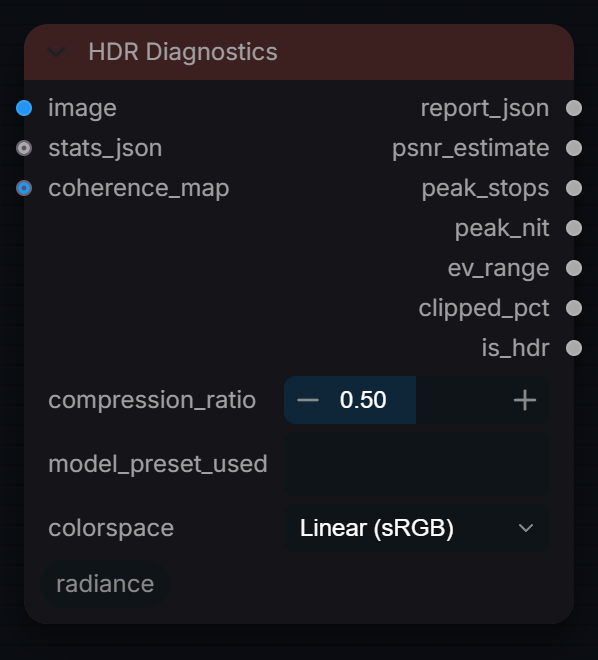
Run full HDR diagnostic checks. Outputs a JSON report, estimated PSNR, peak stops, and live metric floats (peak_nit, ev_range, clipped_pct, is_hdr) — replaces the separate RadianceHDRAnalysis node.
Inputs
| Input | Type | Default | Range or choices | What it does |
|---|---|---|---|---|
image |
IMAGE | HDR image before compression, encoded as set by colorspace. Metrics treat linear 1.0 as 203 nits. | ||
compression_ratio (optional) |
float | 0.5 | 0 to 1, step 0.05 | Must match the compression ratio used when encoding the input. |
model_preset_used (optional) |
string | Resolved model key from AutoLogSelect. | ||
stats_json (optional) |
string | JSON from RadianceHDRPerChannelNorm (optional). | ||
coherence_map (optional) |
IMAGE | Optional coherence map (0 to 1). Only its mean is reported, as coherence_mean in the JSON. | ||
colorspace (optional) |
choice | Linear (sRGB) |
Linear (sRGB), ACEScg, sRGB, Rec.709 |
Input colour space for nit/EV-range estimation. |
Outputs
| Output | Type |
|---|---|
report_json |
STRING |
psnr_estimate |
FLOAT |
peak_stops |
FLOAT |
peak_nit |
FLOAT |
ev_range |
FLOAT |
clipped_pct |
FLOAT |
is_hdr |
BOOLEAN |
HDR Encode
RadianceHDREncode
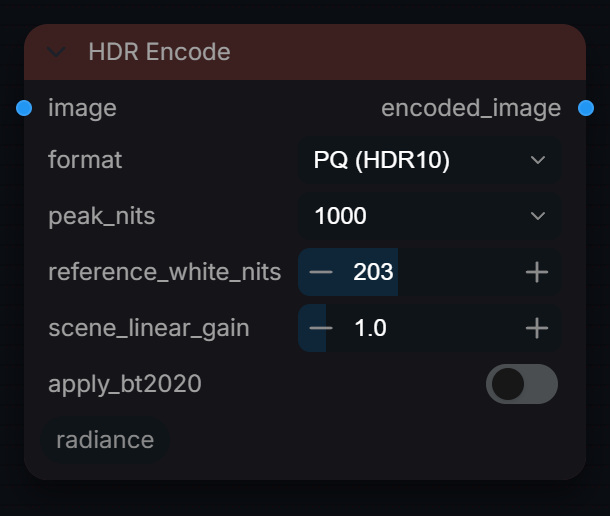
Scene-linear HDR → PQ (HDR10/DV) or HLG (Broadcast) delivery signal.
Inputs
| Input | Type | Default | Range or choices | What it does |
|---|---|---|---|---|
image |
IMAGE | Scene-linear HDR, 1.0 = reference white (203 nits by default). Primaries are either BT.709 (turn apply_bt2020 on) or already BT.2020 (leave it off). Negatives are clipped. | ||
format |
choice | PQ (HDR10) |
PQ (HDR10), HLG (Broadcast) |
PQ: absolute ST.2084 signal clipped at peak_nits. HLG: BT.2100 transcode for a 1000-nit display, reference white at 75% signal. |
peak_nits (optional) |
choice | 1000 |
100, 1000, 4000, 10000 |
[PQ] Mastering display peak luminance. 1000 = HDR10, 4000/10000 = Dolby Vision grade. |
reference_white_nits (optional) |
float | 203 | 80 to 400, step 1 | [PQ / HLG] Nits where linear 1.0 (diffuse white) maps. BT.2408 recommends 203; HLG then puts 1.0 at 75 % signal. |
scene_linear_gain (optional) |
float | 1 | 0.1 to 8, step 0.1 | [HLG] Scale scene-linear before encoding. Useful for exposure trim. |
apply_bt2020 (optional) |
boolean | off | Convert BT.709 primaries to BT.2020. Required for standards-compliant HDR10 / HLG delivery. Disable if source is already BT.2020. |
Outputs
| Output | Type |
|---|---|
encoded_image |
IMAGE |
HDR Expand Dynamic Range
RadianceHDRExpandDynamicRange
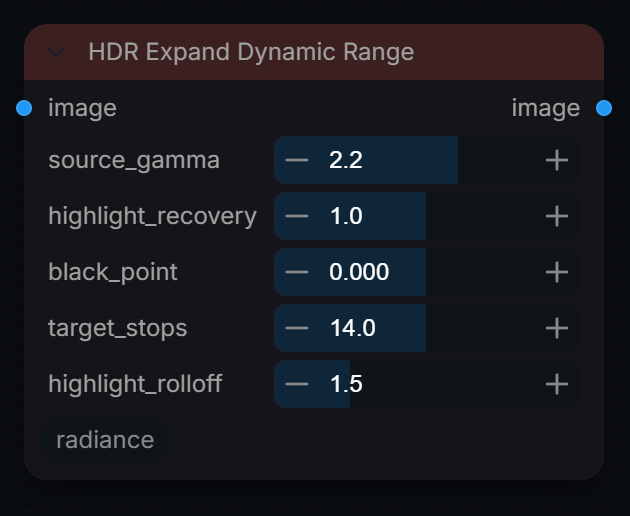
Expand SDR images to HDR dynamic range by recovering highlights and extending stops of exposure latitude.
Inputs
| Input | Type | Default | Range or choices | What it does |
|---|---|---|---|---|
image |
IMAGE | Display-encoded SDR image. Output is linear light; alpha passes through untouched. | ||
source_gamma |
float | 2.2 | 1 to 3, step 0.1 | Input decoding. 2.1 to 2.3 uses the exact sRGB curve, 1.0 means already linear, any other value is a pure power (e.g. 2.4, 2.6). |
highlight_recovery |
float | 1 | 0 to 2, step 0.1 | Mix between the linearised input (0) and the full expansion (1). Values above 1 push past the expansion curve. |
black_point |
float | 0 | -0.1 to 0.1, step 0.001 | Linear value subtracted before expansion, then clipped at 0. Positive crushes blacks, negative lifts them. |
target_stops |
float | 14 | 8 to 20, step 0.5 | Sets the peak that SDR white is mapped to: 2^(stops - 8) in linear, so 14 gives 64.0 and 8 gives no expansion. |
highlight_rolloff |
float | 1.5 | 1 to 3, step 0.1 | Where expansion starts: linear luma threshold 1 - (rolloff - 1) x 0.2, capped at 0.95 (0.9 at the default, 0.6 at 3.0). Higher starts earlier with a gentler curve. |
Outputs
| Output | Type |
|---|---|
image |
IMAGE |
HDR Exposure Blend
RadianceHDRExposureBlend
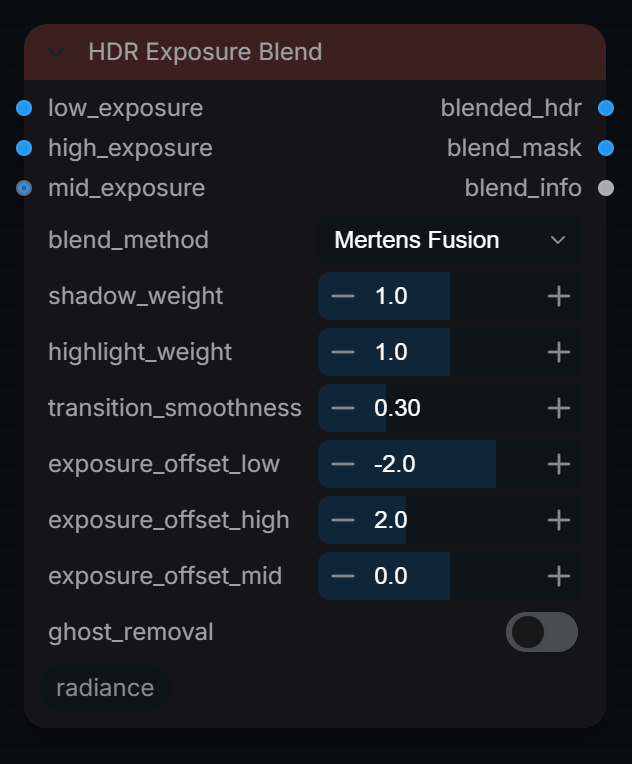
Blend multiple exposures (bracketing) for extended dynamic range. Takes highlights from low exposure and shadows from high exposure for optimal color grading.
Inputs
| Input | Type | Default | Range or choices | What it does |
|---|---|---|---|---|
low_exposure |
IMAGE | Darker bracket, the source of highlight detail. Should be linear; every frame is processed; a single bracket frame broadcasts across the batch. | ||
high_exposure |
IMAGE | Brighter bracket, the source of shadow detail. Should be linear and the same size as low_exposure, with matching batch length or one frame. | ||
blend_method |
choice | Mertens Fusion |
Mertens Fusion, Luminance Weighted, Shadow/Highlight Mask, Exposure Weighted, Laplacian Pyramid |
How brackets are merged after EV compensation. Mertens: per-pixel contrast/saturation/exposedness weights. Exposure Weighted favours original bracket values away from black and clipping, then combines compensated linear values. |
mid_exposure (optional) |
IMAGE | Optional middle bracket, compensated by exposure_offset_mid. Used by Mertens Fusion and Exposure Weighted; the other methods ignore it. | ||
shadow_weight (optional) |
float | 1 | 0 to 2, step 0.1 | Relative weight of high_exposure in the shadow zone (low_exposure luma below 0.25). Shadow/Highlight Mask method only. |
highlight_weight (optional) |
float | 1 | 0 to 2, step 0.1 | Relative weight of low_exposure in the highlight zone (low_exposure luma above 0.75). Shadow/Highlight Mask method only. |
transition_smoothness (optional) |
float | 0.3 | 0.05 to 1, step 0.05 | Width in luma of the crossfade between brackets; higher is softer. Used by Luminance Weighted and Shadow/Highlight Mask only. |
exposure_offset_low (optional) |
float | -2 | -6 to 0, step 0.5 | EV of low_exposure relative to 0 EV. It is multiplied by 2^-EV (-2 brightens it 4x) so all brackets share one linear scale. |
exposure_offset_high (optional) |
float | 2 | 0 to 6, step 0.5 | EV of high_exposure relative to 0 EV. It is multiplied by 2^-EV (+2 darkens it 4x) so all brackets share one linear scale. |
exposure_offset_mid (optional) |
float | 0 | -6 to 6, step 0.5 | EV of the optional middle exposure relative to 0 EV. Applied as compensation so all three exposures are normalised to the same scale before fusion. |
ghost_removal (optional) |
boolean | off | Align brackets by global translation (up to 64 px). Mertens Fusion also down-weights pixels that disagree between brackets (moving objects); other methods only align. |
Outputs
| Output | Type |
|---|---|
blended_hdr |
IMAGE |
blend_mask |
IMAGE |
blend_info |
STRING |
HDR Highlight Composite
RadianceHDRHighlightComposite
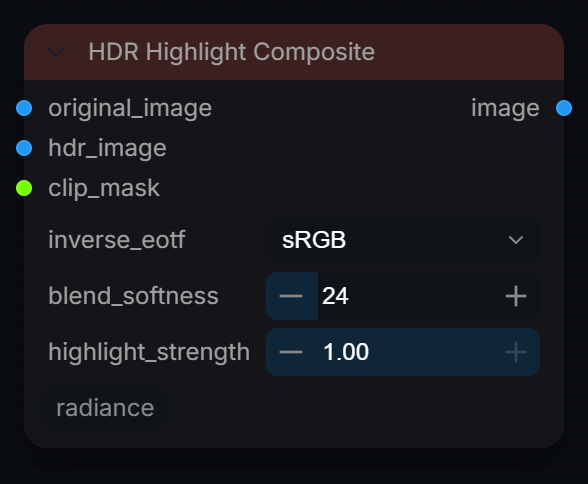
Composite AI-reconstructed HDR highlights back onto original linearised SDR. Non-clipped areas are pixel-perfect original. Only clipped regions come from the model.
Inputs
| Input | Type | Default | Range or choices | What it does |
|---|---|---|---|---|
original_image |
IMAGE | Original display-encoded SDR image. Linearised with inverse_eotf and used outside the mask; its alpha is carried to the output. | ||
hdr_image |
IMAGE | Scene-linear HDR reconstruction (e.g. from HDR Decoder). Used inside the mask; resized bilinearly if its size differs from original_image. | ||
clip_mask |
MASK | Blend guide from Clip Detector: 1 takes hdr_image, 0 keeps the original. | ||
inverse_eotf (optional) |
choice | sRGB |
sRGB, Rec.709, Gamma 2.2, Linear (no-op) |
Transfer curve of original_image, used to linearise it so it matches hdr_image. Use the same setting as SDR to HDR Prepare. |
blend_softness (optional) |
int | 24 | 0 to 128, step 1 | Feathering on composite edge in pixels. 0 = hard cut. |
highlight_strength (optional) |
float | 1 | 0 to 1, step 0.05 | How much of the AI highlight reconstruction to use. 1.0 = full. |
Outputs
| Output | Type |
|---|---|
image |
IMAGE |
HDR LoRA Apply
RadianceHDRLoRAApply
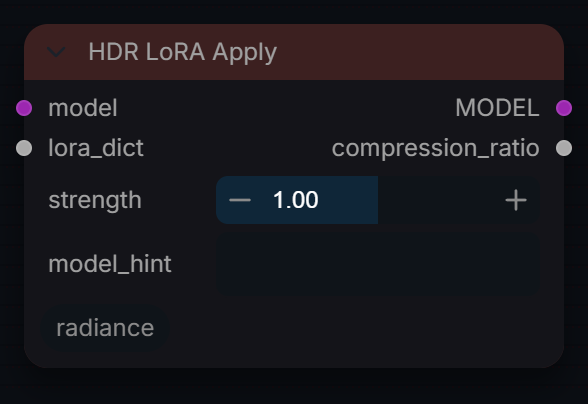
Apply a Radiance HDR LoRA to a diffusion model. Outputs the patched MODEL and the matching compression_ratio for RadianceHDREncoder.
Inputs
| Input | Type | Default | Range or choices | What it does |
|---|---|---|---|---|
model |
MODEL | Diffusion model to patch. It is cloned and the LoRA deltas are added as ComfyUI patches, so the upstream model is left untouched. | ||
lora_dict |
LORA_DICT | LoRA tensors and metadata from Radiance HDR LoRA Loader. If no tensor matches a model weight the node raises an error. | ||
strength |
float | 1 | 0 to 2, step 0.05 | LoRA strength multiplier. 1.0 = trained weight. 0 = no effect. |
model_hint (optional) |
string | Cross-checks the LoRA's trained model against this hint and warns if mismatched. |
Outputs
| Output | Type |
|---|---|
MODEL |
MODEL |
compression_ratio |
FLOAT |
HDR LoRA Loader
RadianceHDRLoRALoader
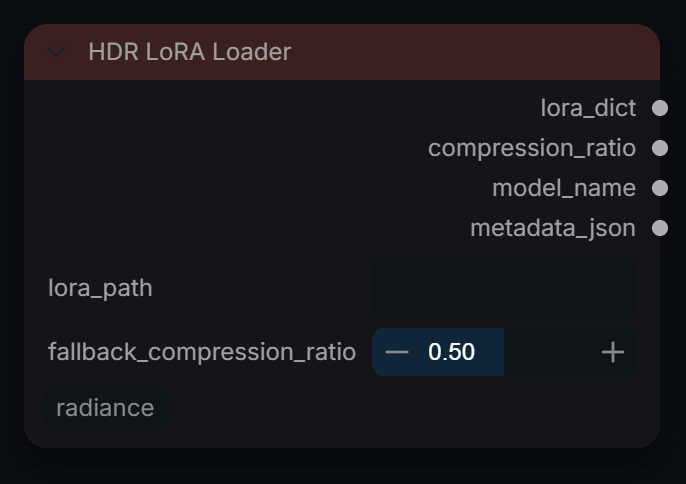
Load a Radiance HDR LoRA .safetensors and extract embedded training metadata. Wire compression_ratio → RadianceHDREncoder to guarantee consistent HDR response.
Inputs
| Input | Type | Default | Range or choices | What it does |
|---|---|---|---|---|
lora_path |
string | Path to a Radiance HDR LoRA .safetensors file (surrounding quotes are stripped); a relative path resolves from ComfyUI's working directory. Required: a blank path raises an error. | ||
fallback_compression_ratio (optional) |
float | 0.5 | 0 to 1, step 0.01 | compression_ratio output by this node when the LoRA metadata has none. HDR LoRA Apply does not see this value; it falls back to 0.5 on its own. |
Outputs
| Output | Type |
|---|---|
lora_dict |
LORA_DICT |
compression_ratio |
FLOAT |
model_name |
STRING |
metadata_json |
STRING |
HDR Per-Channel Denorm
RadianceHDRPerChannelDenorm
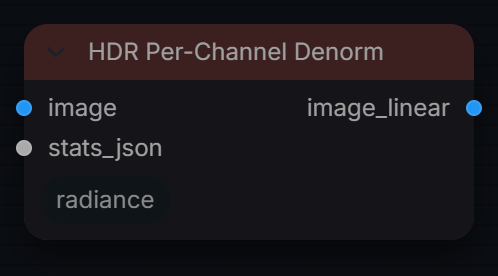
Invert per-channel normalisation to recover HDR tensor values.
Inputs
| Input | Type | Default | Range or choices | What it does |
|---|---|---|---|---|
image |
IMAGE | Normalised image (0 to 1), typically the VAE-decoded result of an image that went through HDR Per-Channel Norm. | ||
stats_json |
string | stats_json output of HDR Per-Channel Norm (per-channel mean, std and norm_center). Used to undo that normalisation. |
Outputs
| Output | Type |
|---|---|
image_linear |
IMAGE |
HDR Per-Channel Norm
RadianceHDRPerChannelNorm
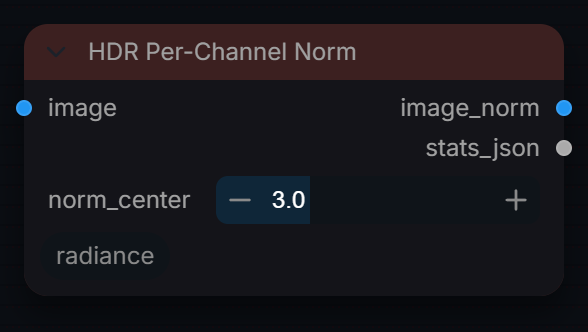
Per-channel normalise HDR tensors for stable latent space encoding.
Inputs
| Input | Type | Default | Range or choices | What it does |
|---|---|---|---|---|
image |
IMAGE | HDR image or batch, usually scene-linear. One mean and std per channel is measured over the whole batch; values beyond +/- norm_center std are clipped in the output. | ||
norm_center |
float | 3 | 1 to 8, step 0.5 | Window half-width in σ units mapped to [0,1]. 3.0 captures ±3σ. |
Outputs
| Output | Type |
|---|---|
image_norm |
IMAGE |
stats_json |
STRING |
HDR Shadow / Highlight Recovery
RadianceHDRShadowHighlight
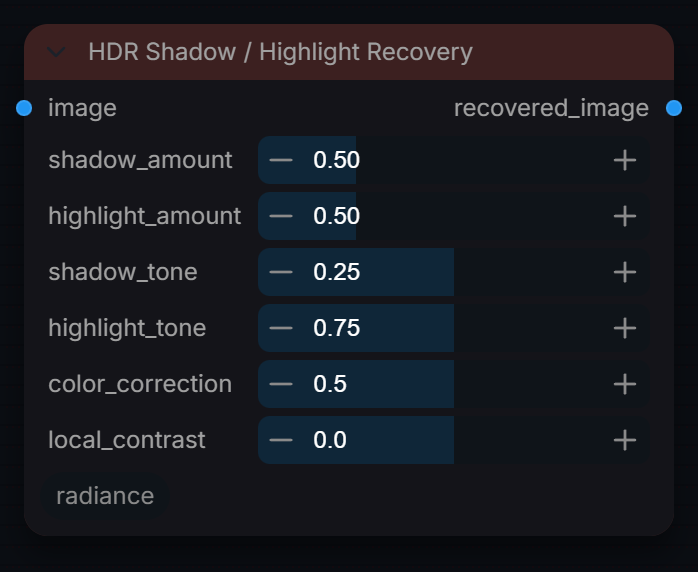
Recover shadow and highlight detail from a single HDR image for better color grading flexibility.
Inputs
| Input | Type | Default | Range or choices | What it does |
|---|---|---|---|---|
image |
IMAGE | Linear HDR image (values above 1.0 allowed). Only the first frame of a batch is processed. | ||
shadow_amount |
float | 0.5 | 0 to 2, step 0.05 | Shadow gain at black: pixels are multiplied by up to 1 + amount, fading out with luma (see shadow_tone). 0 = off. |
highlight_amount |
float | 0.5 | 0 to 2, step 0.05 | Highlight compression above highlight_tone, never clipping. At the default, luma 1.0 is scaled by 0.8 and brighter values more. 0 = off. |
shadow_tone (optional) |
float | 0.25 | 0 to 0.5, step 0.01 | Linear-luma width of the shadow lift. It decays exponentially and is down to about 5% at this luma. |
highlight_tone (optional) |
float | 0.75 | 0.5 to 1, step 0.01 | Linear luma above which highlight compression starts; it keeps increasing past 1.0 for super-whites. |
color_correction (optional) |
float | 0.5 | 0 to 1, step 0.1 | Desaturates lifted shadows to counter the colour boost of the lift (up to 30% at 1.0, deepest shadows most). 0 = off. |
local_contrast (optional) |
float | 0 | -1 to 1, step 0.1 | Large-radius local contrast (about 50 px blur of luma). Positive adds, negative flattens, 0 = off. |
Outputs
| Output | Type |
|---|---|
recovered_image |
IMAGE |
HDR Synthesis Engine
RadianceHDRSynthesisEngine
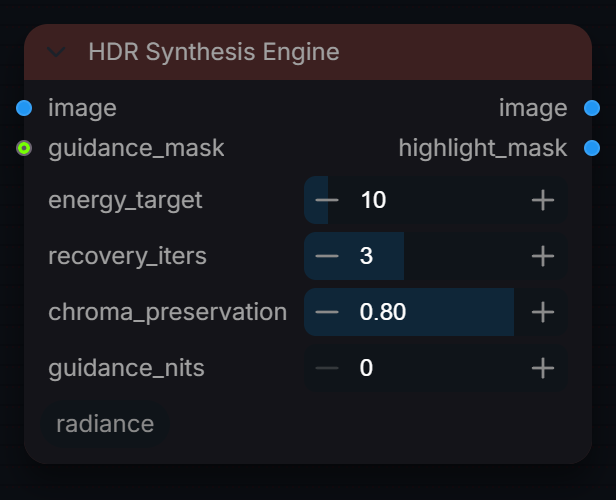
Synthesise HDR imagery from SDR input and optional guidance signals.
Inputs
| Input | Type | Default | Range or choices | What it does |
|---|---|---|---|---|
image |
IMAGE | SDR image. Highlights are found where the low-pass luma passes about 0.7; no transfer curve is removed, so linearise first for a linear result. | ||
energy_target |
float | 10 | 1 to 100, step 1 | Approximate brightness multiplier reached at SDR white (10.0 lifts 1.0 to about 9.6, roughly 3.3 stops). 1.0 = no lift. |
recovery_iters |
int | 3 | 0 to 8, step 1 | Pyramid depth. The lift is applied to the 1/2^N low-pass, so detail finer than about 2^N px keeps its original contrast. 0 lifts the whole image. It does not reconstruct clipped detail. |
chroma_preservation |
float | 0.8 | 0 to 1, step 0.05 | 0 adds neutral highlight energy, reducing saturation as brightness rises. 1 preserves the original low-pass RGB ratios. Both use the same lifted luminance. |
guidance_mask (optional) |
MASK | Per-pixel guidance mask from Radiance Luminance Guidance. | ||
guidance_nits (optional) |
float | 0 | 0 to 10000, step 50 | Target peak in nits inside guidance_mask, on the package's scale (203 nits = 1.0). 0 = ignore the mask and use energy_target everywhere. |
Outputs
| Output | Type |
|---|---|
image |
IMAGE |
highlight_mask |
IMAGE |
Highlight Synthesis
RadianceHighlightSynthesis
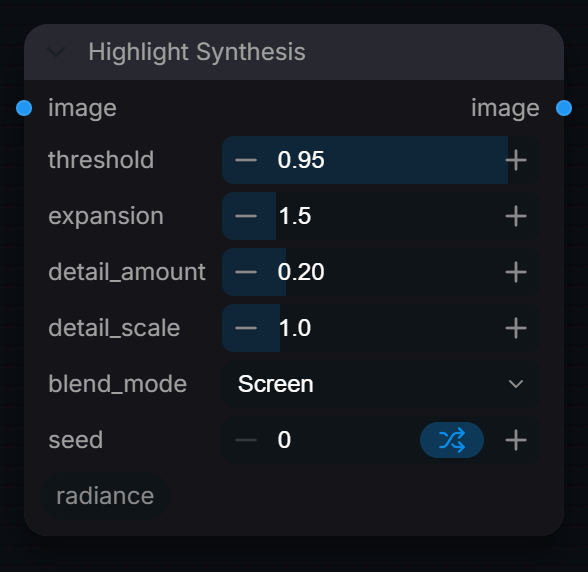
Synthesize high dynamic range details in clipped highlights to simulate film scan quality.
Inputs
| Input | Type | Default | Range or choices | What it does |
|---|---|---|---|---|
image |
IMAGE | Image with clipped highlights, in any encoding (threshold is compared with its Rec.709 luma). Every channel, alpha included if present, receives the detail noise. | ||
threshold |
float | 0.95 | 0.5 to 1, step 0.01 | Luminance level above which to synthesize detail. |
expansion |
float | 1.5 | 1 to 4, step 0.1 | Highlight gain above the threshold: gain = 1 + (luma - threshold) x (expansion - 1) x 2, faded in by the highlight mask. 1.0 = no expansion. |
detail_amount |
float | 0.2 | 0 to 1, step 0.05 | Strength of synthetic grain in highlights. |
detail_scale |
float | 1 | 0.1 to 5, step 0.1 | Scale/frequency of the synthetic detail. |
blend_mode |
choice | Screen |
Screen, Add, Soft Light |
How the monochrome detail noise is combined. Add: plain offset. Screen: a + n - a x n, which inverts the noise on values above 1.0. Soft Light: contrast-style blend, normalised by the frame peak. |
seed |
int | 0 | 0 to 18446744073709551615 | Random seed for the detail noise; frame N of a batch uses seed + N. The same seed always gives the same pattern. |
Outputs
| Output | Type |
|---|---|
image |
IMAGE |
Luminance Guidance
RadianceLuminanceGuidance
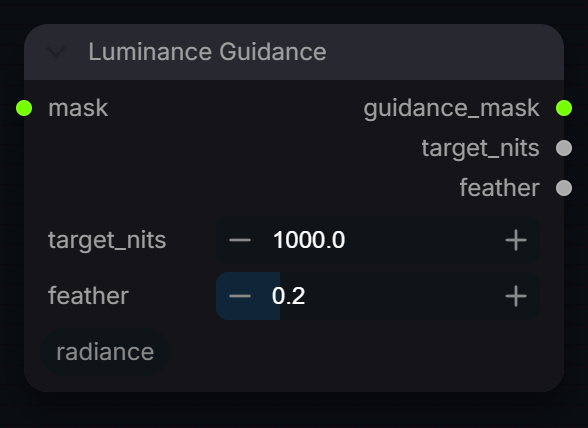
Guide HDR tonemapping using target luminance zone constraints.
Inputs
| Input | Type | Default | Range or choices | What it does |
|---|---|---|---|---|
mask |
MASK | Region whose highlights should be driven towards target_nits, 0 to 1. | ||
target_nits |
float | 1000 | 100 to 10000 | Target brightness in nits for the masked region. 1000 nits = typical HDR10 peak. |
feather |
float | 0.2 | 0 to 1 | Gaussian feather radius. Higher = softer mask edge. |
Outputs
| Output | Type |
|---|---|
guidance_mask |
MASK |
target_nits |
FLOAT |
feather |
FLOAT |
OCIO List Colorspaces
RadianceOCIOListColorspaces
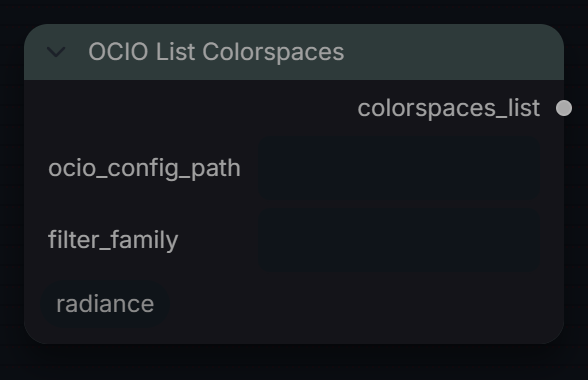
List all colorspaces available in an OCIO configuration file.
Inputs
| Input | Type | Default | Range or choices | What it does |
|---|---|---|---|---|
ocio_config_path (optional) |
string | Path to .ocio config. Leave empty to use OCIO env var or local ACES config. | ||
filter_family (optional) |
string | Only show colorspaces whose family or name contains this string (case-insensitive). |
Outputs
| Output | Type |
|---|---|
colorspaces_list |
STRING |
OCIO Transform
RadianceHDROCIOTransform
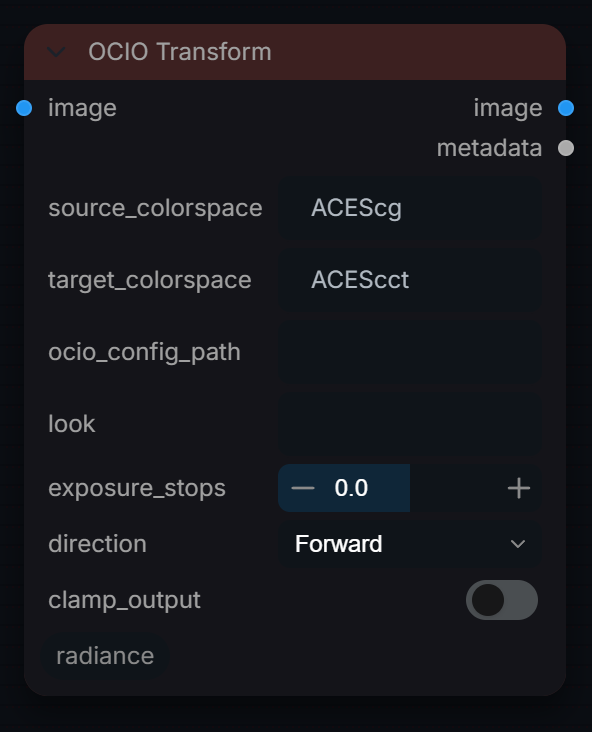
Apply an OCIO colorspace transform to an image. Supports any source/target pair in the active OCIO config, including all log formats (LogC4, S-Log3, V-Log, DaVinci Intermediate, Log3G10).
Inputs
| Input | Type | Default | Range or choices | What it does |
|---|---|---|---|---|
image |
IMAGE | Image encoded in source_colorspace. RGB goes through OCIO; alpha is passed through unchanged. | ||
source_colorspace |
string | ACEScg |
OCIO colorspace name of the input image. Connect ACESConfigManager -> List Colorspaces to see valid names. Aliases and roles are accepted: in the bundled ACES CG config 'ACEScg', 'ACES - ACEScg' and 'lin_ap1' all resolve. Camera log spaces such as 'ACES - ARRI LogC4 (EI800)' need the ACES Studio config, not the bundled CG one. | |
target_colorspace |
string | ACEScct |
Desired output colorspace. Any OCIO name, alias or role in the active config. Bundled CG config log target: 'ACEScct'. Camera log targets ('ACES - ARRI LogC4 (EI800)', 'ACES - Sony S-Log3 SGamut3.Cine') require the ACES Studio config. | |
ocio_config_path (optional) |
string | Path to .ocio config file. Leave empty to use the OCIO environment variable or the locally installed ACES config. | ||
look (optional) |
string | Optional OCIO Look name to bake in, e.g. 'ACES 1.3 Reference Gamut Compress'. Leave empty for a plain colorspace transform with no look. | ||
exposure_stops (optional) |
float | 0 | -10 to 10, step 0.1 | Pre-transform exposure in stops (multiplies by 2^stops). Applied to the raw source values before the OCIO transform, so it is true exposure only when the source colorspace is linear. |
direction (optional) |
choice | Forward |
Forward, Inverse |
Forward: source -> target. Inverse: target -> source (useful for roundtrip tests or undoing a previously applied transform). |
clamp_output (optional) |
boolean | off | Clamp output to [0, 1]. Disable for HDR / log outputs where values legitimately exceed display range. |
Outputs
| Output | Type |
|---|---|
image |
IMAGE |
metadata |
STRING |
SDR to HDR Expand
RadianceSDRtoHDRExpand
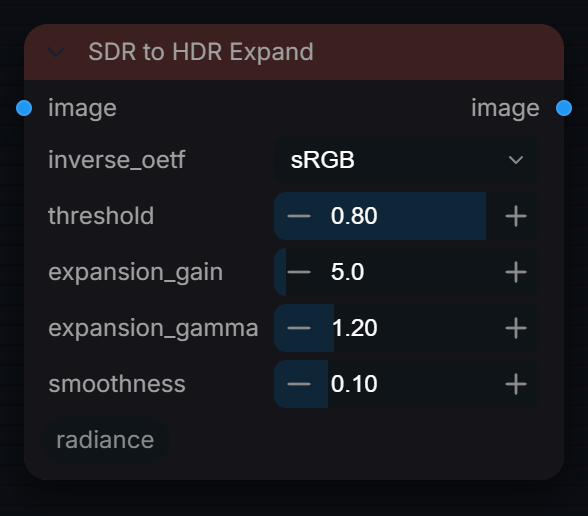
Expand an SDR image into HDR headroom via inverse OETF and mathematical highlight expansion. Does not reconstruct clipped detail.
Inputs
| Input | Type | Default | Range or choices | What it does |
|---|---|---|---|---|
image |
IMAGE | SDR image, display-encoded as chosen in inverse_oetf. Alpha, if present, passes through untouched. | ||
inverse_oetf |
choice | sRGB |
None, sRGB, Rec.709 |
Transfer curve removed before expansion, giving linear light. None = the image is already linear. The output stays linear. |
threshold |
float | 0.8 | 0 to 1, step 0.01 | Linear luminance (after the inverse OETF) above which expansion begins. 0.8 = 80% of SDR white in linear light. |
expansion_gain |
float | 5 | 1 to 100, step 0.1 | Multiplier on the added highlight energy: luma gains gain x (luma - threshold)^gamma. With the defaults SDR white (1.0) rises to about 1.6, not 5x. |
expansion_gamma |
float | 1.2 | 0.1 to 5, step 0.01 | Exponent on the amount luma exceeds the threshold. Above 1.0 the expansion starts more gently and adds less; below 1.0 it rises faster just above the threshold. |
smoothness |
float | 0.1 | 0 to 0.5, step 0.01 | Width, in linear luma units, of the soft onset at the threshold (a sigmoid on luma, not a spatial blur). 0 = hard onset. |
Outputs
| Output | Type |
|---|---|
image |
IMAGE |
SDR to HDR Prepare
RadianceSDRToHDRPrepare
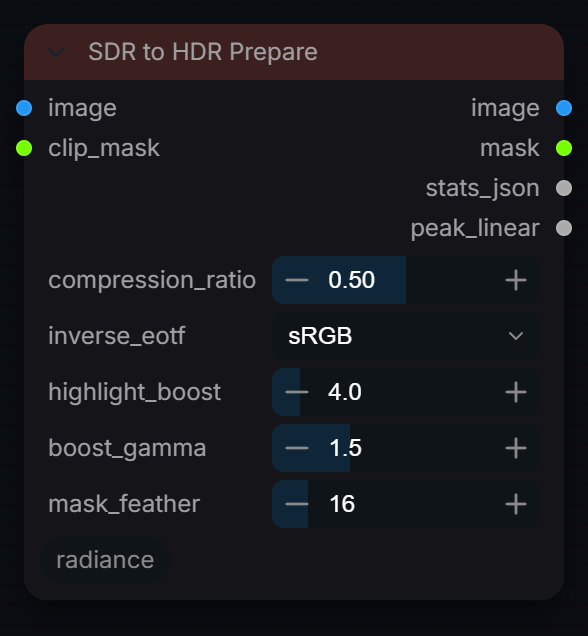
Prepare an SDR image for AI HDR reconstruction. Applies inverse EOTF, highlight extrapolation, and soft-knee compression.
Inputs
| Input | Type | Default | Range or choices | What it does |
|---|---|---|---|---|
image |
IMAGE | Display-encoded SDR image, decoded to linear with inverse_eotf. | ||
clip_mask |
MASK | Clip mask from Clip Detector, same size as image. Highlights are boosted inside it and it becomes the feathered inpainting mask output. | ||
compression_ratio |
float | 0.5 | 0 to 1, step 0.01 | Must match RadianceHDRDecoder. Wire from preset or LoRALoader. |
inverse_eotf (optional) |
choice | sRGB |
sRGB, Rec.709, Gamma 2.2, Linear (no-op) |
Transfer curve of the input, decoded to linear before the highlight boost. Linear (no-op) only clamps negatives. |
highlight_boost (optional) |
float | 4 | 1 to 32, step 0.5 | How bright to push extrapolated highlights in scene-linear. 4.0 = 2 stops above white. Higher = more vivid reconstructed highlights. |
boost_gamma (optional) |
float | 1.5 | 0.5 to 4, step 0.1 | Power curve for highlight boost ramp. Higher = sharper specular peaks. |
mask_feather (optional) |
int | 16 | 0 to 128, step 1 | Gaussian feather radius on the inpainting mask edge (pixels). |
Outputs
| Output | Type |
|---|---|
image |
IMAGE |
mask |
MASK |
stats_json |
STRING |
peak_linear |
FLOAT |
SDR → HDR Recover
RadianceSDRToHDRRecover
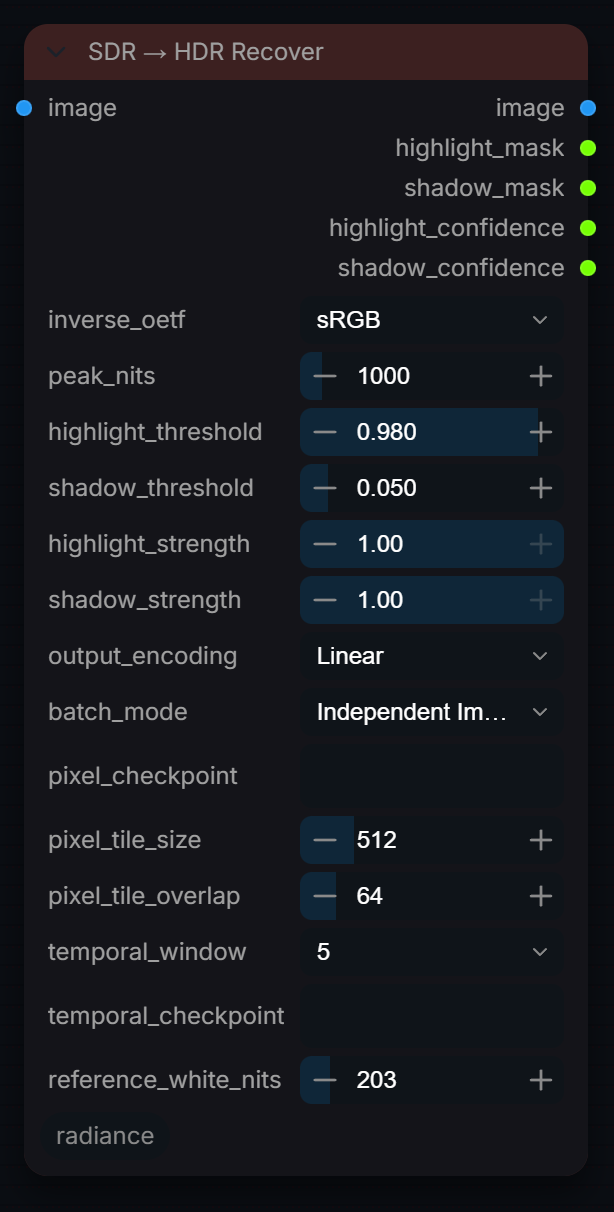
Learned SDR→HDR reconstruction for clipped highlights and crushed shadows (RUDRA pixel model, temporal residual model for video). No VAE needed; raises instead of falling back when no checkpoint is installed. Pixels outside the recovery masks are preserved exactly.
Inputs
| Input | Type | Default | Range or choices | What it does |
|---|---|---|---|---|
image |
IMAGE | SDR still, image batch, or ordered video frames. | ||
inverse_oetf |
choice | sRGB |
sRGB, Rec.709, Gamma 2.2, Gamma 2.4, None |
Transfer curve the SDR input is encoded with, decoded to linear before recovery. None treats the input as already linear. Input is clamped to 0-1 first. |
peak_nits |
float | 1000 | 200 to 10000, step 50 | Mastering display peak in nits. Recovered highlights keep the source hue and no channel exceeds it; it is also the PQ encode peak. |
highlight_threshold |
float | 0.98 | 0.8 to 0.999, step 0.001 | SDR code-value threshold used to identify clipped luma or RGB channels. |
shadow_threshold |
float | 0.05 | 0.001 to 0.5, step 0.005 | Linear-luma threshold used to identify crushed shadows. |
highlight_strength |
float | 1 | 0 to 1, step 0.01 | Scales the clipped-highlight recovery mask: 1 applies the learned highlights fully inside the mask, 0 leaves highlights at their decoded SDR level. |
shadow_strength |
float | 1 | 0 to 1, step 0.01 | Scales the crushed-shadow recovery mask: 1 applies the learned shadow detail fully inside the mask, 0 leaves shadows at their decoded SDR level. |
output_encoding |
choice | Linear |
Linear, Linear ACES2065-1 (AP0), PQ (HDR10), HLG |
Linear: scene-linear Rec.709, 1.0 = reference_white_nits. AP0: the same in ACES2065-1. PQ (HDR10) and HLG: Rec.2020 delivery code values (BT.2100). |
batch_mode (optional) |
choice | Independent Images |
Independent Images, Video Frames |
Video Frames treats the batch as an ordered clip and prefers the temporal model. |
pixel_checkpoint (optional) |
string | Direct-pixel .pt checkpoint. Empty searches models/radiance and RADIANCE_SDR2HDR_PIXEL, and downloads the default RUDRA model (~5 MB) on first use unless RADIANCE_ALLOW_DOWNLOADS=0. | ||
pixel_tile_size (optional) |
int | 512 | 128 to 2048, step 64 | Tile size used only when the whole frame does not fit in memory. The model normalises over its input, so whole-frame inference is more accurate and is always tried first. |
pixel_tile_overlap (optional) |
int | 64 | 0 to 512, step 16 | Overlap in pixels between tiles, feathered to hide seams. Used only when tiling kicks in; must be smaller than pixel_tile_size. |
temporal_window (optional) |
choice | 5 |
5, 7, 9 |
Adjacent frames used by the temporal residual model. |
temporal_checkpoint (optional) |
string | Optional temporal checkpoint path. Empty uses RADIANCE_TEMPORAL_RUDRA or models/radiance. | ||
reference_white_nits (optional) |
float | 203 | 100 to 1000, step 1 | Output convention: linear 1.0 = this many nits (BT.2408 reference white, 203). The same value HDR Encode and Write use, so Linear output re-encodes to the same PQ/HLG this node writes. Recover keeps unclipped pixels at their SDR display level (SDR 1.0 = 100 nits); only the recovered highlights and shadows change. |
Outputs
| Output | Type |
|---|---|
image |
IMAGE |
highlight_mask |
MASK |
shadow_mask |
MASK |
highlight_confidence |
MASK |
shadow_confidence |
MASK |
SDR → HDR Universal
RadianceSDRToHDRUniversal
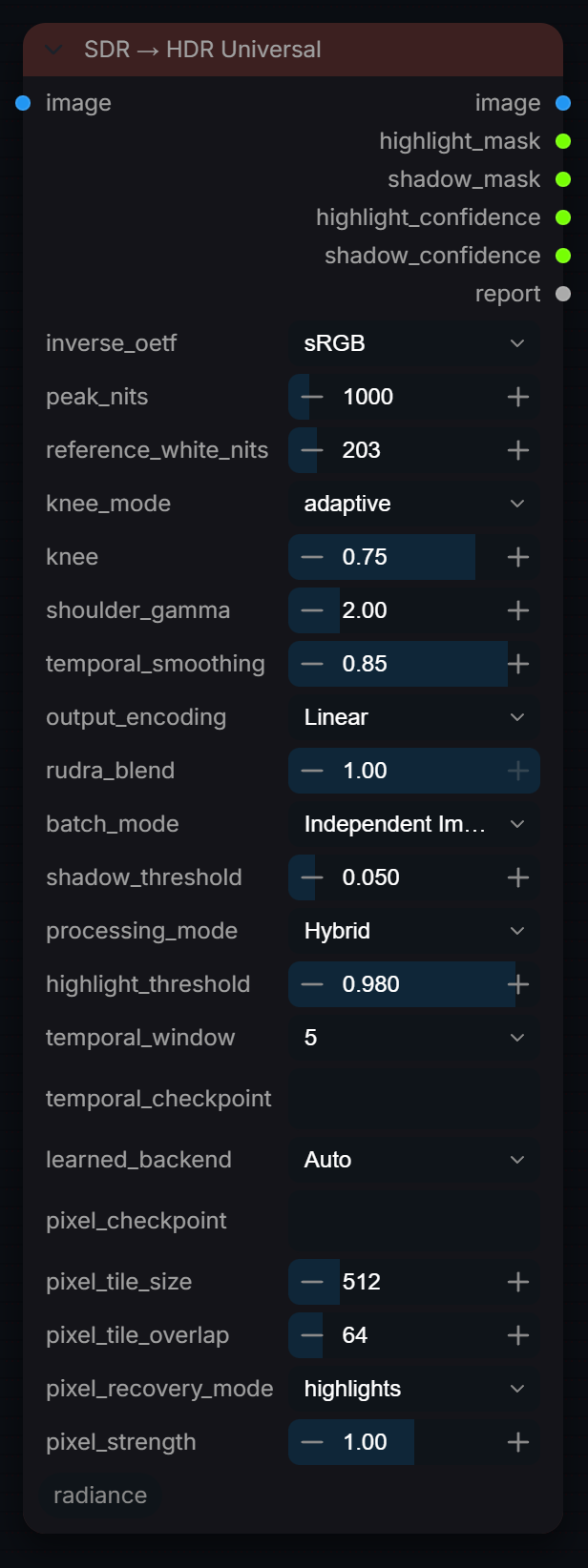
SDR→HDR orchestrator: deterministic Expand, learned Recover, or Hybrid. Recover and Hybrid run the RUDRA pixel model (or the temporal model on ordered video); with no checkpoint installed they fall back to Expand, and the report output says so. Professional output transforms and separate highlight/shadow masks. No VAE needed.
Inputs
| Input | Type | Default | Range or choices | What it does |
|---|---|---|---|---|
image |
IMAGE | SDR still, image batch, or video frames [B,H,W,C]. | ||
inverse_oetf |
choice | sRGB |
sRGB, Rec.709, Gamma 2.2, Gamma 2.4, None |
Transfer curve the SDR input is encoded with, decoded to linear before expansion. None treats the input as already linear. Input is clamped to 0-1 first. |
peak_nits |
float | 1000 | 200 to 10000, step 50 | Mastering display peak. This is the ceiling the output is limited to and the value the PQ/HLG encode targets — not where SDR white lands. See reference_white_nits. |
reference_white_nits |
float | 203 | 100 to 1000, step 1 | Where SDR diffuse white (code 1.0) lands, in nits. 203 is the ITU-R BT.2408 HDR Reference White — a white shirt, a page, a cloud. Headroom above it belongs to speculars. Raise it for a brighter grade; setting it to peak_nits restores the pre-3.4 behaviour of slamming SDR white to the display peak. Also the output unit: Linear/AP0 1.0 = this many nits, matching HDR Encode and Write's hdr_reference_nits. |
knee_mode |
choice | adaptive |
adaptive, manual |
adaptive: the knee is measured per frame as a percentile of linear luma (see knee). manual: knee is used directly as a fixed linear-luma level. |
knee |
float | 0.75 | 0.05 to 0.99, step 0.01 | Where expansion starts. adaptive: the luma percentile (0.75 = 75th percentile of the frame). manual: a linear-luma level. Below the knee the image is unchanged. |
shoulder_gamma |
float | 2 | 1 to 6, step 0.05 | How hard highlights ramp once past the knee. The join keeps a continuous gradient at any value ≥ 1; 2.0 and above sit within 0.2% of unity there. 1.0 is a straight line to peak and steps the gradient. |
temporal_smoothing |
float | 0.85 | 0 to 0.98, step 0.01 | Frame-to-frame smoothing of the adaptive knee to stop flicker (0 = per-frame knee, higher = steadier). Used only with knee_mode adaptive and batch_mode Video Frames. |
output_encoding |
choice | Linear |
Linear, Linear ACES2065-1 (AP0), PQ (HDR10), HLG |
Linear: scene-linear Rec.709, 1.0 = reference_white_nits. AP0: the same in ACES2065-1. PQ (HDR10) and HLG: Rec.2020 delivery code values (BT.2100). |
rudra_blend (optional) |
float | 1 | 0 to 1, step 0.01 | How much of the learned reconstruction is blended into the recovery masks. 0 disables it. |
batch_mode (optional) |
choice | Independent Images |
Independent Images, Video Frames |
Video Frames treats the batch as an ordered clip: enables temporal knee smoothing and the temporal learned backend. Independent Images processes each frame alone. |
shadow_threshold (optional) |
float | 0.05 | 0.001 to 0.5, step 0.005 | Linear-luma level below which shadows count as crushed. Shapes the shadow_mask output; changes the image only when pixel_recovery_mode is 'all' or 'shadows'. |
processing_mode (optional) |
choice | Hybrid |
Expand, Recover, Hybrid |
Expand: deterministic only. Recover: learned reconstruction only. Hybrid: expansion plus masked learned recovery. |
highlight_threshold (optional) |
float | 0.98 | 0.8 to 0.999, step 0.001 | Clipping threshold for Recover/Hybrid. Appended for saved-workflow compatibility. |
temporal_window (optional) |
choice | 5 |
5, 7, 9 |
Adjacent video frames used by temporal RUDRA. |
temporal_checkpoint (optional) |
string | Optional Phase 3 checkpoint path. Empty uses the configured default. | ||
learned_backend (optional) |
choice | Auto |
Auto, Direct Pixel, Temporal |
Auto: temporal model on ordered video when installed, else the direct-pixel model. Direct Pixel: pixel model per frame. Temporal: temporal model only (video, 5+ frames). |
pixel_checkpoint (optional) |
string | Direct-pixel .pt checkpoint. Empty searches models/radiance and RADIANCE_SDR2HDR_PIXEL, and downloads the default RUDRA model (~5 MB) on first use unless RADIANCE_ALLOW_DOWNLOADS=0. | ||
pixel_tile_size (optional) |
int | 512 | 128 to 2048, step 64 | Tile size used only when the whole frame does not fit in memory. The model normalises over its input, so whole-frame inference is more accurate and is always tried first. |
pixel_tile_overlap (optional) |
int | 64 | 0 to 512, step 16 | Overlap in pixels between tiles, feathered to hide seams. Used only when tiling kicks in; must be smaller than pixel_tile_size. |
pixel_recovery_mode (optional) |
choice | highlights |
highlights, all, shadows, off |
Highlights is safest and avoids hallucinating chroma in deep shadows. |
pixel_strength (optional) |
float | 1 | 0 to 2, step 0.05 | Multiplier on the pixel model's learned residual over its own inverse tone curve (0 = curve only, 1 = as trained, 2 = doubled). Direct Pixel backend only. |
Outputs
| Output | Type |
|---|---|
image |
IMAGE |
highlight_mask |
MASK |
shadow_mask |
MASK |
highlight_confidence |
MASK |
shadow_confidence |
MASK |
report |
STRING |
Tonemap
RadianceHDRToneMap
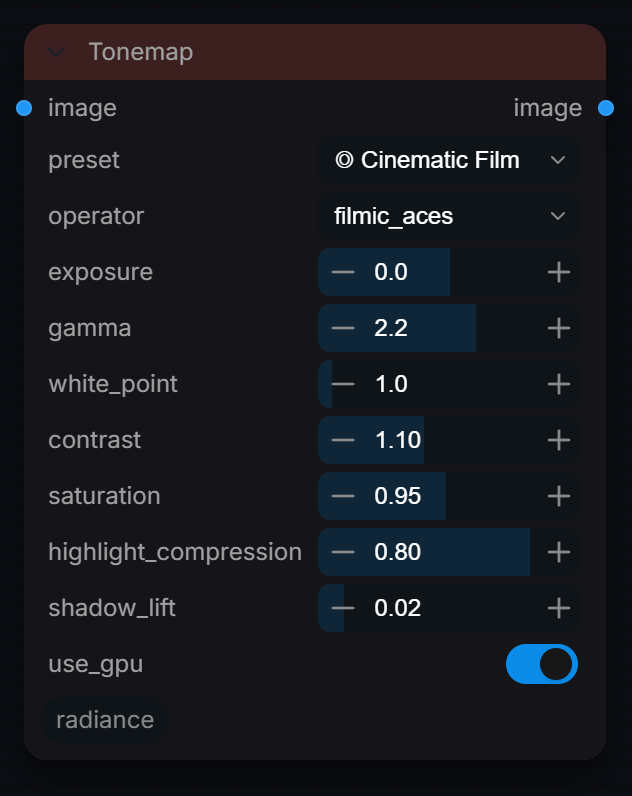
Professional HDR tone mapping with presets and advanced controls. GPU-accelerated.
Inputs
| Input | Type | Default | Range or choices | What it does |
|---|---|---|---|---|
image |
IMAGE | Input HDR or SDR image to tone map | ||
preset (optional) |
choice | ◎ Cinematic Film |
None (Custom), ◎ Cinematic Film, ◎ HDR Display, ◎ Web / Social, ◎ Print Ready, ◎ Game Engine, ◎ Photography, ◎ Low Key / Dark, ◎ High Key / Bright |
Quick look preset. Overrides settings below. |
operator (optional) |
choice | filmic_aces |
filmic_aces, filmic_uncharted2, agx, reinhard, reinhard_extended, reinhard_luminance, linear_clamp, exposure_only |
Tone mapping algorithm: • filmic_aces: Industry-standard film curve • filmic_uncharted2: Game industry favorite • agx: Modern Blender default • reinhard: Classic, preserves color • linear_clamp: Simple clip |
exposure (optional) |
float | 0 | -5 to 5, step 0.1 | Exposure adjustment in stops. Negative = darker, Positive = brighter. |
gamma (optional) |
float | 2.2 | 1 to 3, step 0.1 | Display gamma. 2.2 = sRGB standard. Higher = darker midtones. |
white_point (optional) |
float | 1 | 0.5 to 10, step 0.1 | Maximum brightness that maps to white. Higher = more headroom for highlights. |
contrast (optional) |
float | 1 | 0.5 to 2, step 0.05 | Contrast adjustment around midpoint. >1 = more punch. |
saturation (optional) |
float | 1 | 0 to 2, step 0.05 | Color saturation. 0 = grayscale, 1 = original, >1 = vivid. |
highlight_compression (optional) |
float | 0.5 | 0 to 1, step 0.05 | Compress highlights to prevent clipping. 0 = no compression, 1 = full. |
shadow_lift (optional) |
float | 0 | 0 to 0.2, step 0.01 | Lift shadows to reveal detail. 0 = no lift, 0.1 = subtle. |
use_gpu (optional) |
boolean | on | Use GPU acceleration when available. |
Outputs
| Output | Type | What it is |
|---|---|---|
image |
IMAGE | Tone-mapped SDR image ready for display or export. |