In-house tools / Application
Radiance Studio
Secure. Local. Private.
Create, composite, train and review VFX in one desktop application, running on your own hardware.
AI processing, training and rendering run locally on your workstation.
Your footage, identities and look models stay inside your project.
Genome records consent and provenance with its outputs.
Six workspaces. One project.
One viewer, one timeline, one asset library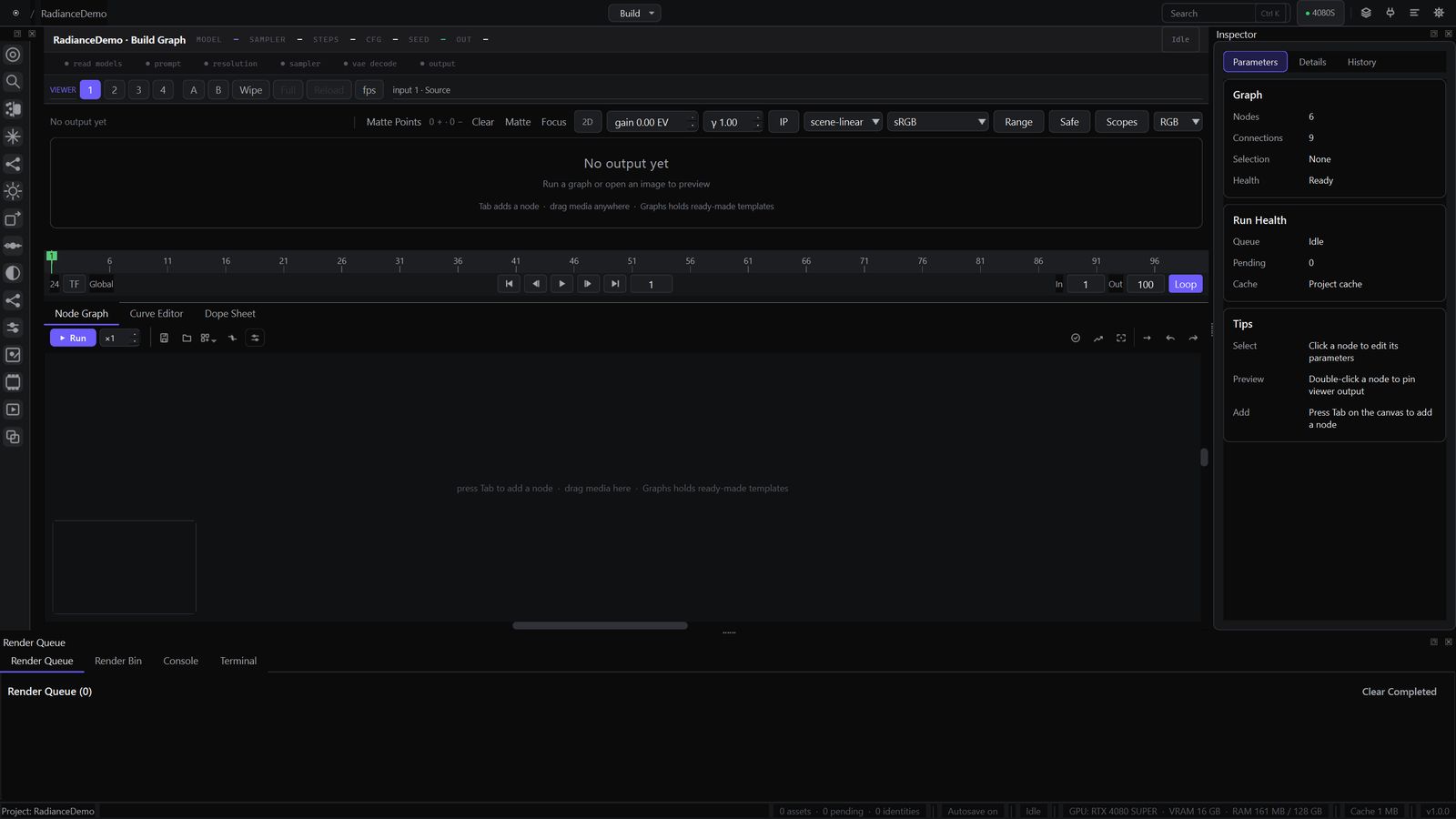
Build
Build node graphs for image generation, HDR conversion and model training, with autosave and live previews.
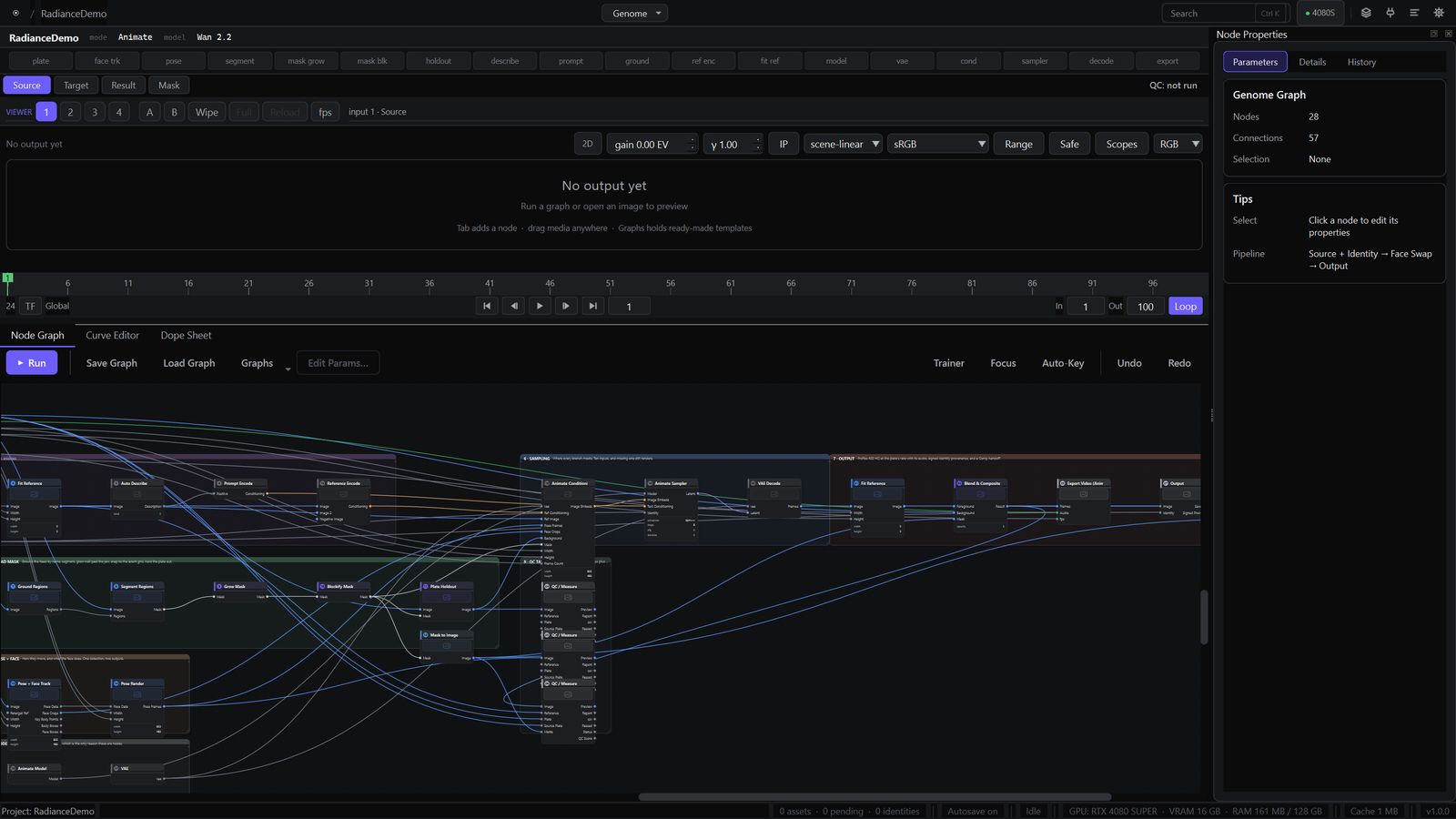
Genome
Face and head replacement, de-aging and motion transfer, with consent and provenance records.
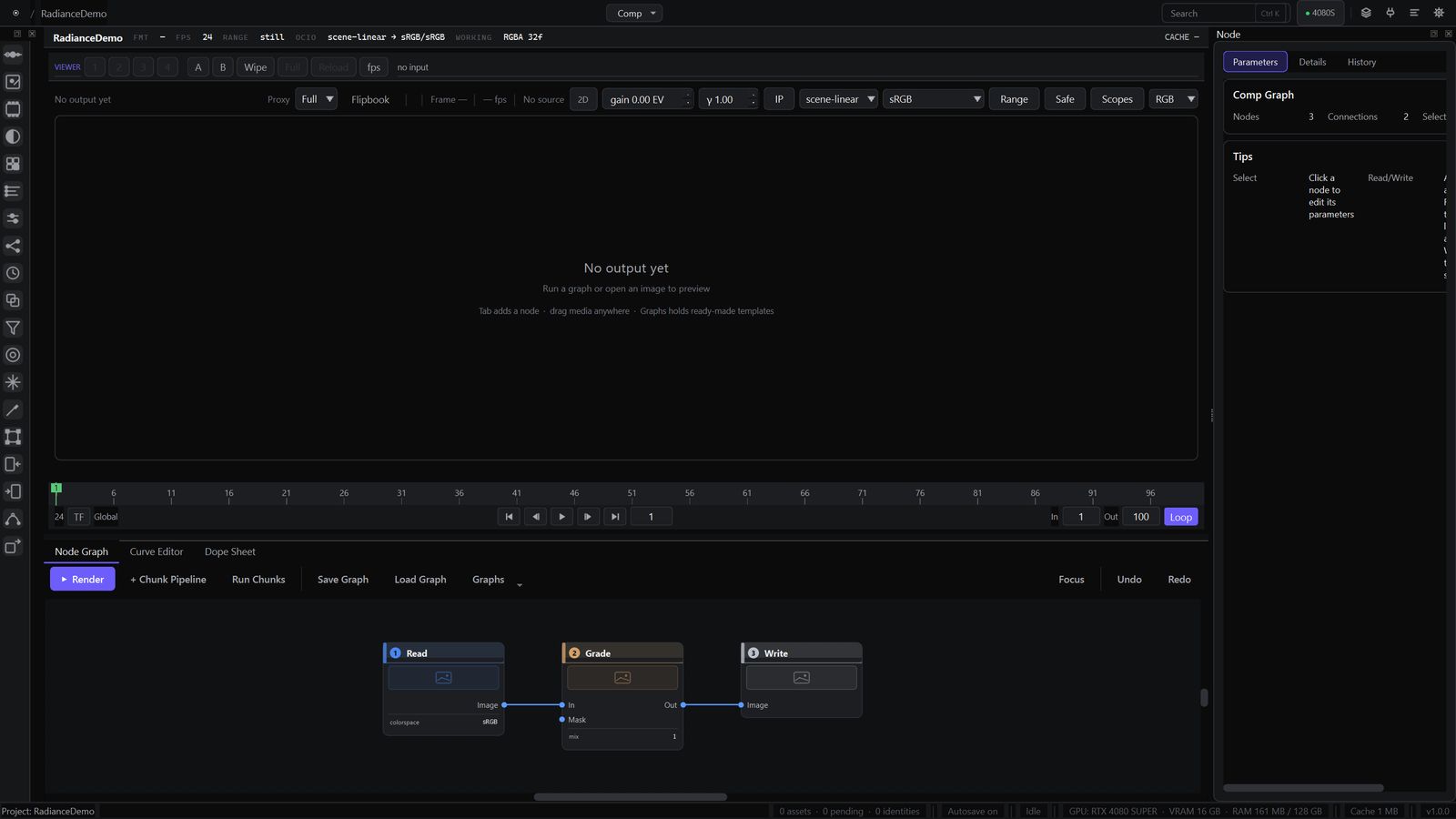
Comp
Composite and grade with colour wheels, curves, RotoPaint and multi-channel EXR support.
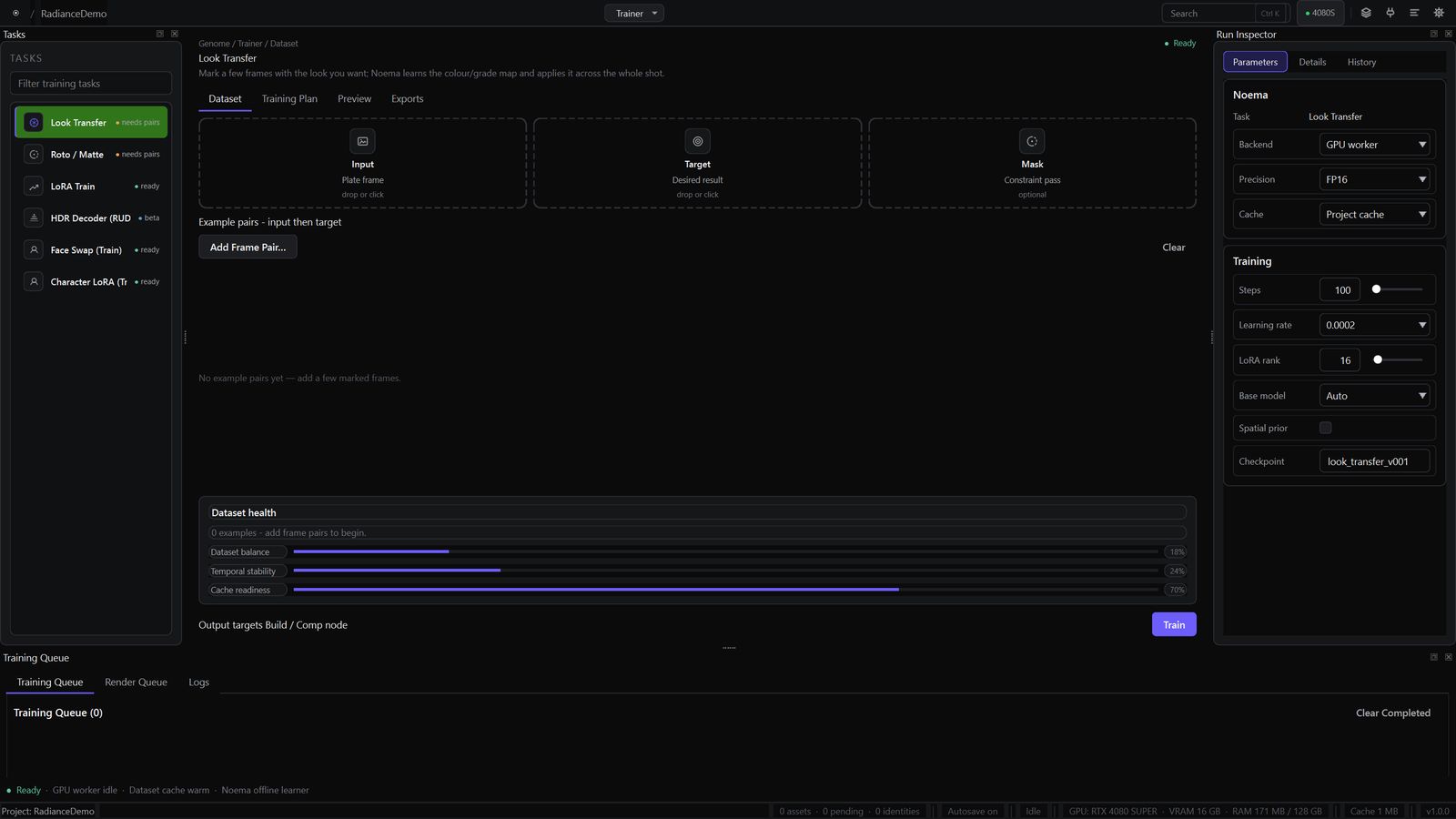
Trainer
Train looks, mattes, LoRAs and HDR decoders locally, then use the results in Build and Comp.
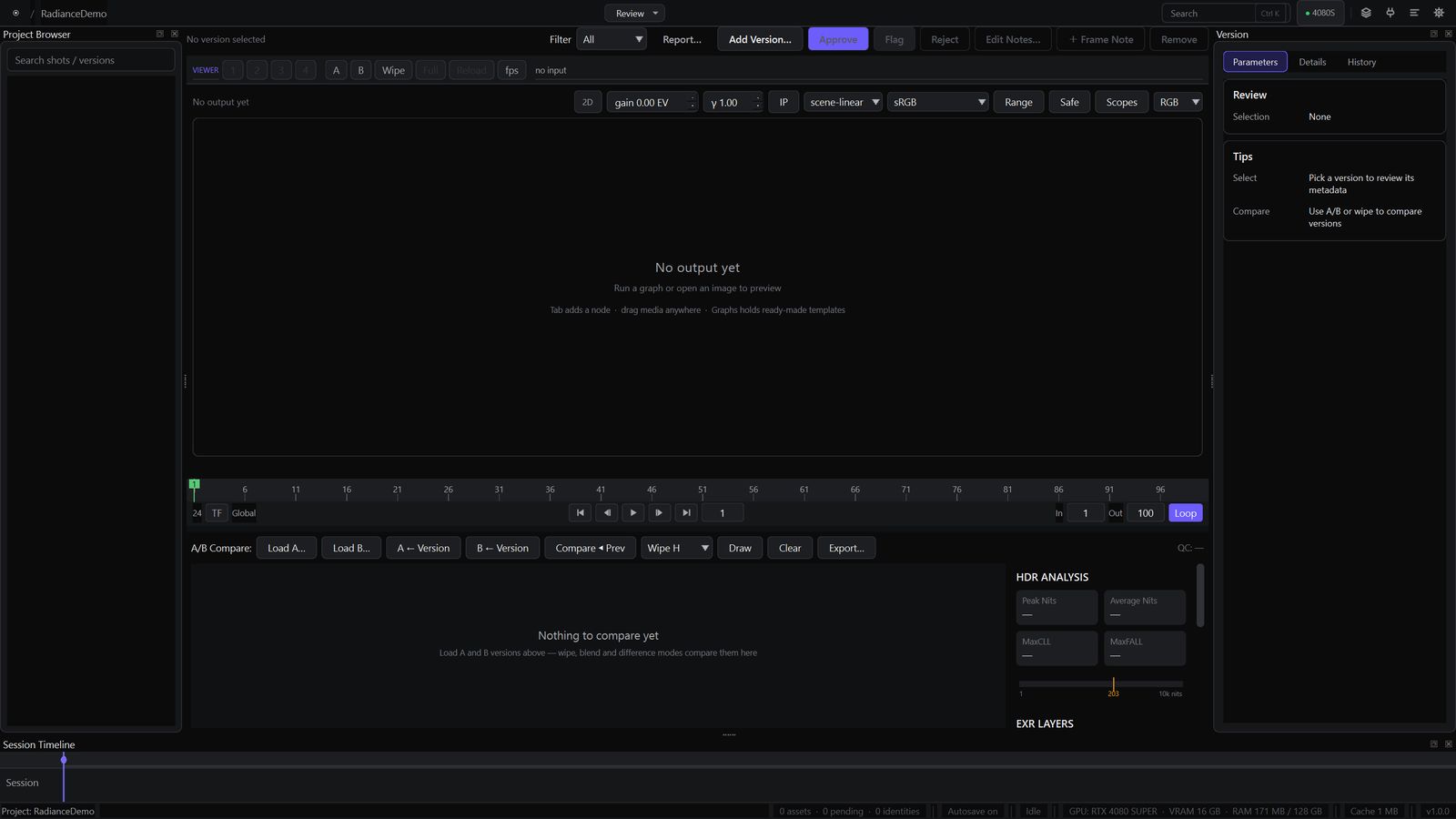
Review
Compare versions, inspect EXR layers, measure HDR levels and manage review notes.
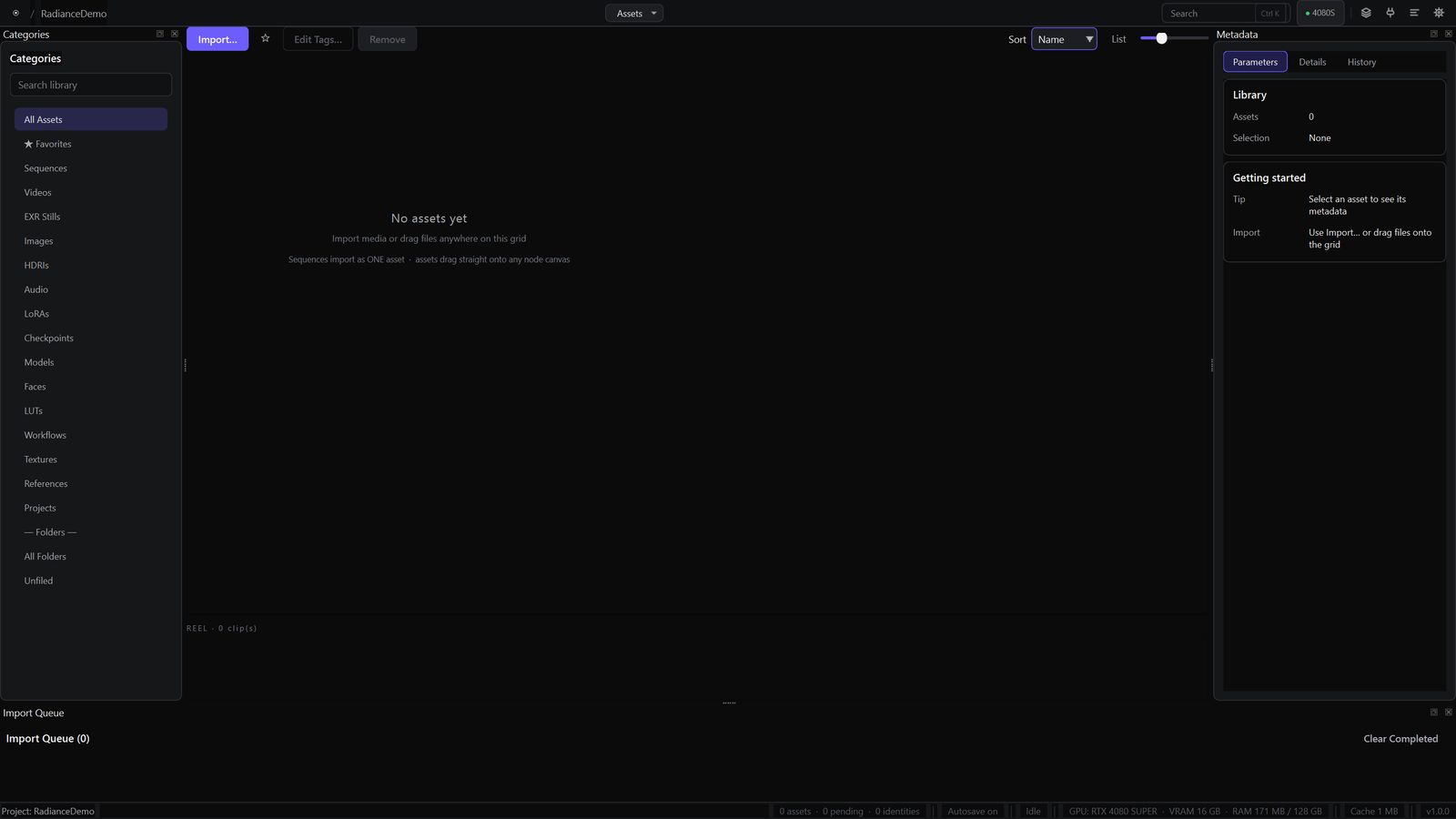
Assets
Organise footage with folders, favourites and thumbnails. Drag assets directly into a graph.
Foundation
Built for production
Consistent colour
The viewer and node graph share the same colour engine for consistent grading and output.
Scene-linear float throughout
Work in scene-linear colour from ingest to delivery, with HDR10 and HLG output.
Responsive processing
AI jobs run separately, keeping the interface responsive and jobs cancellable.
Tested where it counts
Automated checks cover node behaviour, colour processing and application components.
A Vulkan viewer
CPU and optional Vulkan viewing use the same colour engine as the graph.
Playback controls
Review sequences with cached playback, proxy resolution and frame-rate monitoring.