
Local AI for VFX and code.
A local AI assistant specialised in VFX and code. Jenyx helps your team build, maintain and automate the pipeline. It runs on your own GPU, keeps code and images in the studio, and checks its own work before it calls anything done.
Built on EAI
One engine, three capabilities.
EAI is FXTD's model family and platform. Jenyx is the engine built on it: coding, vision and reasoning share one core, and every answer passes the same checks.
- Coding
- Vision
- Reasoning
- Verified results
- On-premises
For your pipeline
Build. Maintain. Automate.
Jenyx knows studio work: Python and DCC tools, C++ and CUDA, shaders, EXR frames, colour and node graphs.
Build
Describe a tool and Jenyx writes it, with tests: pipeline and DCC scripts, Nuke gizmos, shaders and services. Every change arrives as a diff you approve.
Maintain
Find the cause of a bug, fix it and prove the fix. Review changes, map an unfamiliar codebase and keep the tools your artists rely on working.
Automate
Turn repeated work into skills and automations: footage QC, conversions, renders and checks that run on their own and report back.
What it does
What Jenyx does.
Coding
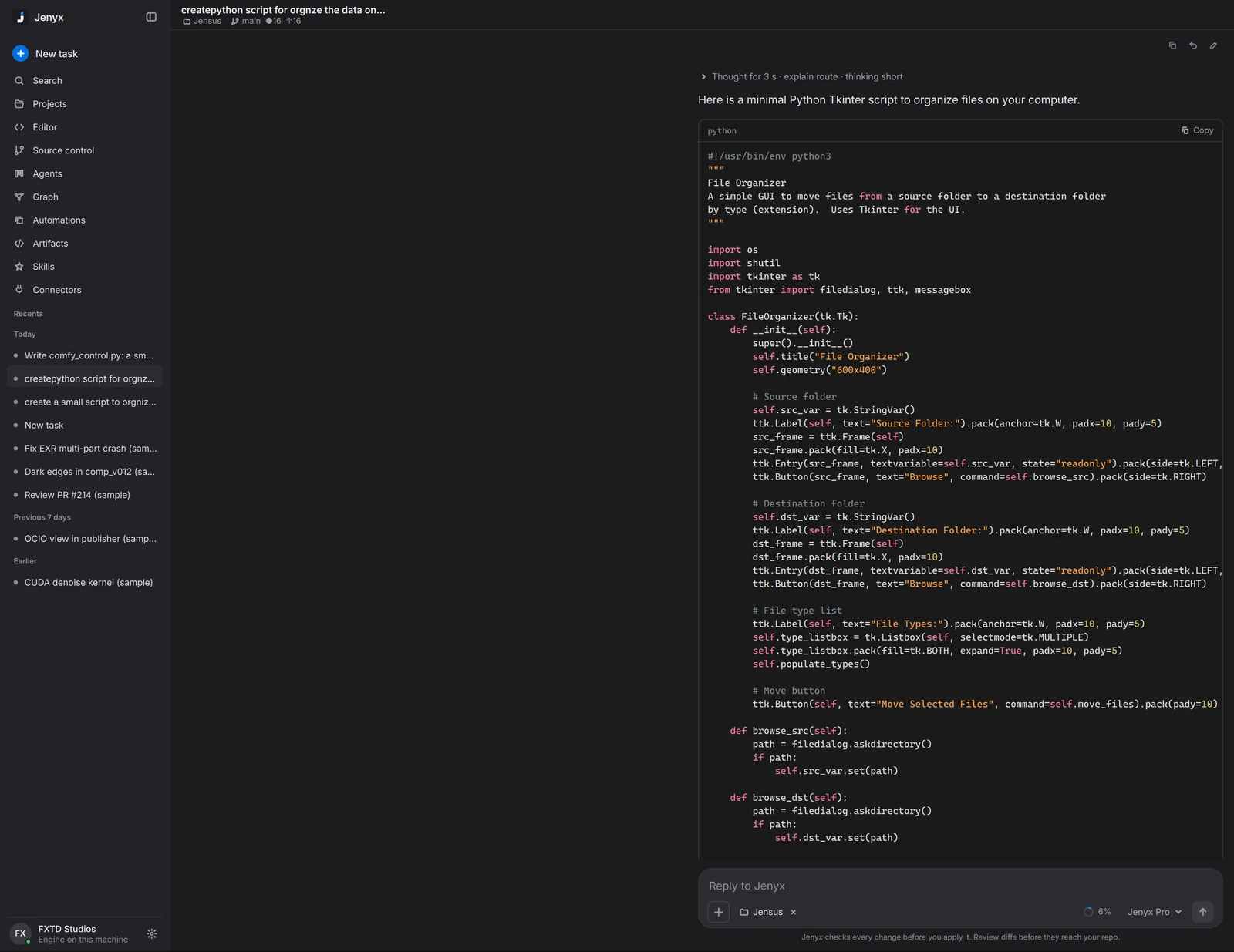
Writes, fixes, reviews and debugs studio code: Python pipeline and DCC tools, C++ and CUDA, shaders and web. Each answer shows how it was routed and how long it thought.
Review every change
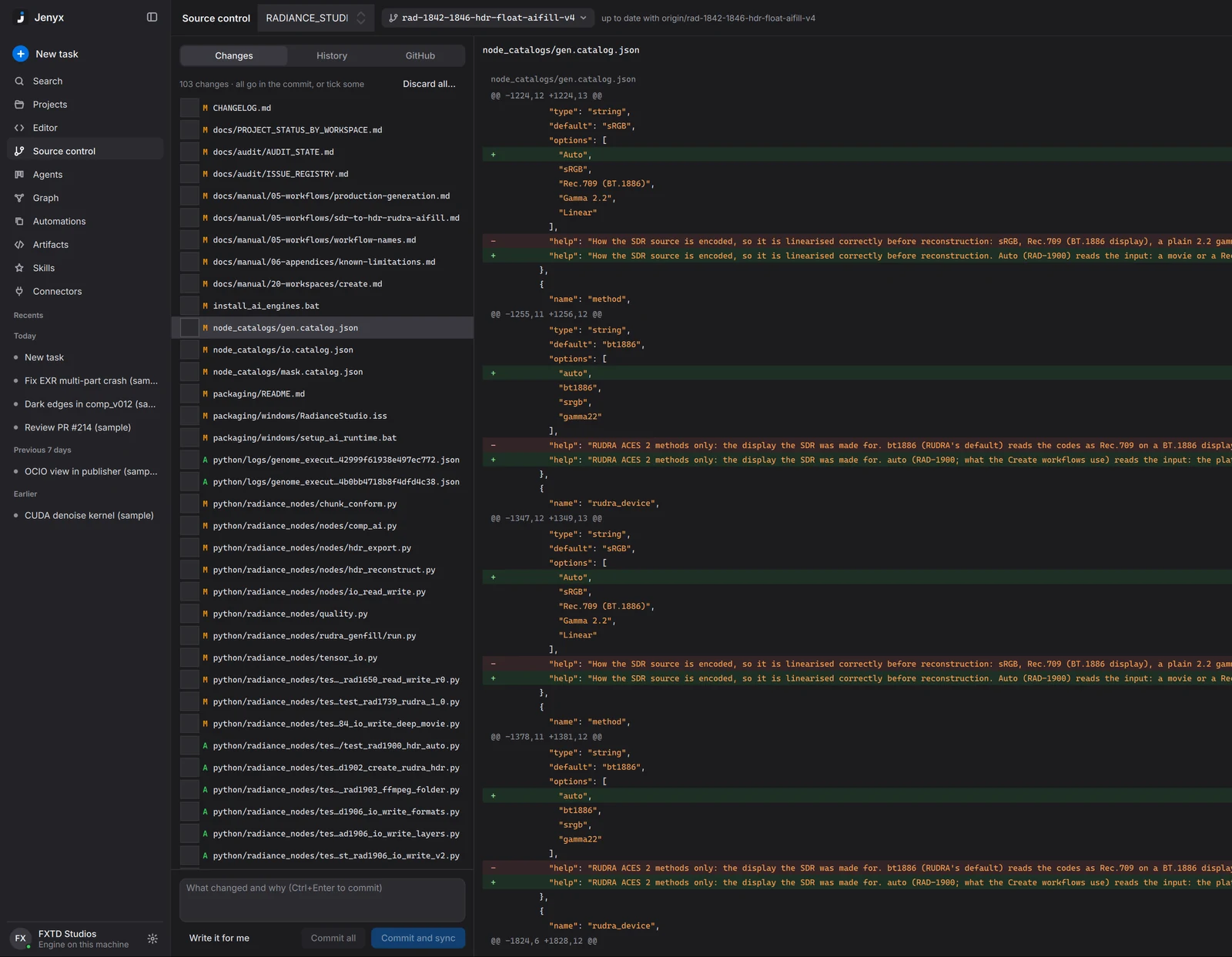
Every change arrives as a diff you read before it reaches the repo. Pick files, let Jenyx write the commit message, then commit and sync to GitHub.
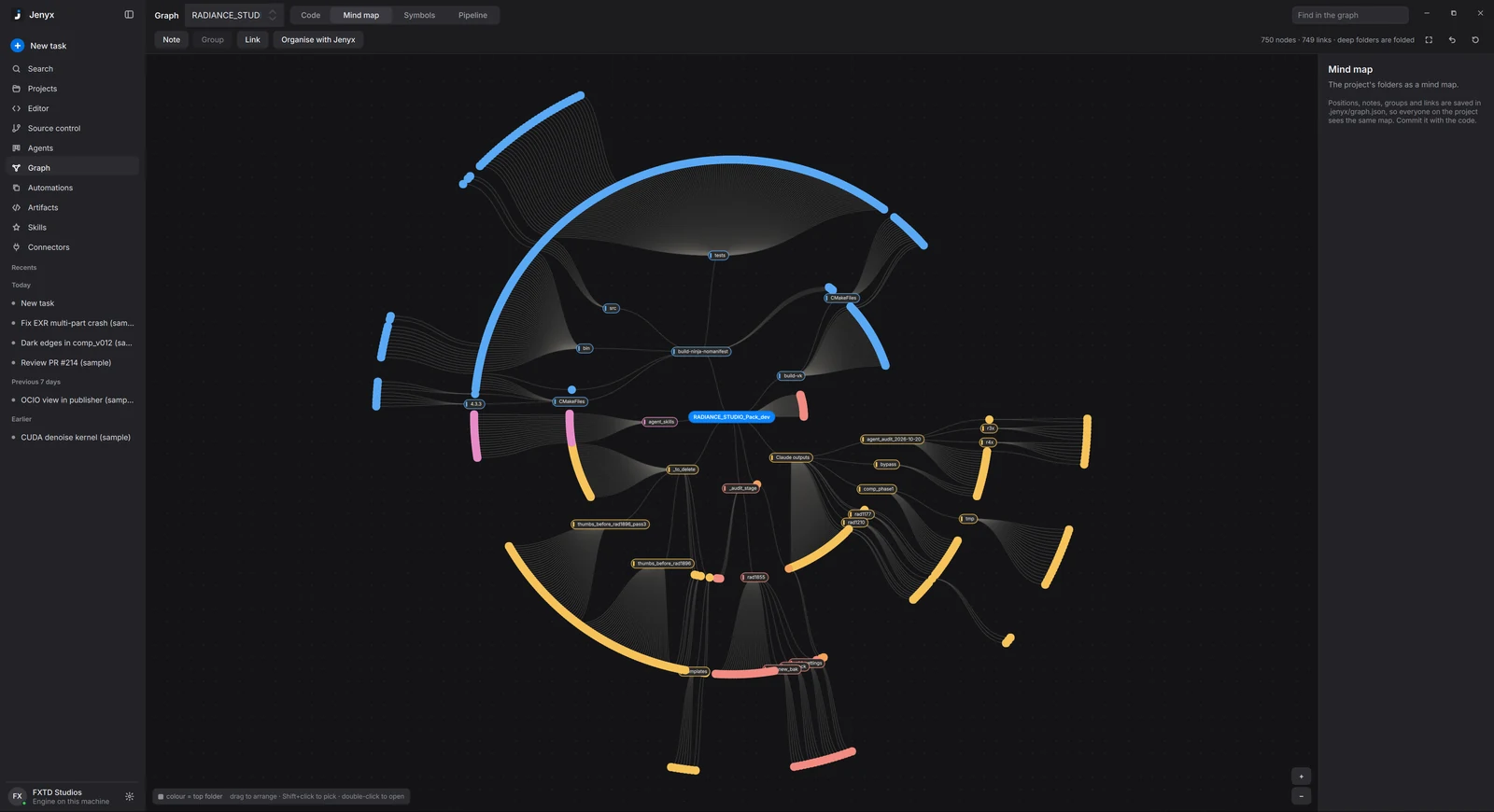
See the whole project
Maps a project as code, mind map, symbols or pipeline. Notes, groups and links are saved with the project, so the whole team sees the same map.
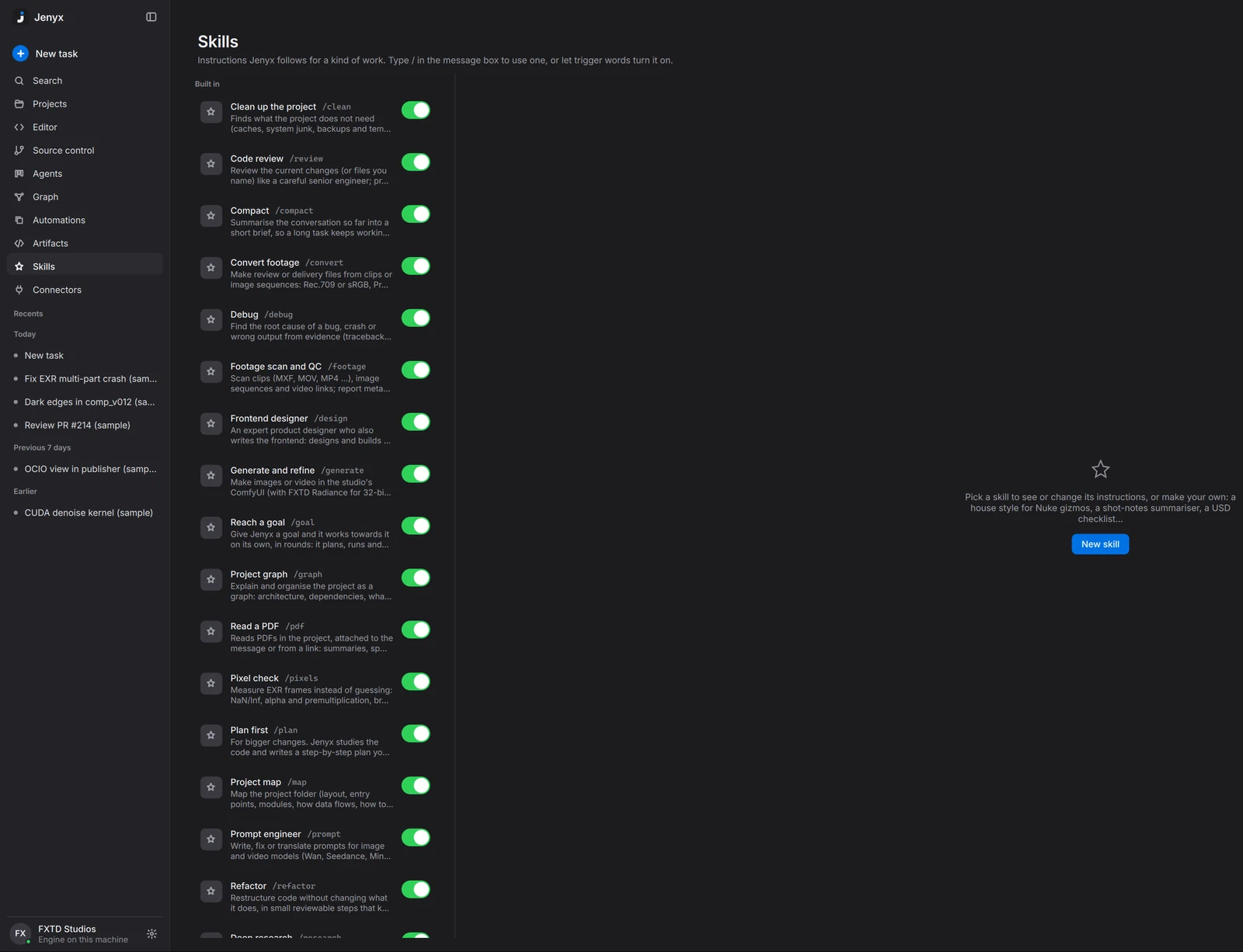
Studio skills
Built-in skills for review, debugging, footage QC, pixel checks, ComfyUI generation and planning. Type / to use one, or write your own house style for Nuke gizmos, shot notes or USD checklists.
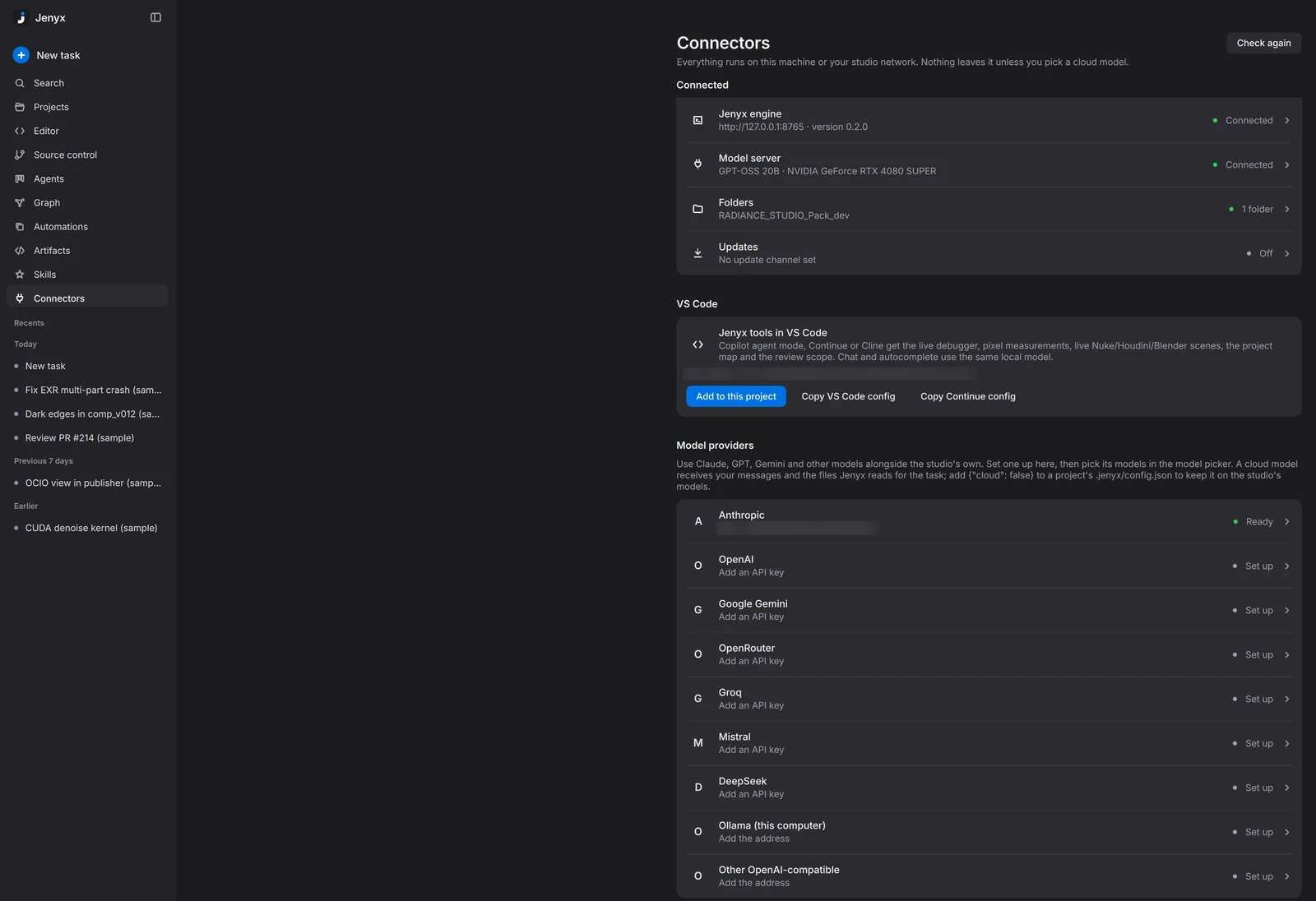
Runs where you work
The engine, model and folders stay on this machine or your studio network. Jenyx tools also work inside VS Code, and cloud models are only used if you add one.
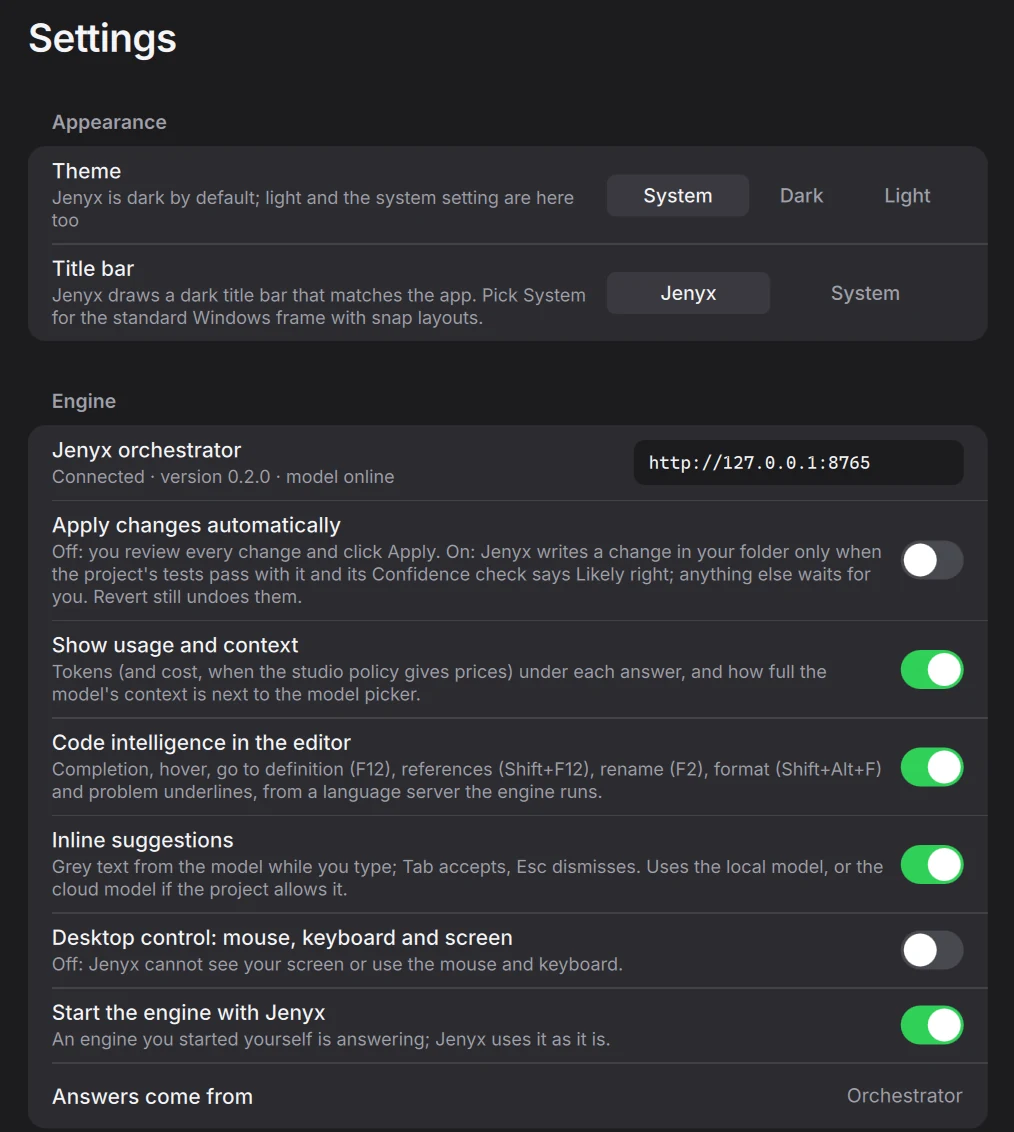
You stay in control
Changes wait for your Apply unless you turn on automatic apply, and desktop control is off by default. A studio policy file sets models, cloud use and updates for every machine.
For production
Built for high-end production.
Jenyx works with the files and tools a VFX pipeline already uses.
Private by default
Runs on a single workstation GPU. Code, plates and renders stay on your network.
Verified results
Tests, the runtime and a security gate check each change before it is marked done.
Pixel truth
Measures EXR, DPX and TIFF frames exactly: NaN and Inf, alpha, premultiplication and frame diffs, shown through your OCIO view.
Live scenes
Reads live Nuke, Houdini and Blender scenes. Each approved change comes back as a node diff you can revert.
Closed-loop generation
Runs your ComfyUI and Radiance workflows, scores every take against the brief and refines until it matches.
You approve
Commands, scene edits and tools run only after you allow them. Tests run on a throw-away copy of the project.
Talk to us about Jenyx.
Jenyx is not available to download yet. Features and models may change before release.
Newsletter
News from the lab.
New releases, tools and project breakdowns. A few emails a year. Prefer to check in yourself? Read the changelog.